Playwright MCP:網頁自動化的探索與挑戰
1. 在Claude中安裝Playwright MCP
- 參考 Playwright 提供的Example config安裝指令,貼至Claude設定檔中,記得徹底重開Claude Desktop才看得到(必要時用工作管理員完全關閉)。
claude_desktop_config.json
{
"mcpServers": {
"playwright": {
"command": "npx",
"args": [
"@playwright/mcp@latest"
]
}
}
}
2. 查詢:搜尋機票、並整理成表格
- 直接下以下指令,若有卡住可直接指定使用playwright進行搜尋,若要權限一律同意即可。
prompt
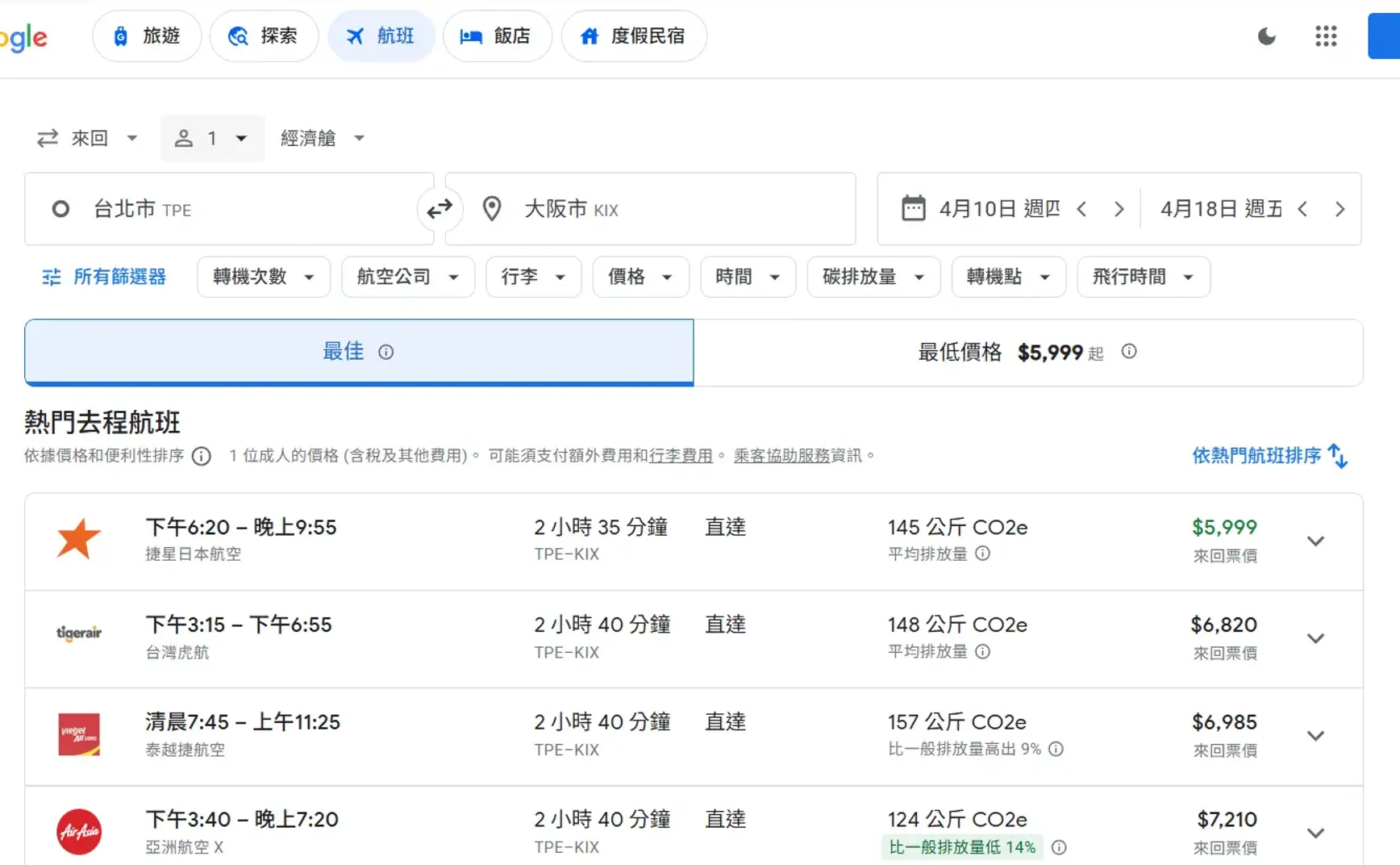
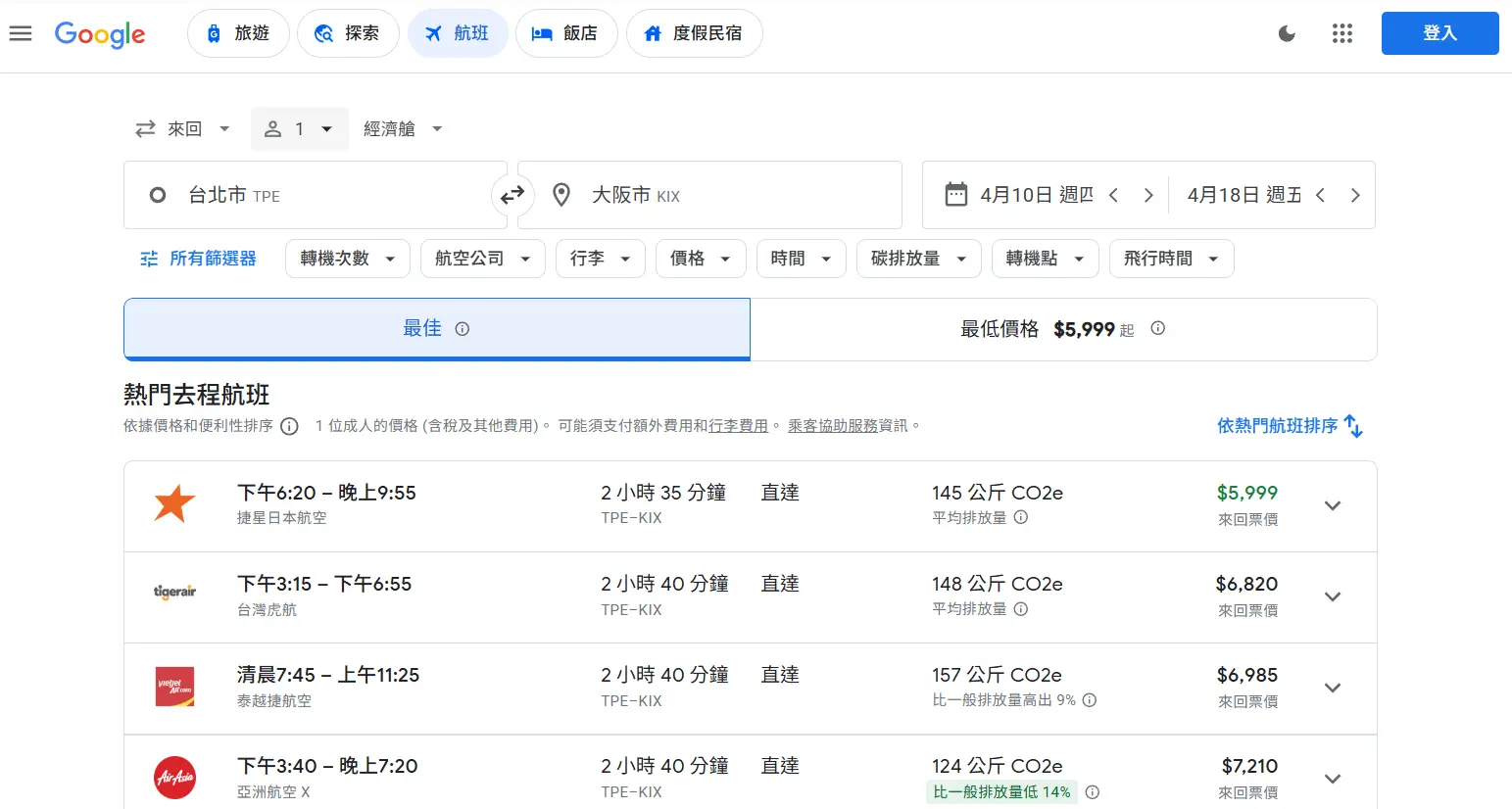
幫我從Google找臺灣到大阪4/10去、4/18回最便宜的機票
prompt
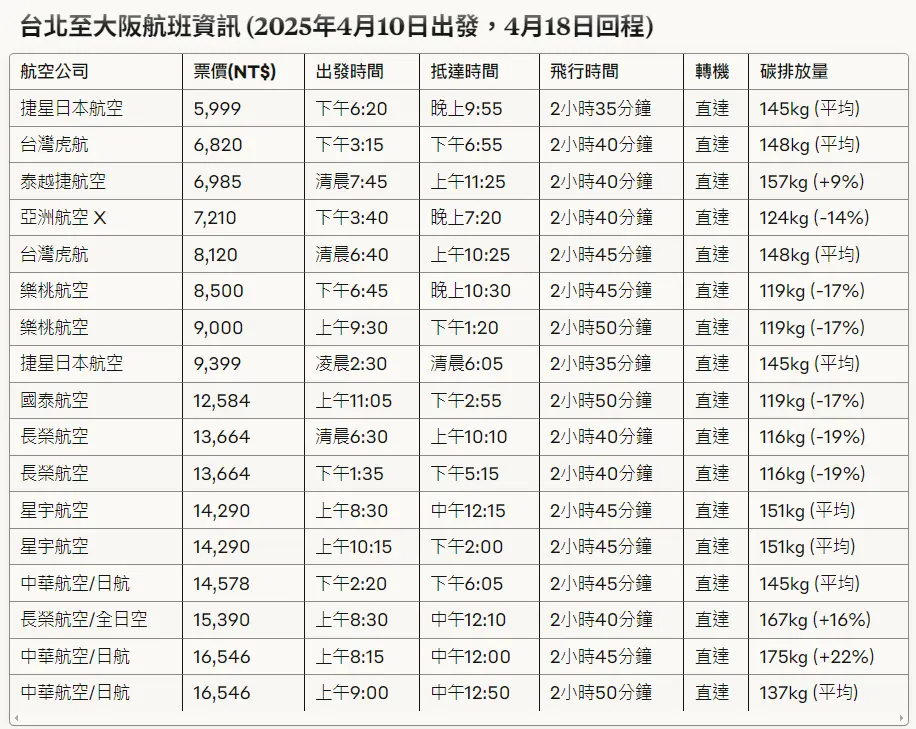
請整理所有航班資訊,並用表格呈現