
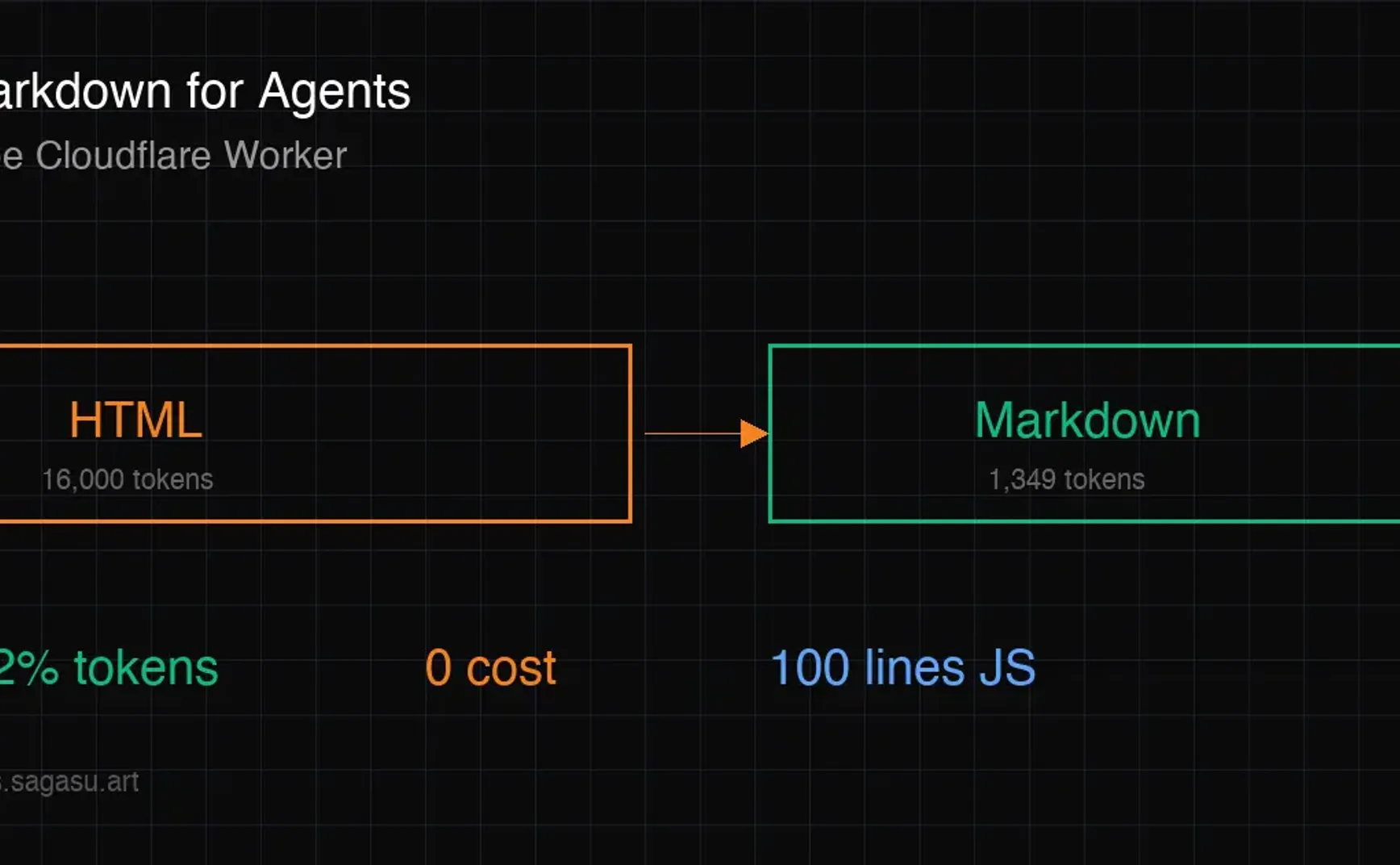
免费实现 Cloudflare Markdown for Agents:用 Worker 让 AI 爬虫爱上你的网站
2026 年 2 月 12 日,Cloudflare 发布了 Markdown for Agents 功能——当 AI 爬虫请求网页时,边缘网络自动将 HTML 转换为 Markdown 返回。Token 消耗降低 80%,Claude Code 和 OpenCode 已经在用。
但这功能需要 Pro 计划起步($20/月)。
我用一个免费的 Cloudflare Worker 实现了同样的效果。本文手把手教你怎么做。
为什么 AI 爬虫需要 Markdown?
先看一组数据。同一个页面:
- HTML 版本:约 16,000 tokens
- Markdown 版本:约 1,349 tokens
减少 92%。
对 AI 爬虫来说,HTML 里 90% 的内容是噪音——<div> 嵌套、CSS 类名、JavaScript、导航栏、页脚。它们真正需要的只是文本内容和链接结构。
Cloudflare 官方的比喻很形象:"Feeding raw HTML to an AI is like paying by the word to read packaging instead of the letter inside."
当越来越多的 AI 搜索引擎(Perplexity、SearchGPT、Claude)开始索引网页内容时,让你的页面更容易被 AI 消化 = 更容易被 AI 引用 = 更多的流量。
原理:HTTP Content Negotiation
Cloudflare 的方案不是给 AI 和人类看不同的页面(那叫 cloaking,会被 Google 惩罚),而是用标准的 HTTP 内容协商:
- AI 爬虫发请求:
Accept: text/markdown - 服务器识别这个 header
- 返回同一内容的 Markdown 格式版本
- 响应头加
Vary: Accept,告诉 CDN 按 Accept header 分别缓存
这和浏览器请求 Accept: text/html 是同一套机制,完全合规。
动手:用免费 Worker 实现
前置条件
- 一个 Cloudflare 账号(免费版就行)
- 你的网站域名已接入 Cloudflare(或用 Cloudflare Pages 部署)
- 装好 wrangler CLI:
npm install -g wrangler
Step 1:创建 Worker 项目
mkdir markdown-agent && cd markdown-agent
创建 wrangler.toml:
name = "markdown-agent"
main = "index.js"
compatibility_date = "2024-01-01"

routes = [
  { pattern = "your-domain.com/*", zone_name = "your-domain.com" }
]
Step 2:写转换逻辑
创建 index.js:
export default {
  async fetch(request) {
    const accept = request.headers.get('Accept') || '';

    // 只拦截明确请求 markdown 的
    if (!accept.includes('text/markdown')) {
      return fetch(request);
    }

    // 获取原始 HTML
    const response = await fetch(request.url, {
      headers: { ...Object.fromEntries(request.headers), 'Accept': 'text/html' },
    });

    if (!response.ok || !response.headers.get('content-type')?.includes('text/html')) {
      return response;
    }

    const html = await response.text();
    const markdown = htmlToMarkdown(html, new URL(request.url).pathname);
    const tokenEstimate = Math.ceil(markdown.length / 4);

    return new Response(markdown, {
      headers: {
        'Content-Type': 'text/markdown; charset=utf-8',
        'Vary': 'Accept',
        'X-Markdown-Tokens': tokenEstimate.toString(),
        'Content-Signal': 'ai-train=yes, search=yes, ai-input=yes',
        'Cache-Control': 'public, max-age=3600',
      },
    });
  },
};
Step 3:HTML → Markdown 转换函数
这是核心。不需要引入重型库,用正则就够:
function htmlToMarkdown(html, path) {
// 提取元数据
const title = html.match(/<title>(.*?)<\/title>/s)?.[1]
?.replace(/&/g, '&') || '';
const description = html.match(
/<meta name="description" content="(.*?)"/
)?.[1] || '';
const locale = path.split('/')[1] || 'en';
// 提取 JSON-LD 结构化数据
const jsonLd = [];
for (const m of html.matchAll(
/<script type="application\/ld\+json">(.*?)<\/script>/gs
)) {
try { jsonLd.push(JSON.parse(m[1])); } catch {}
}
// 提取 <main> 内容
let md = html.match(/<main[^>]*>(.*?)<\/main>/s)?.[1] || '';
// 清除脚本和样式
md = md.replace(/<script[^>]*>.*?<\/script>/gs, '');
md = md.replace(/<style[^>]*>.*?<\/style>/gs, '');
// 转换 HTML 元素
md = md.replace(/<h1[^>]*>(.*?)<\/h1>/gs, (_, t) => `# ${strip(t)}\n\n`);
md = md.replace(/<h2[^>]*>(.*?)<\/h2>/gs, (_, t) => `## ${strip(t)}\n\n`);
md = md.replace(/<h3[^>]*>(.*?)<\/h3>/gs, (_, t) => `### ${strip(t)}\n\n`);
md = md.replace(/<a[^>]*href="([^"]*)"[^>]*>(.*?)<\/a>/gs, (_, href, text) => {
const t = strip(text).trim();
return t ? `[${t}](${href.startsWith('/') ? 'https://your-domain.com' + href : href})` : '';
});
md = md.replace(/<li[^>]*>(.*?)<\/li>/gs, (_, t) => `- ${strip(t).trim()}\n`);
md = md.replace(/<p[^>]*>(.*?)<\/p>/gs, (_, t) => `${strip(t).trim()}\n\n`);
md = md.replace(/<strong[^>]*>(.*?)<\/strong>/gs, '**$1**');
md = md.replace(/<[^>]+>/g, ''); // 清除剩余标签
md = md.replace(/&/g, '&').replace(/ /g, ' ');
md = md.replace(/\n{3,}/g, '\n\n').trim();
// 组装 frontmatter
const fm = `---\ntitle: "${title}"\ndescription: "${description}"\nlocale: "${locale}"\n---`;
let result = `${fm}\n\n${md}`;
if (jsonLd.length) {
result += '\n\n## Structured Data\n\n```json\n' +
JSON.stringify(jsonLd, null, 2) + '\n```';
}
return result;
}
function strip(html) { return html.replace(/<[^>]+>/g, '').trim(); }
Step 4:部署
wrangler deploy
Step 5:验证
# AI 请求 → 返回 markdown
curl -H "Accept: text/markdown" https://your-domain.com/

# 普通请求 → 返回正常 HTML
curl https://your-domain.com/
检查响应头:
curl -sI -H "Accept: text/markdown" https://your-domain.com/ | grep -i "content-type\|vary\|x-markdown\|content-signal"
你应该看到:
content-type: text/markdown; charset=utf-8
vary: Accept
x-markdown-tokens: 1349
content-signal: ai-train=yes, search=yes, ai-input=yes
配套优化:让 AI 更容易发现你
光有 Markdown 转换还不够。AI 爬虫需要知道你的站有什么。
llms.txt
在网站根目录放一个 llms.txt,类似 robots.txt 但面向 AI:
# YourSite

> 一句话描述你的站点

## Capabilities
- 你能做什么
- 支持什么格式/功能

## API Endpoints
- GET /api/xxx — 描述
- POST /api/yyy — 描述

## Content Policy
Content-Signal: ai-train=yes, search=yes, ai-input=yes
Content-Signal Header
在 _headers 文件(Cloudflare Pages)或服务器配置中加:
/*
  Content-Signal: ai-train=yes, search=yes, ai-input=yes
三个信号的含义:
ai-train:允许用于 AI 模型训练search:允许建立搜索索引ai-input:允许作为 AI 的实时输入(RAG、grounding)