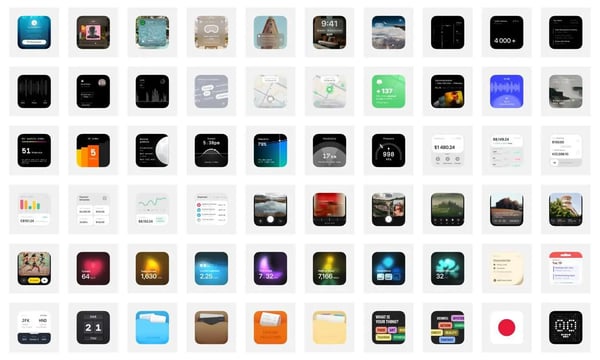

#Digital Life Efficiency Tools
1. Tally - a free and intuitive online form-building tool

Focuses on privacy, simplicity, and doesn't require registration. It integrates many popular tools like Notion, with some advanced collaboration features available for a fee. However, 99% of the functionality is free. Tally was created in response to expensive spreadsheet builders and paywalls. As long as you use it reasonably, you can collect unlimited answers without worrying about your account being closed. It is great for surveys and data collection. Chinese users can also use Feishu with excellent results.
2. A free AI-powered background removal tool
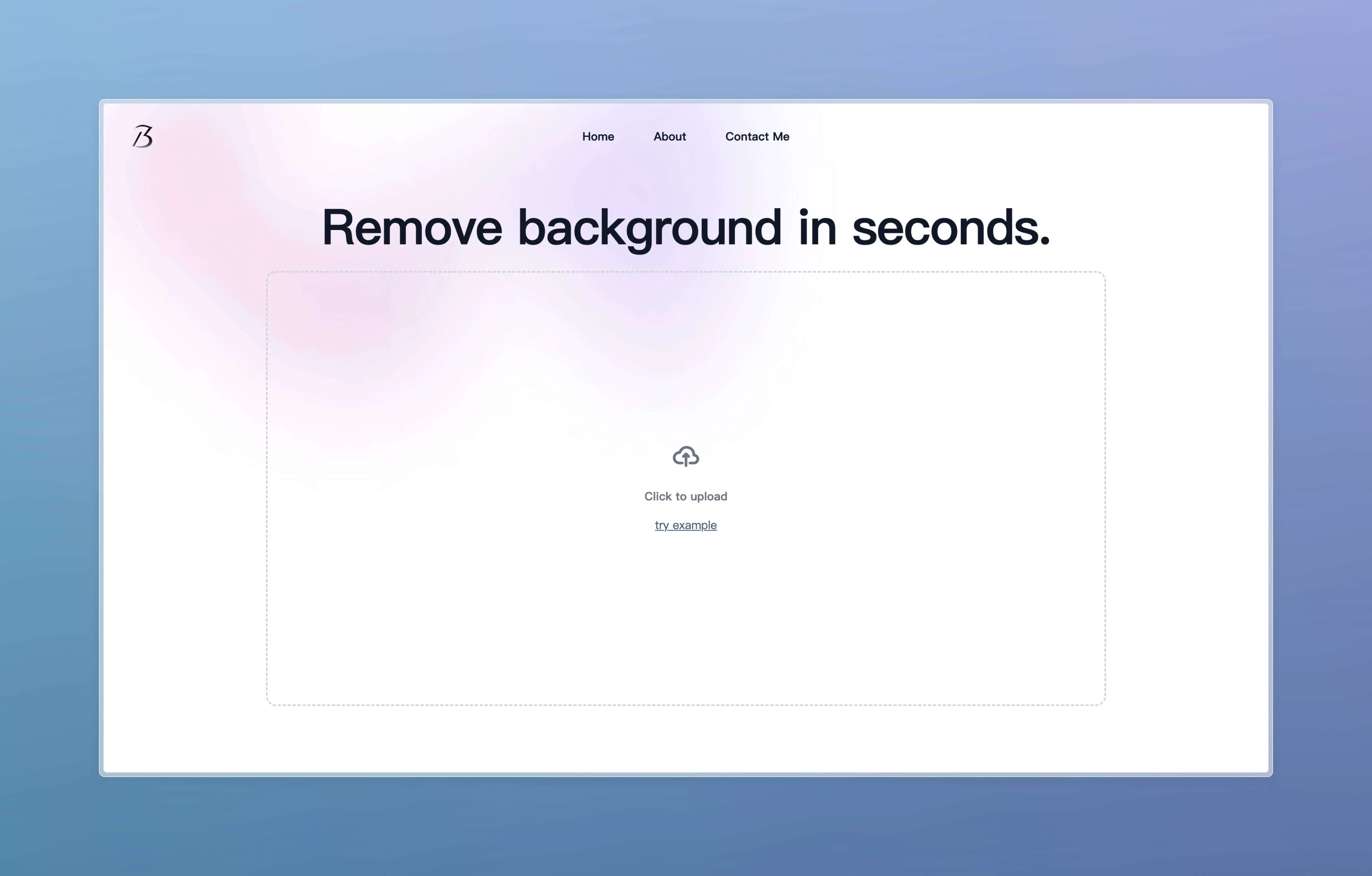
There's not much to introduce, it's easy to use.
3. Applite - a GUI product developed for Homebrew
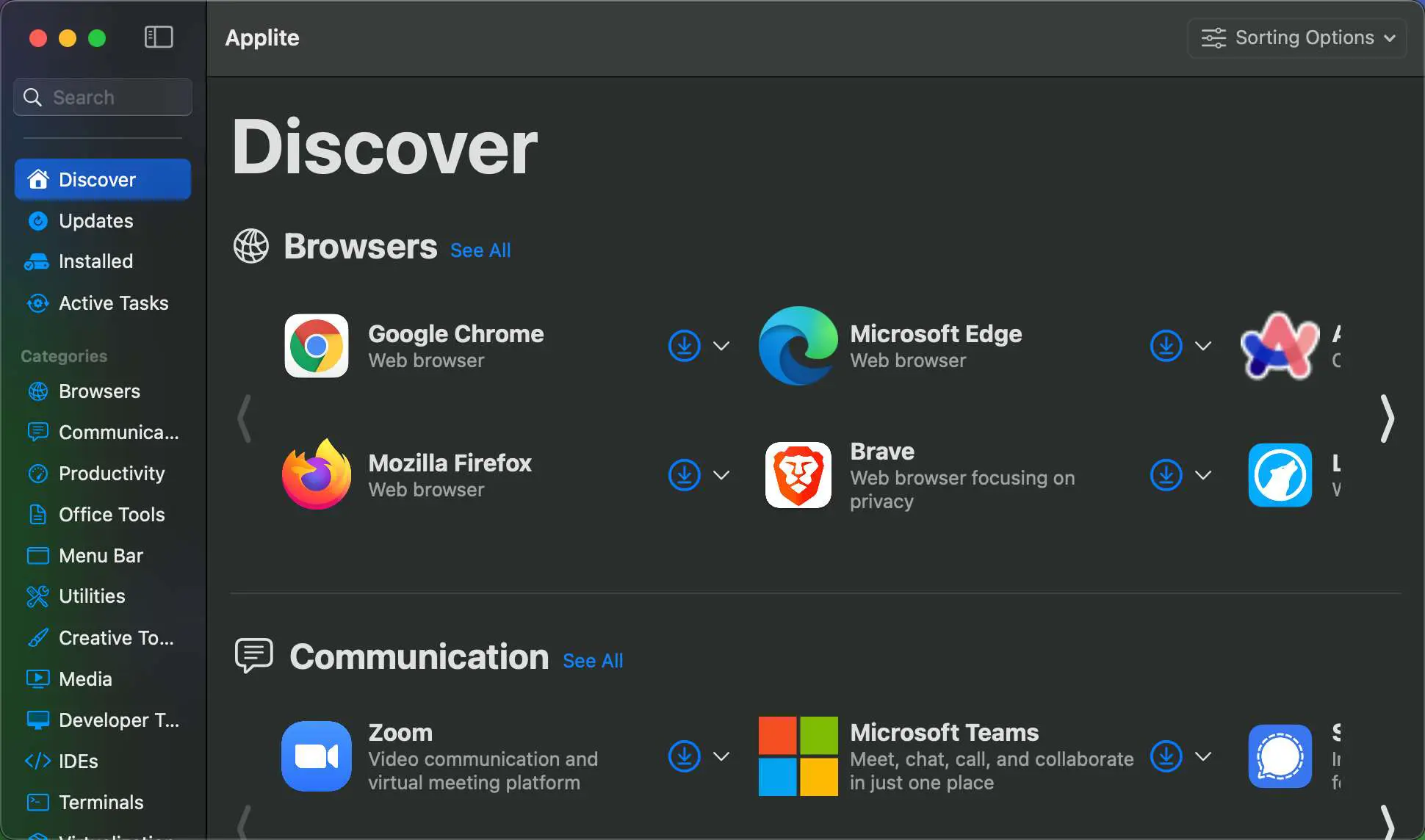
Designed to simplify the installation and management of third-party applications with Homebrew. It features one-click installation, update, and uninstallation of apps, a clean user interface (UI), is free and open-source, and includes a carefully selected collection of high-quality applications. I've been reluctant to use Homebrew because, as a non-technical person, I was unfamiliar with it and afraid of making mistakes in backing up, uninstalling, and updating software. Now with a GUI, it's much more convenient, and I can try downloading software with Homebrew in the future.
OK
[Source Text]
https://github.com/milanvarady/Applite
4. All-in-One Manual for Mac Troubleshooting
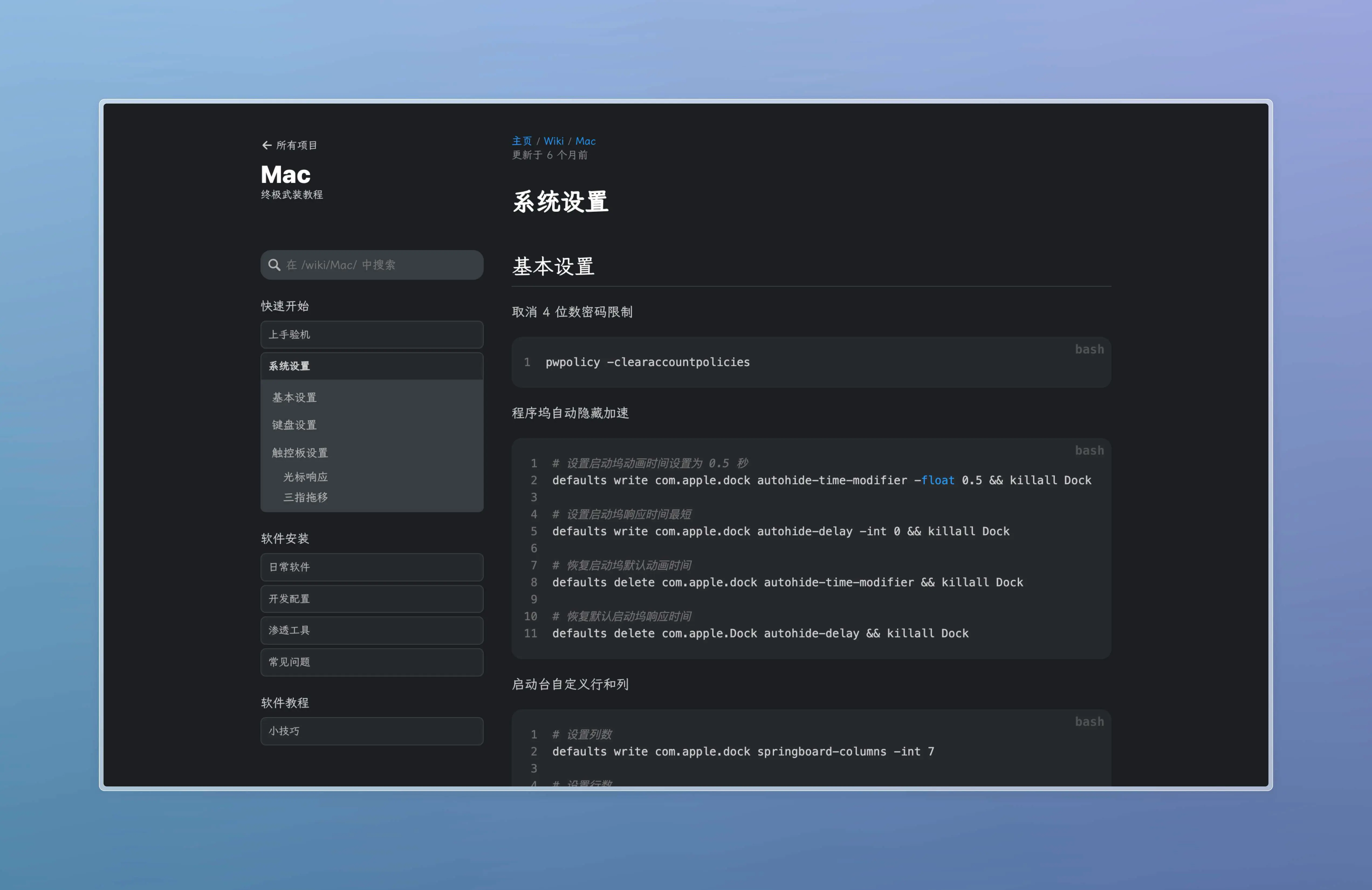
Includes getting started with your Mac, system settings, software installation, daily software, development configuration, penetration tools, common issues, software tutorials, tips and tricks. Basically, you can find answers to almost any Mac problem here. Recommended for Mac beginners or users who enjoy tinkering. After reading this, there's no need to look at those Mac tutorials online.
https://44maker.github.io/wiki/Mac/index.html
5. Another NTFS Read/Write Tool for Mac (Limited Time Offer)
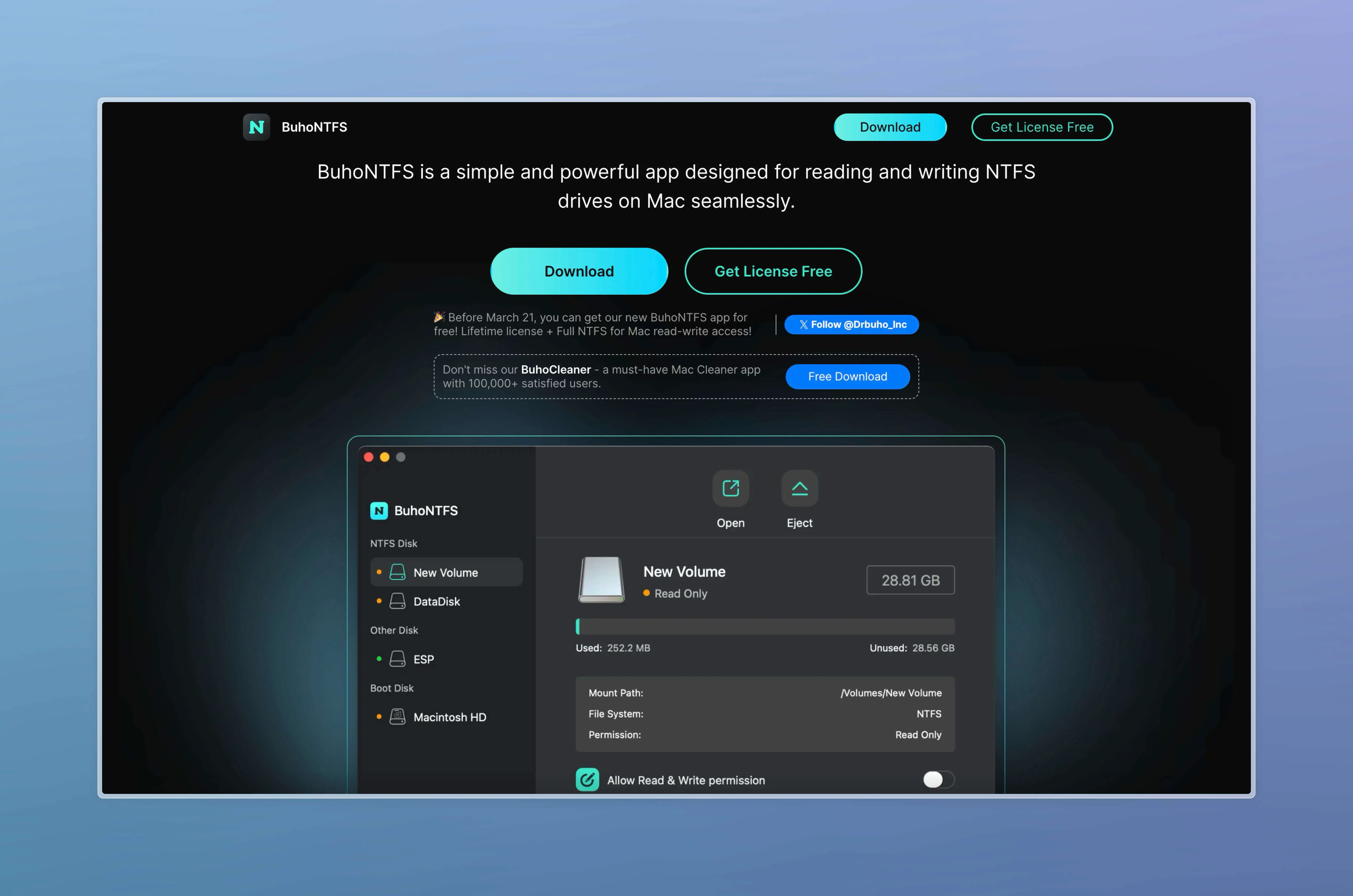
Previously, I used another open-source software called Mounty to temporarily meet the requirements. Now, there's a new software available. Until March 21st, you can get a lifetime license plus complete Mac NTFS read/write access for free. Give it a try.
https://www.drbuho.com/buhontfs
Codesign
1. LDRS - Free and Open-Source Loading Animation Library
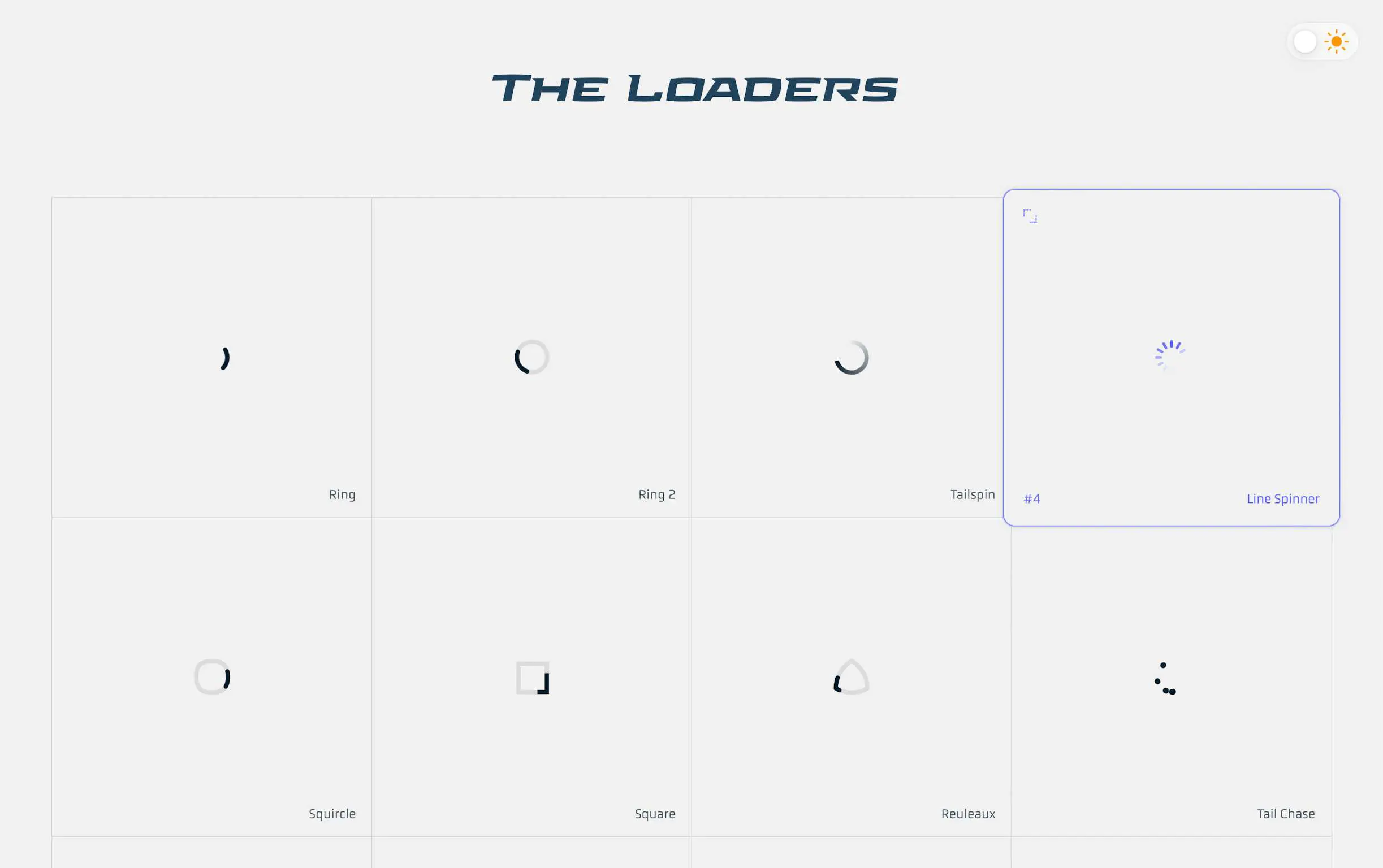
Built using HTML, CSS, and SVG, and powered by web components. It's worth mentioning that this website is well-crafted and visually appealing.
Interesting Projects and Products
1. Playing Piano on a Blank Paper
OK
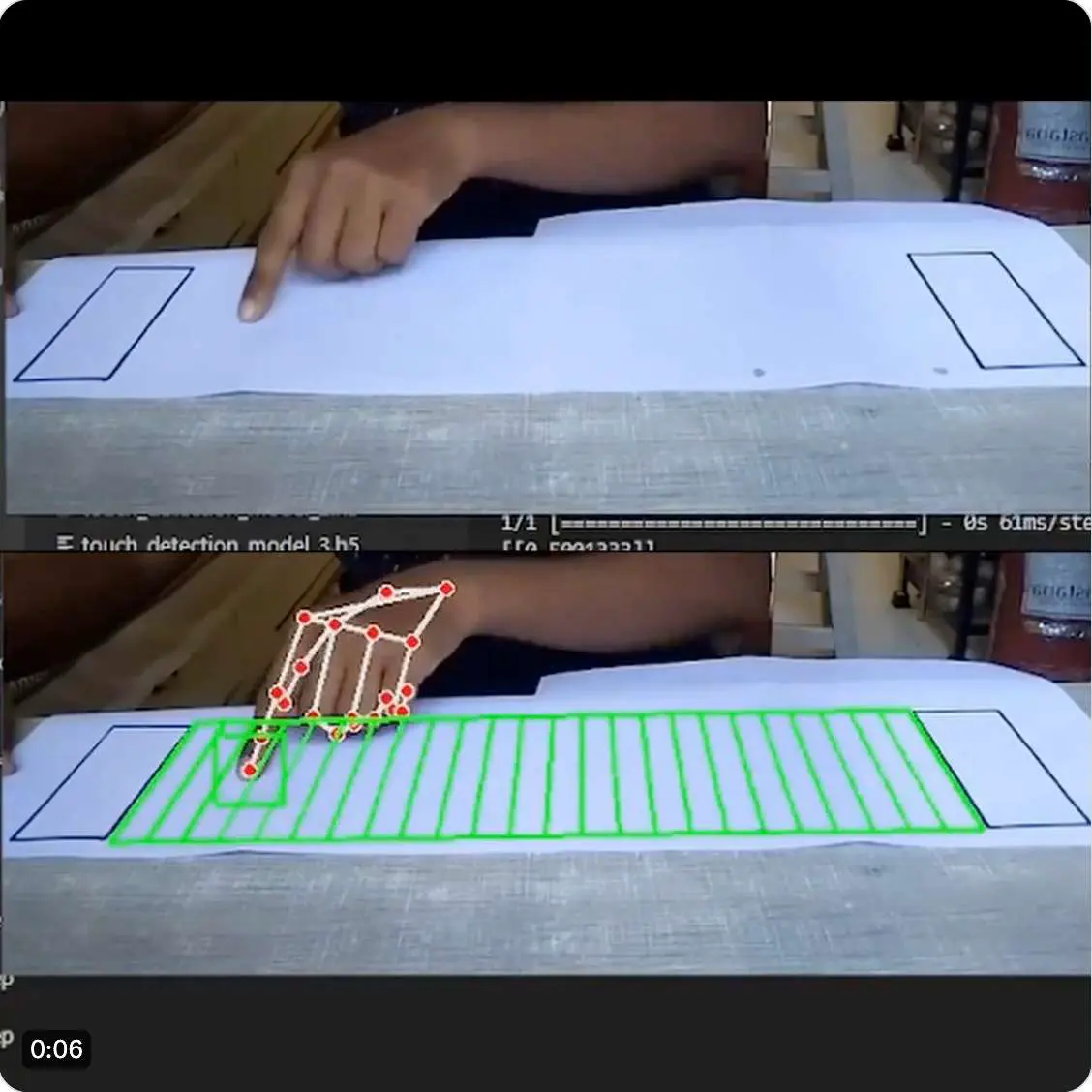
Paper Piano is an application that turns paper into a piano using a camera, allowing you to play music on the paper. Currently, it supports playing with up to two fingers, but in the future, it will support more fingers and higher sensitivity training models.
Source: https://x.com/imxiaohu/status/1767519579440632189?s=20
Project: https://github.com/Mayuresh1611/Paper-Piano
2. Muse Pro - An AI Drawing App for iPad

Muse Pro is an AI real-time drawing application designed specifically for iPad. It can draw in real-time and convert each stroke into a digital image, enhancing the intuitiveness and interactivity of the artwork. It also allows for quick enhancement and zooming of images, and supports custom brushes and advanced layer operations. It appears to process data in the cloud.
Source: https://x.com/imxiaohu/status/1768208415707591122?s=20
AI Related
1. 3D Rendering with SD

Cang Master shared a video using SD to render animations created with modeling software, directly producing rendered results. The tweet discusses using SD for 3D rendering and showcases the transformation of a white model into a classic cartoon style. The tweet also mentions using Cinema4D for animation creation and the workflow in ComfyUI for the generation process. Key highlights in the comments include the level of denoising in the video, the workflow, and the inclination to improve denoising.
https://x.com/op7418/status/1767818209636544535?s=20
2. Comfy 3D Update
OK.
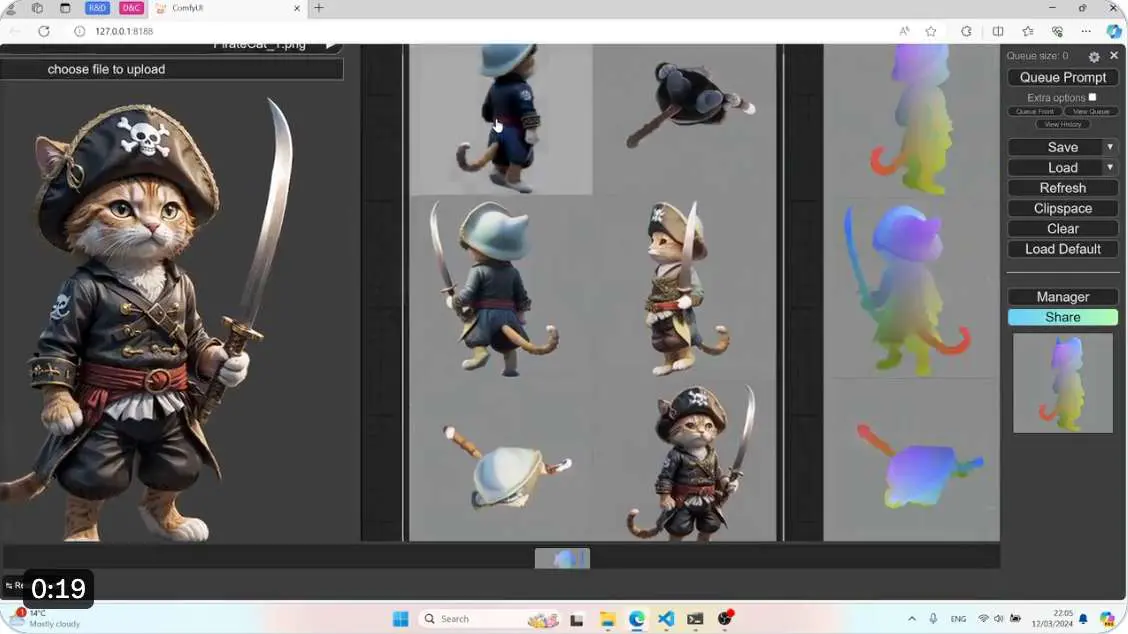
Comfy3D update: Integrating CRM (Convolutional Reconstruction Model) images into 6 multi-view images and CCM (Canonical Coordinate Mapping) into 3D grids.
ComfyUI-3D-Pack is a comprehensive node package that processes 3D inputs (meshes, UV textures, etc.) using advanced algorithms (3DGS, NeRF, Differentiable Rendering, SDS/VSD Optimization, etc.).
Original post: https://twitter.com/mrforexample/status/1767668649593106505
Project address: https://github.com/MrForExample/ComfyUI-3D-Pack
3. Midjourney Office Time Meeting Summary
Midjourney Office Time meeting summary: The alpha website will launch notification functionality and member messaging. The personalized model feature is under development and is expected to be completed in two weeks. v7 model and video model are also under development. Conducting an experiment called "X Experiment" and deploying the Midjourney robot on the X platform. The meeting took place on Discord.
4. MJ has improved style and character consistency, greatly enhancing stability.
Now controlling faces, a simple batch, produces better results with images generated by himself. It is also quite simple to use for picture books, comics, and other purposes.

There are more cases and tutorials from big shots on the road to AGI: https://waytoagi.feishu.cn/wiki/CIzXwGMNbicPFHklDDuc3jg5nce
Lyson uses it to create hippocampal-style photos, the effect is good, the tutorial is here:003 数字生活工具周刊 03-17-2024-1710586590499.jpeg
https://x.com/lyson_ober/status/1768173476869980271?s=20
5. Apple has finally arrived, with its own large language model MM 1.
OK
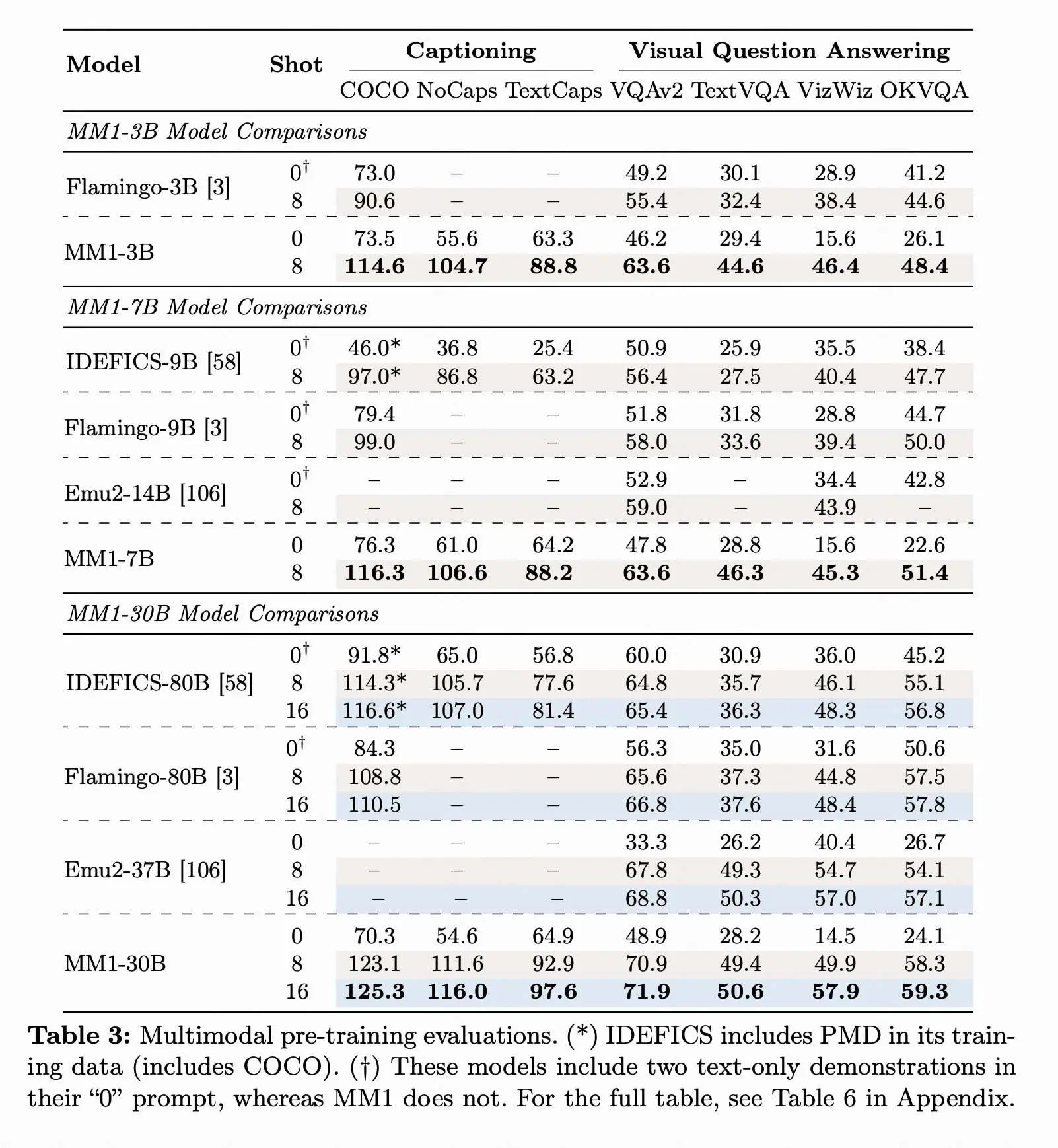
Apple has released their own large language model, MM 1, a multimodal LLM with a scale of 30B. The paper mentions that image resolution, pretraining data for the image encoder, and model size significantly impact performance. The proportion of mixed pretraining data is crucial for few-shot and zero-shot performance. The MM 1 model demonstrates state-of-the-art performance in multiple benchmark tests, with the ability for context-aware predictions, multi-image inference, and few-shot learning. The model implementation includes ablation experiments for architecture components and data selection, as well as scaling up the model and pretraining with multimodal datasets. Competitive performance has been achieved in multimodal benchmark testing through supervised fine-tuning.
Original post: https://x.com/op7418/status/1768511639287214325?s=20
Paper: https://arxiv.org/pdf/2403.09611.pdf
6. Excel is truly versatile, using Excel to implement a simple GPT 2
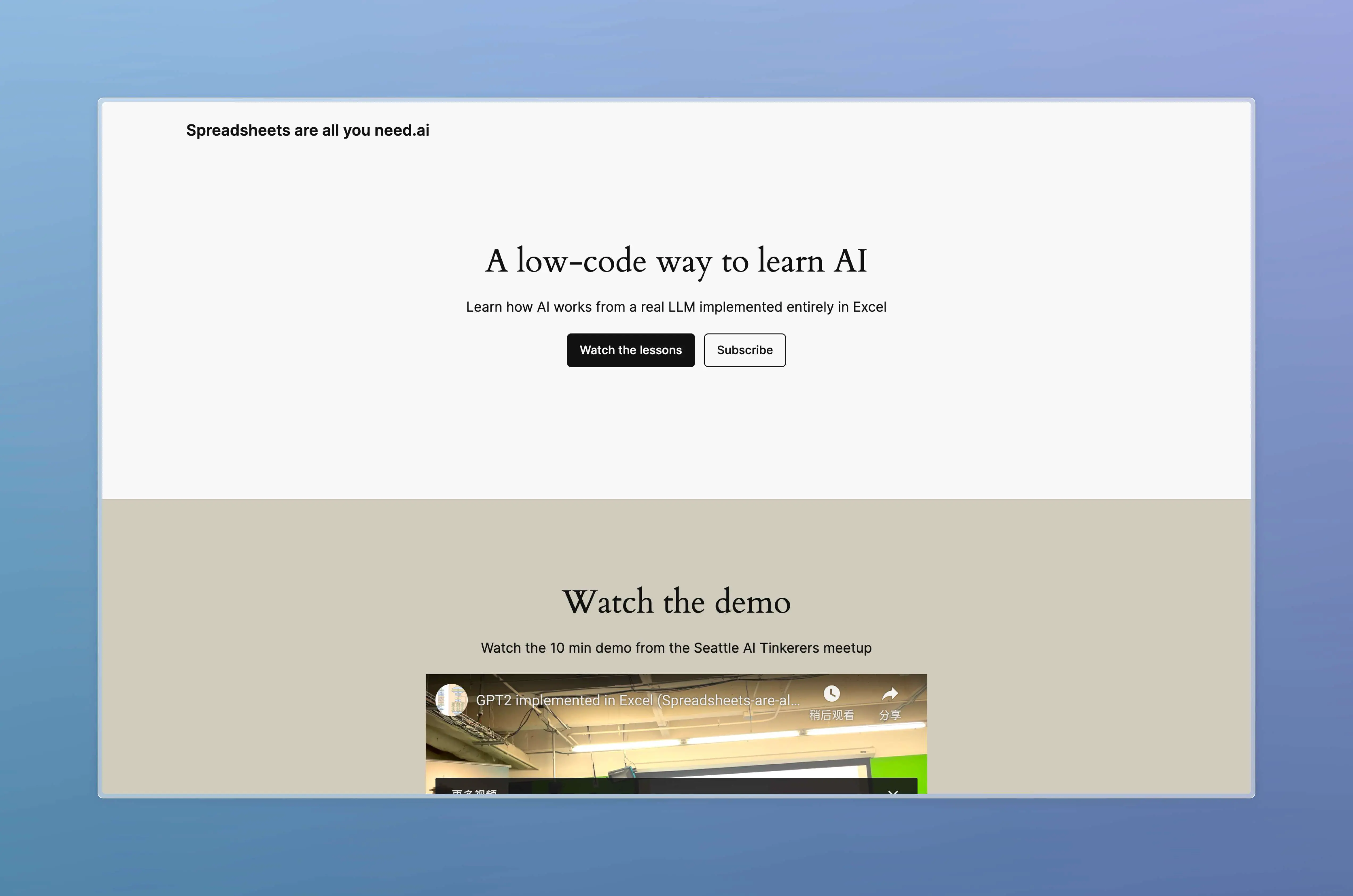
An Excel spreadsheet can be used to learn about the workings of ChatGPT and implement a simple version of GPT 2. This website provides three YouTube videos explaining how to do this. The website also offers a downloadable Excel file for implementing the simplified GPT 2, but it has a file size of 1.25G... If you're interested, you can take a look.
https://spreadsheets-are-all-you-need.ai/
SD ComfyUI Section
1. Nodecafe - ComfyUI Node Library
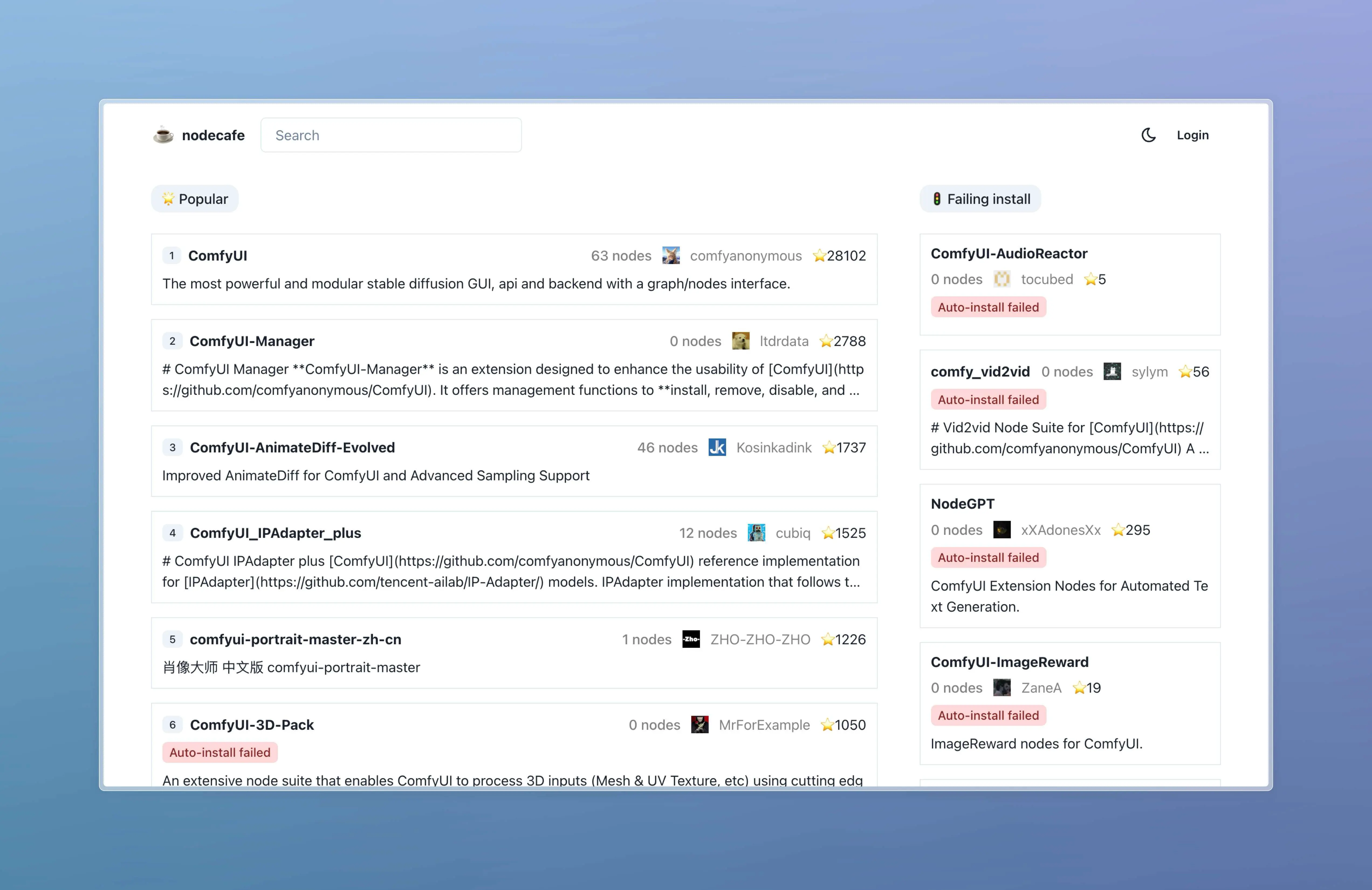
Automatically collects ComfyUI nodes from GitHub and runs checks to ensure these nodes function properly. It can be said that it is the most comprehensive open-source ComfyUI node library available.
Recommended by a ComfyUI community member, "The."
2. ComfyUI-workspace-manager
OK
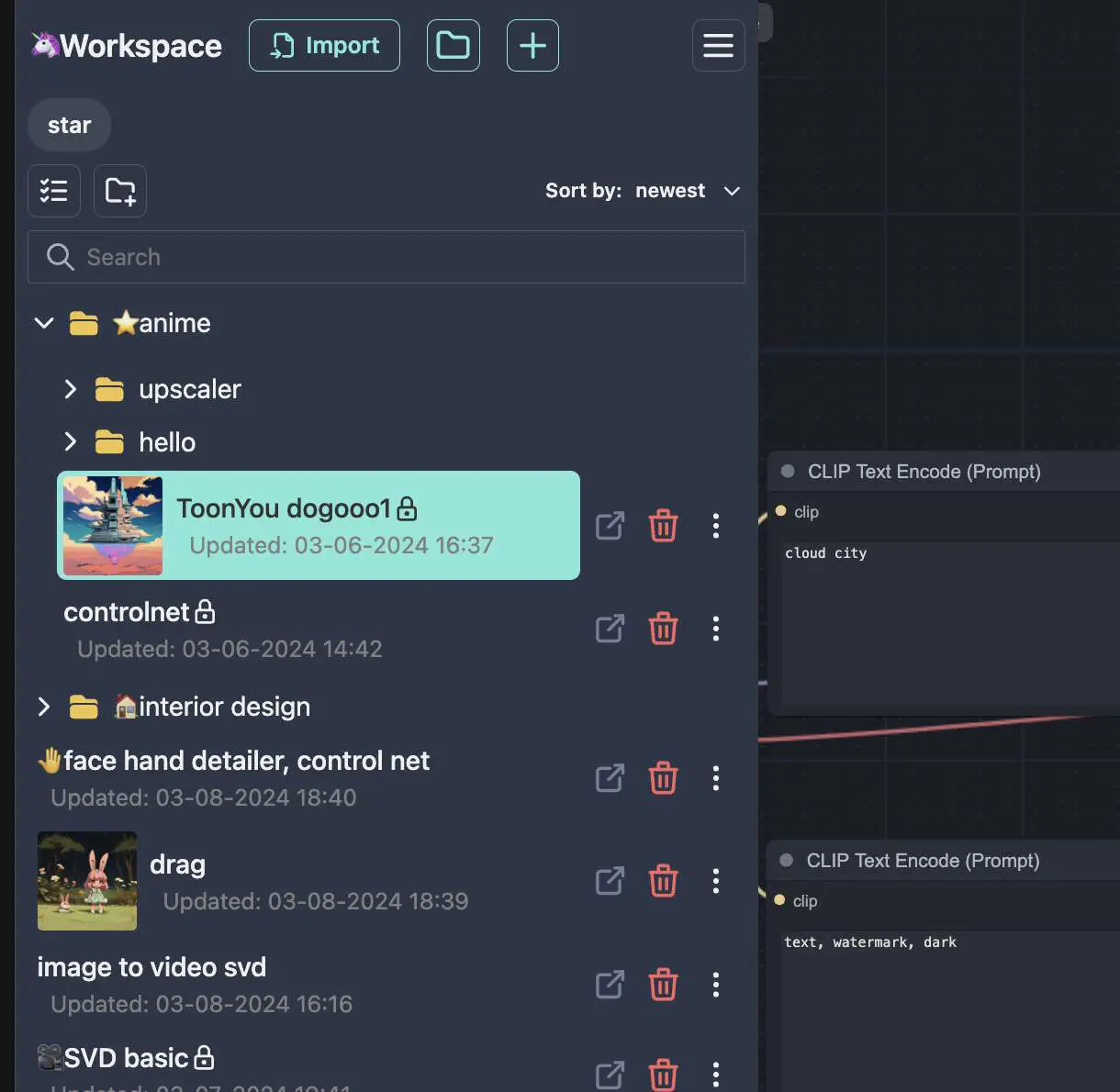
ComfyUI workspace and model management extension that allows you to organize and manage all workflows and models in one place. Seamlessly switch between workflows, import and export workflows, reuse sub-workflows, install models, and browse models within a single workspace.
https://github.com/11cafe/comfyui-workspace-manager
3. sdxl-emoji – SDXL refinement based on Apple emoji symbols
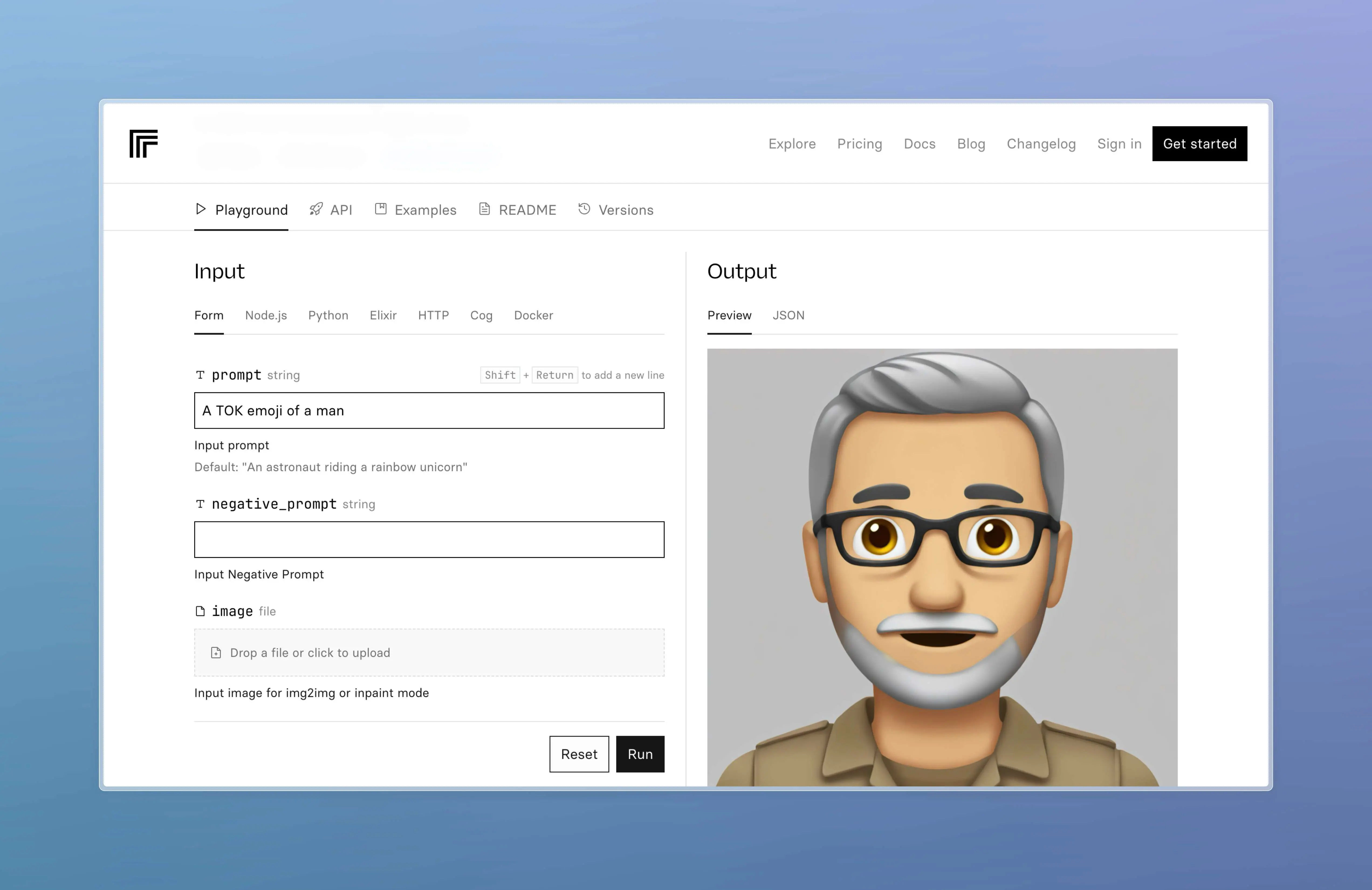
Recommended by a friend in the group, it creates a texture similar to emojis from portrait photos.
https://replicate.com/fofr/sdxl-emoji
4. Open Source AI Adventure Community - Here, magic must be used~

When it comes to playing with Blender, chili sauce could be considered one of the best. I actually learned Blender from his tutorials, which are really informative and detailed.
And now, based on Blender and SD, they have created an open source community as described in the domain name, AI godlike. It has a very anime-style vibe.
They provide ComfyUI tutorials, WebUI tutorials, and a lot of cases, like a "spellbook". Definitely worth checking out.
In addition, they have developed numerous Blender plugins that integrate WebUI, ComfyUI, and ChatGPT into Blender. Really love the open source community they have built.
Recommended reading
1. Tencent "Qianwang" Column Group
I won't say much, my friend "Lanxi" has evaluated it once, summarizing it very interestingly. The general content is as follows:
This article discusses the AI interview series conducted by Tencent Technology's Qianwang column group, which involves the views and opinions of Yang Zhilin, Zhu Xiaohu, and Wang Xiaochuan. Yang Zhilin believes that now is a crucial period for the development of large models, and we must steadfastly pursue resources and strive towards AGI. Zhu Xiaohu believes that large model development does not have a competitive advantage and suggests application innovation in open-source technology. Wang Xiaochuan takes a neutral stance, is optimistic about the development of vertical models, and criticizes some of Robin Li's decisions. Overall, these interviews show different perspectives on the AI industry and have certain reference value.
Original Post: https://m.okjike.com/originalPosts/65f428b3a922aa28d0f24959?s=ewoidSI6ICI1OWVkOTQ5ODM1MzM1ZjAwMTU4ZjVhNjciCn0=
Also, recently I have started studying ComfyUI, so I created a group with the theme "Stablediffusion's ComfyUI", but it doesn't restrict to a single theme. Welcome to discuss other AI tools, digital life, design, and development. Both beginners who just started with ComfyUI and experienced professionals are welcome. I have also shared some related resources in the group, so let's chat about AI, use AI, learn AI, improve productivity, enhance efficiency, and even make some money.

Lastly,
I have a small advertisement. Digital Litchi is currently running a promotion, with Downie, AdGurd, FocuSee, App Cleaner & Uninstaller, PD, and other software at a limited time offer of 30% off. These are all familiar software available at 30% off. You can visit the activity page through this link: https://lizhi.shop/site/discount/id/march?cid=apybh53f. You can also check out my other post to learn more about the promotion details.
During checkout, with just a little effort, you can enjoy our exclusive dual discount:
-
New users can join for free and get a 5 yuan discount on the first order.
-
Use the "sqsl" coupon code on the checkout page for an extra 5% off.

Thank you for reading this far. The above is the content of this issue. If it has helped you, please give it a like, share, and subscribe! See you next time! 👋
OK
To receive timely updates. You can subscribe to me via email (https://quaily.com/digital-life-en)or through the Medium(https://medium.com/@sqsl)
Looking forward to seeing you.