
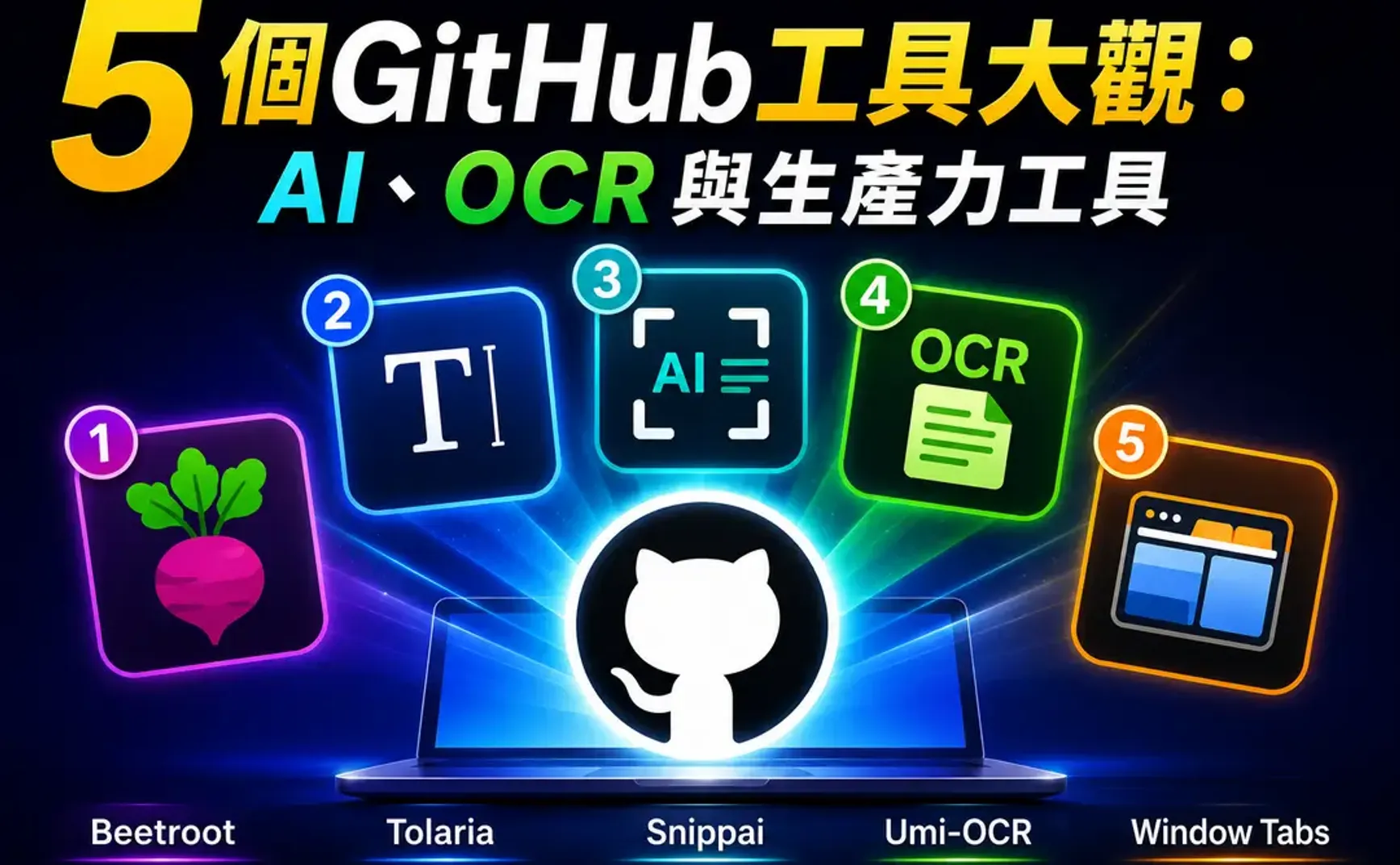
介紹 5 個GitHub的實用工具。
- Beetroot 剪貼簿管理工具 (Windows)
- Tolaria Markdown編輯器
- Snippai 截圖AI-OCR工具
- Umi-OCR 離線OCR工具
- Window Tabs 應用程式視窗分頁

1. Beetroot 剪貼簿管理工具 (Windows)

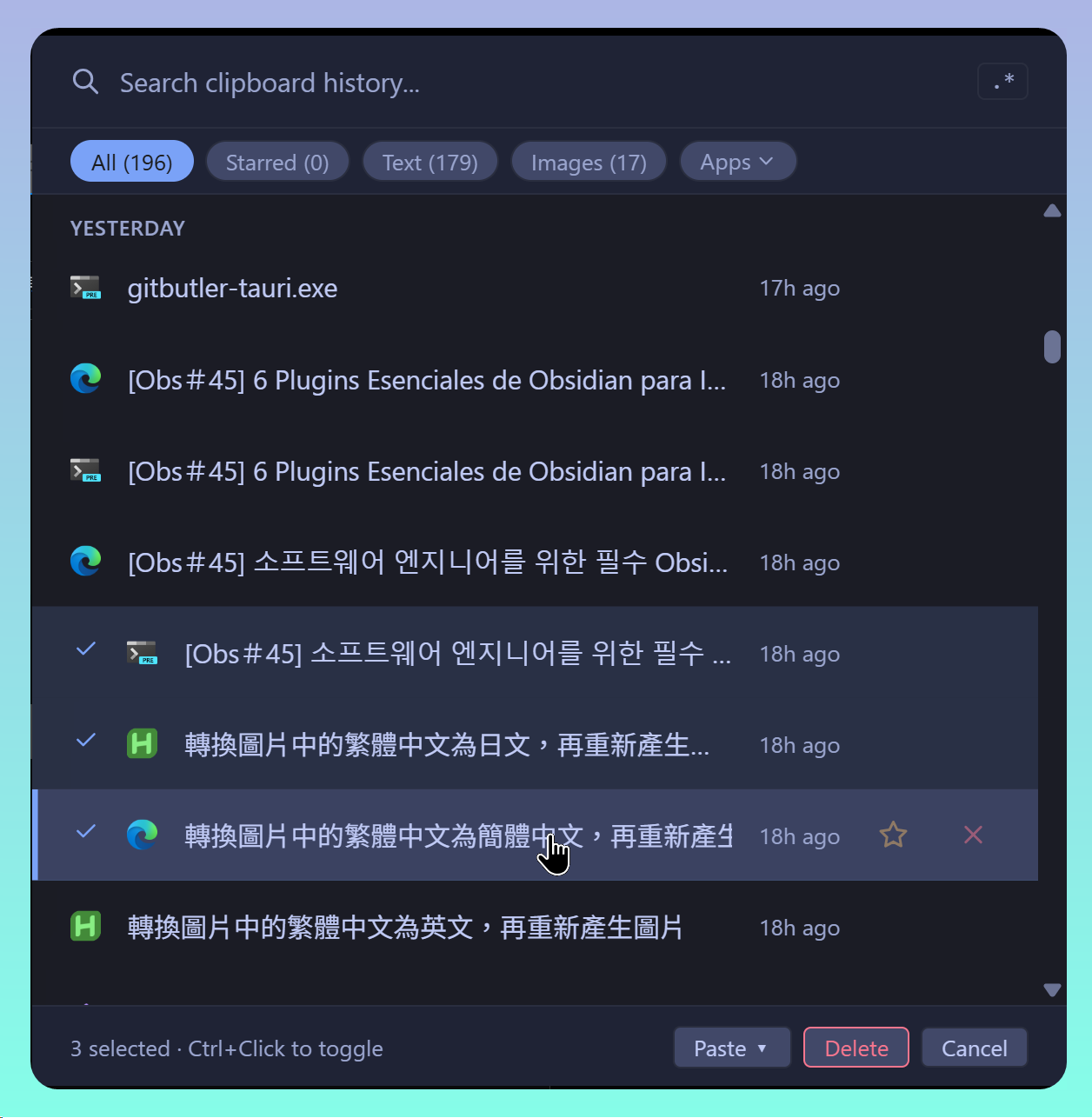
重點:
- 適用 Windows
- 雖然是GitHub網站,但只有執行檔,並無原始程式
- 9個佈景主題,且有外觀自訂功能
- 有簡體中文介面
- 提供OCR功能,可惜無法辨識中文
- 整合AI LLM功能,預設AI 供應商:
- OpenAI
- Google Gemini
- Anthropic
- DeepSeek
- Local LLM
- LM Studio
- Ollama
- Custom: 輸入需要網址,OpenCode Go測試失敗
- 會記錄擷取時的應用程式
- 圖片有獨立的清單
已知問題:
- OCR無法辨識中文與數學公式
2. Tolaria Markdown編輯器
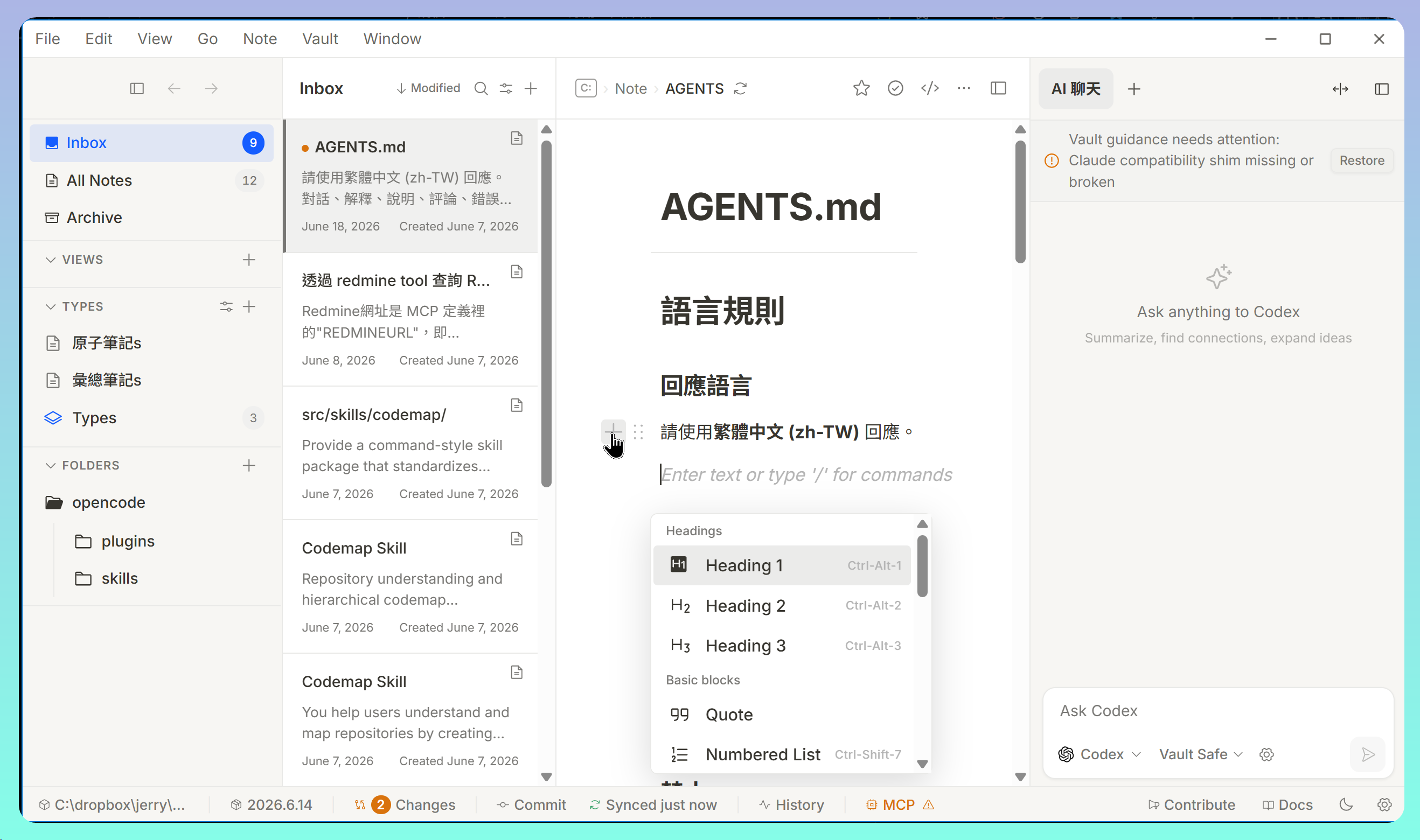
- 以Rust編寫,適用於Windows、macOS、Linux
- 有多種語言介面,包含繁體、簡體中文
- 左側像Evernote,編輯區像Notation
- 同時開啟多個Vault
- 整合AI聊天功能,支援多個AI Agents,也能使用本地模型
- 預設支援Git同步
3. Snippai 截圖AI-OCR工具
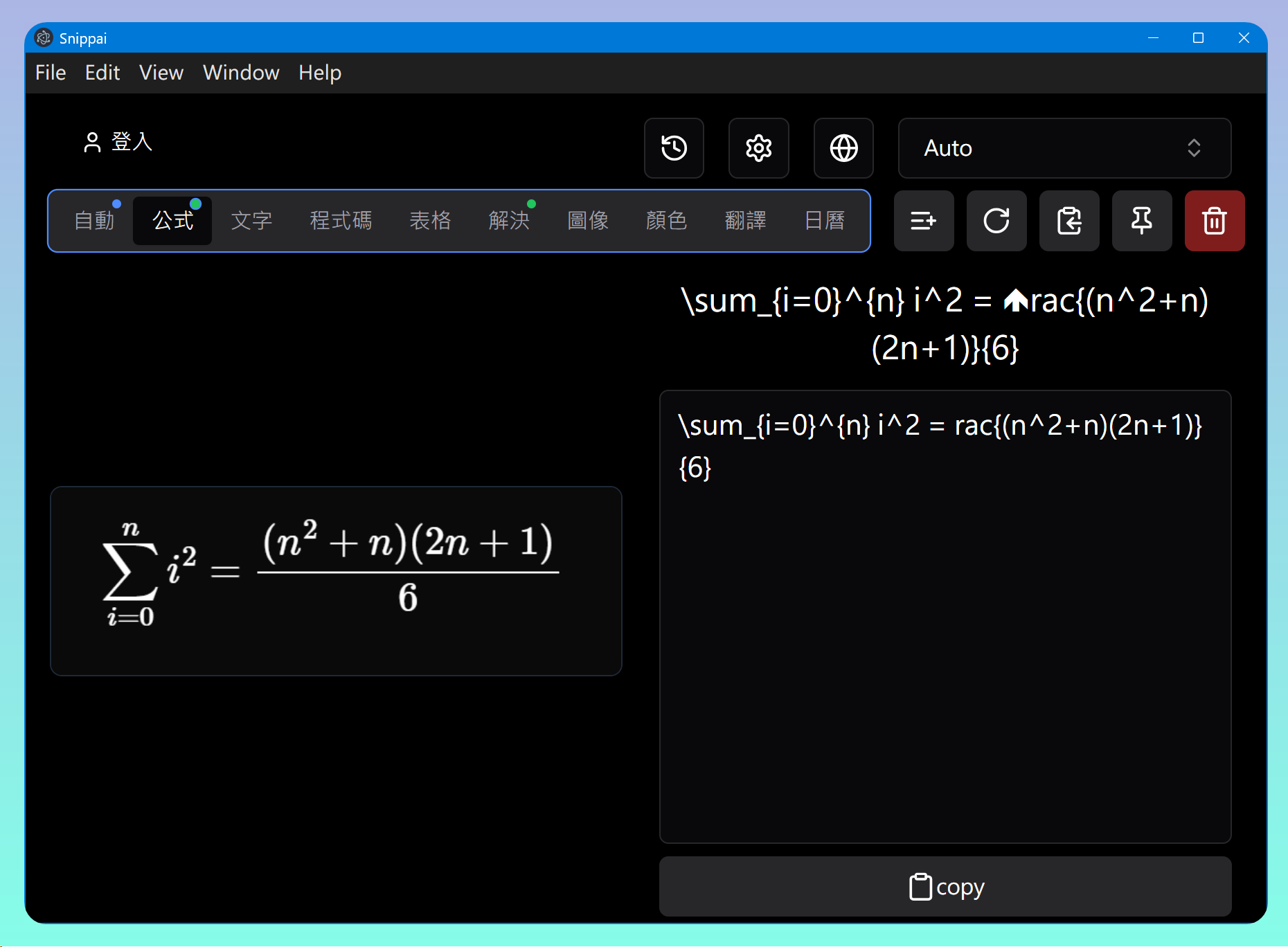
重點:
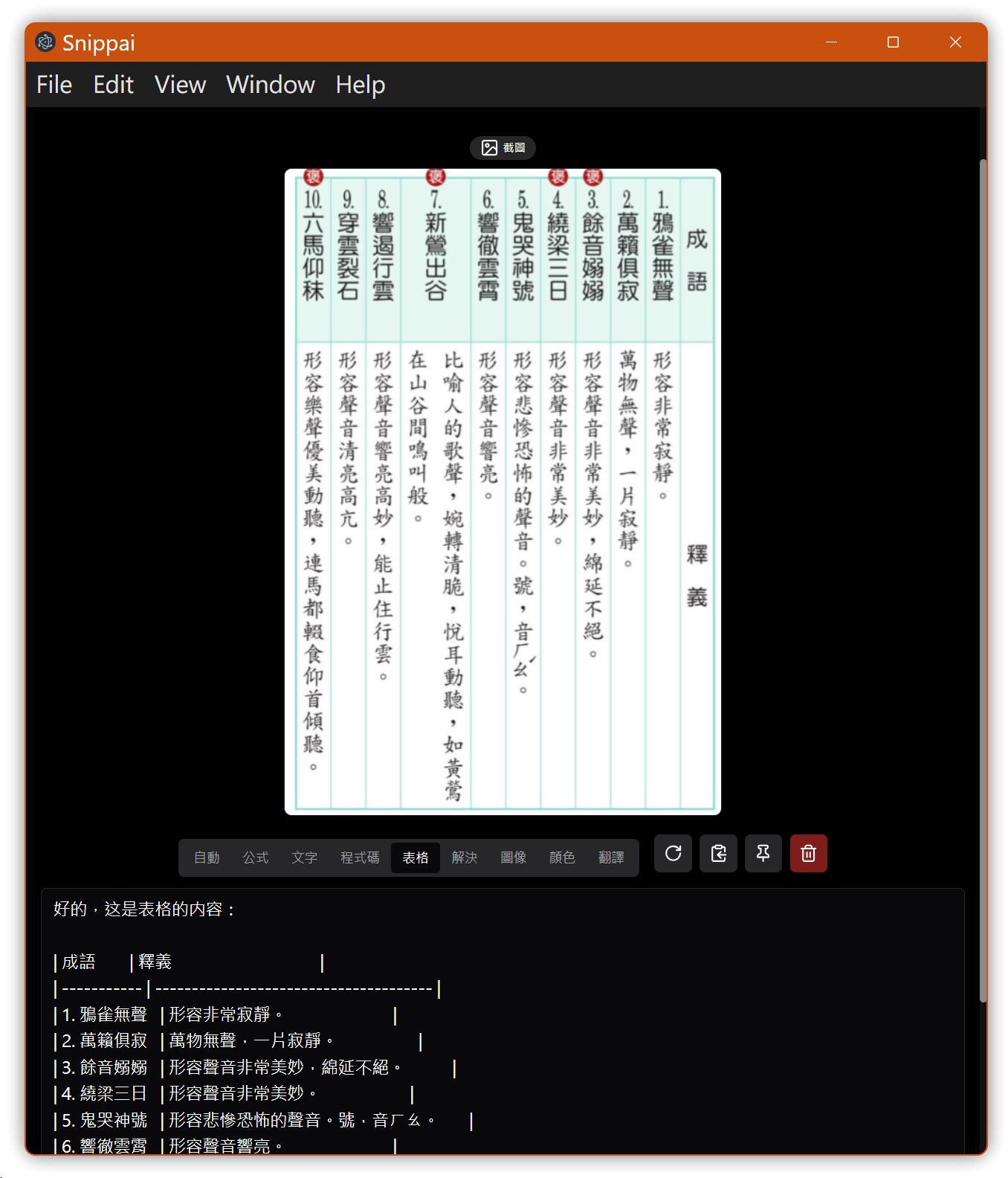
- 截圖分類:公式、程式碼、表格等
- 按下Ctrl+Shift+A截圖後立即叫用OpenAI或Gemini解析內容而生成文字內容
3.1. 數學公式測試
3.2. 中文表格測試
4. Umi-OCR 離線OCR工具
重點:
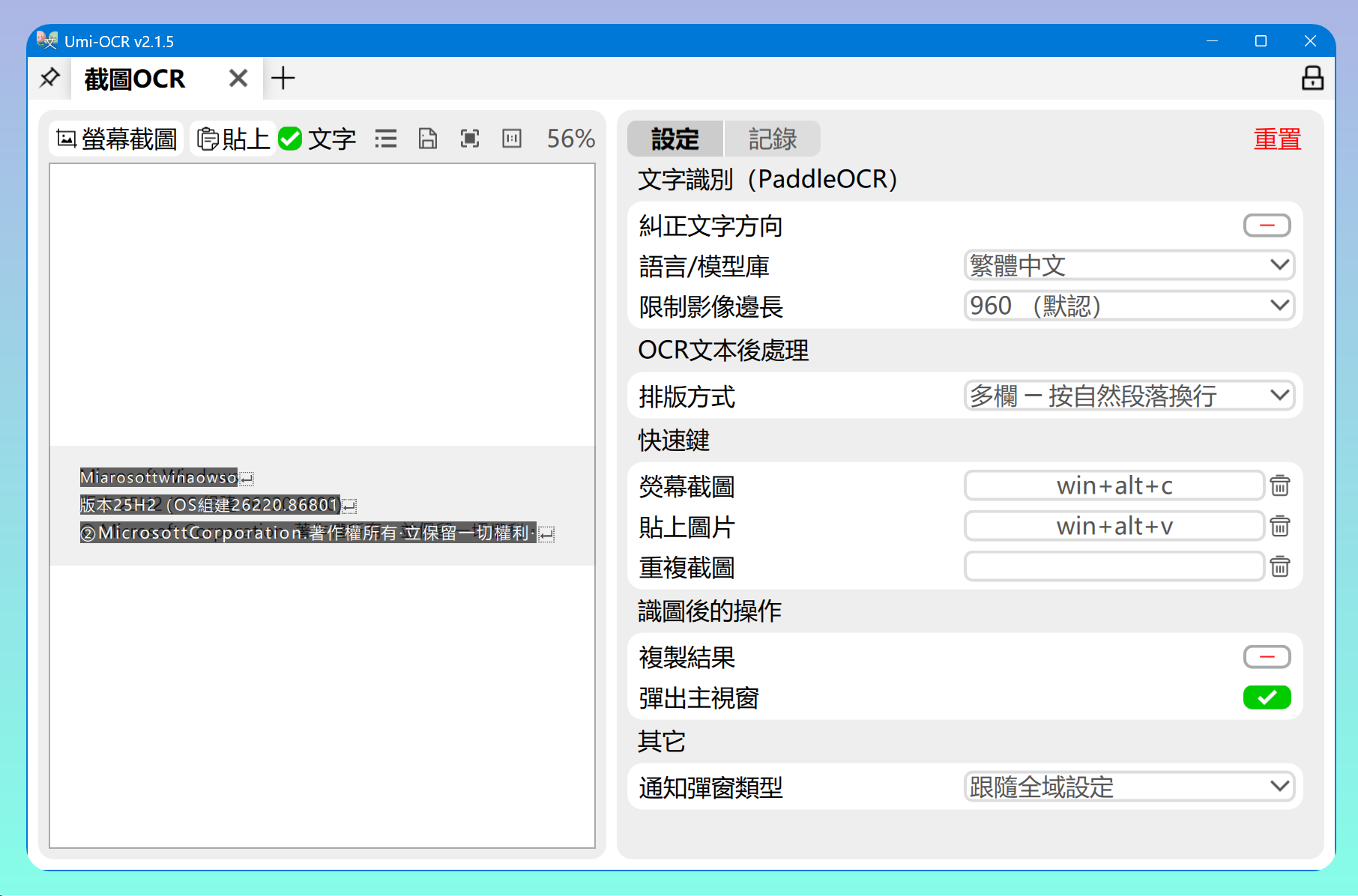
- 按Win+Alt+C複製圖片並執行OCR以生成文字
- 內建多國語言識別庫,包含繁體、簡體中文
5. Window Tabs應用程式視窗分頁
網址: https://github.com/standard-software/WindowTabs
參考: Groupy:就是要和你在一起~💕💘~Windows視窗分組工具
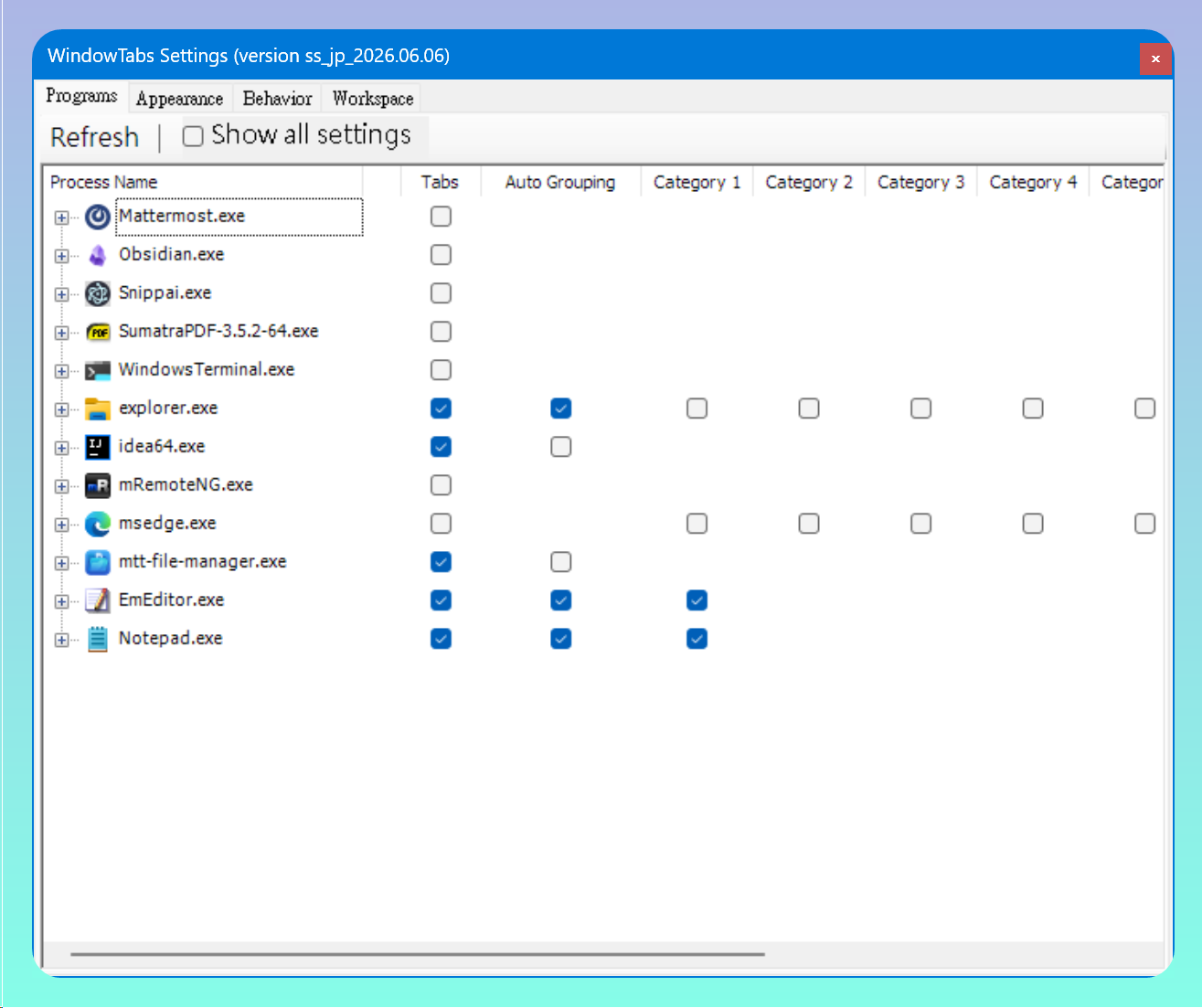
相同的應用程式可以在設定裡勾選 Auto grouping 以啟動自動分組功能。
不同的應用程式若設定成同一個類別,則可用拖拉方式將之合併成同一群組。
6. 💡 相關鏈接
💡 Article:
✅ 中文: https://jdev.tw/blog/9222/
✅ English: https://quaily.com/jdevtw-en/p/five-github-tools-overview-ai-ocr-and-productivity-tools
✅ Japanese: https://quaily.com/jdevtw-en/p/five-github-tools-overview-ai-ocr-and-productivity-tools
💡 Links
✅ Beetroot Clipboard Manager: https://github.com/mnardit/beetroot-releases
✅ Tolaria Markdown Editor: https://github.com/refactoringhq/tolaria
✅ Snippai AI-Powered Snipping Tool: https://github.com/xyTom/snippai
✅ Umi-OCR: https://github.com/hiroi-sora/Umi-OCR
✅ WindowTabs: https://github.com/standard-software/WindowTabs
7. 教學影片
##