
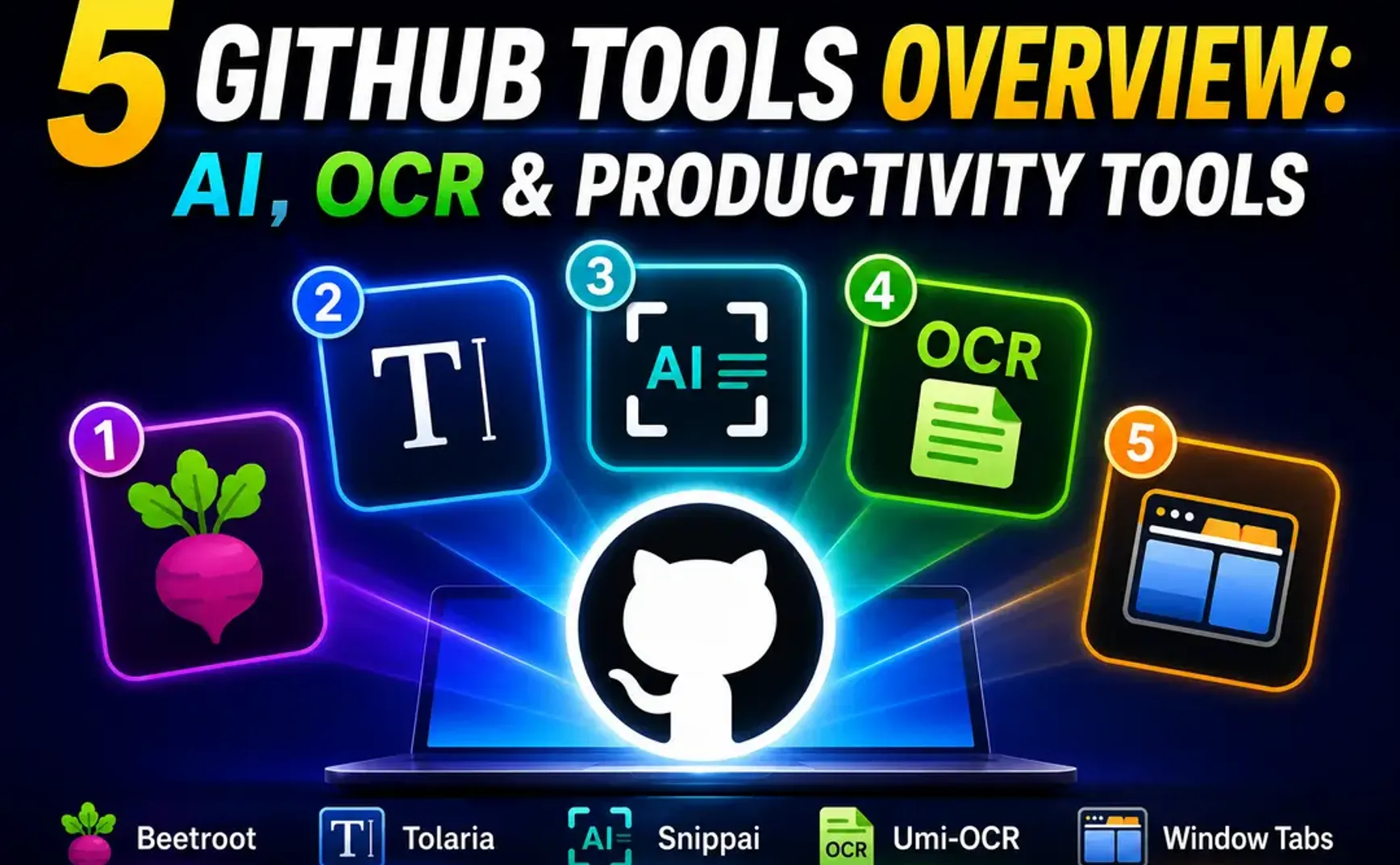
Introducing 5 practical GitHub tools.
- Beetroot Clipboard Manager (Windows)
- Tolaria Markdown Editor
- Snippai Screenshot AI-OCR Tool
- Umi-OCR Offline OCR Tool
- Window Tabs Application Window Tabbing

1. Beetroot Clipboard Manager (Windows)
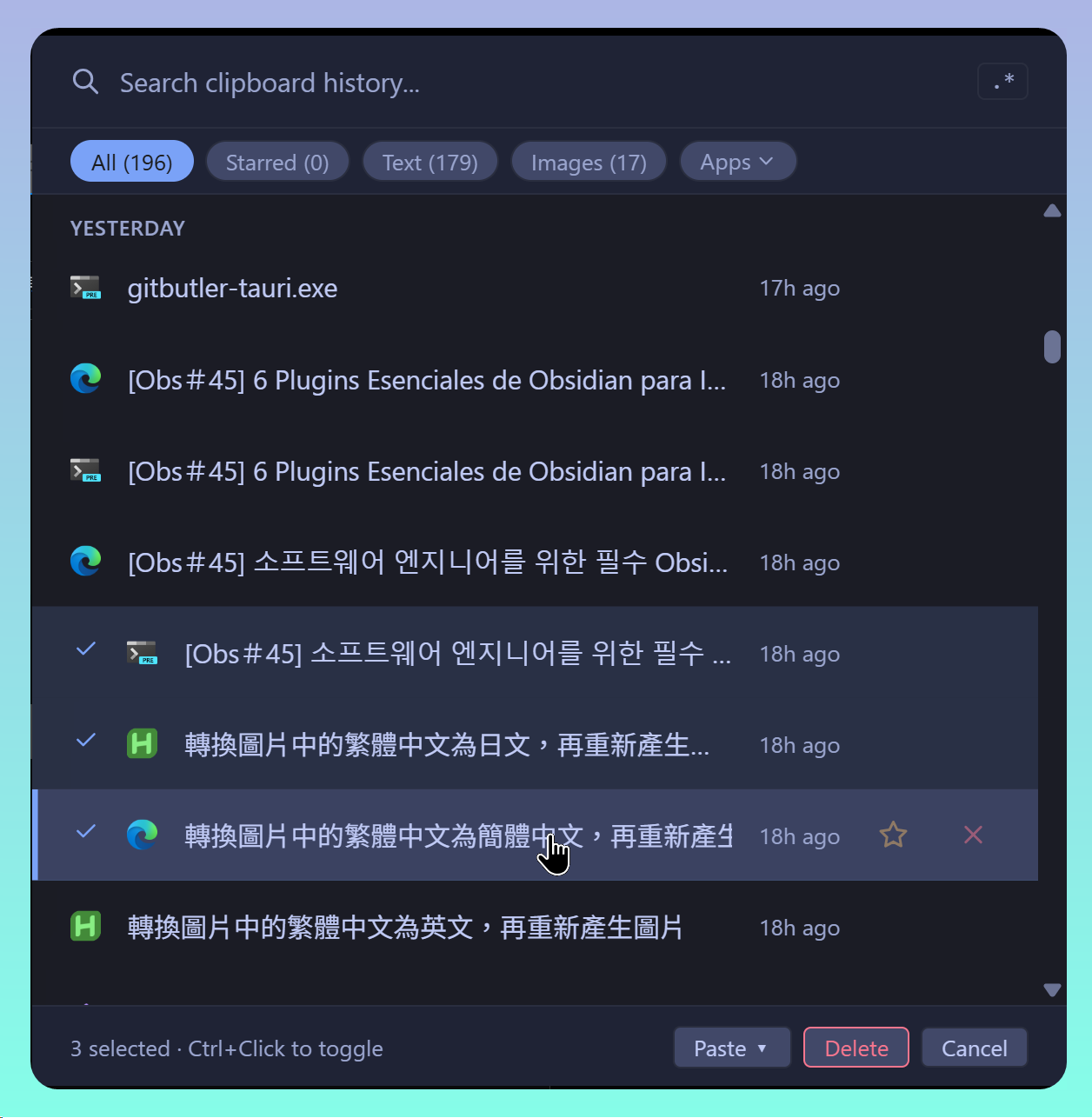
Key Points:
- For Windows
- Although hosted on GitHub, only the executable is available—no source code
- 9 themes with appearance customization options
- Simplified Chinese interface available
- Provides OCR functionality, but unfortunately cannot recognize Chinese
- Integrated AI LLM functionality with default AI providers:
- OpenAI
- Google Gemini
- Anthropic
- DeepSeek
- Local LLM
- LM Studio
- Ollama
- Custom: requires entering a URL; OpenCode Go test failed
- Records the application at the time of capture
- Images have a separate list
Known Issues:
- OCR cannot recognize Chinese or mathematical formulas
2. Tolaria Markdown Editor
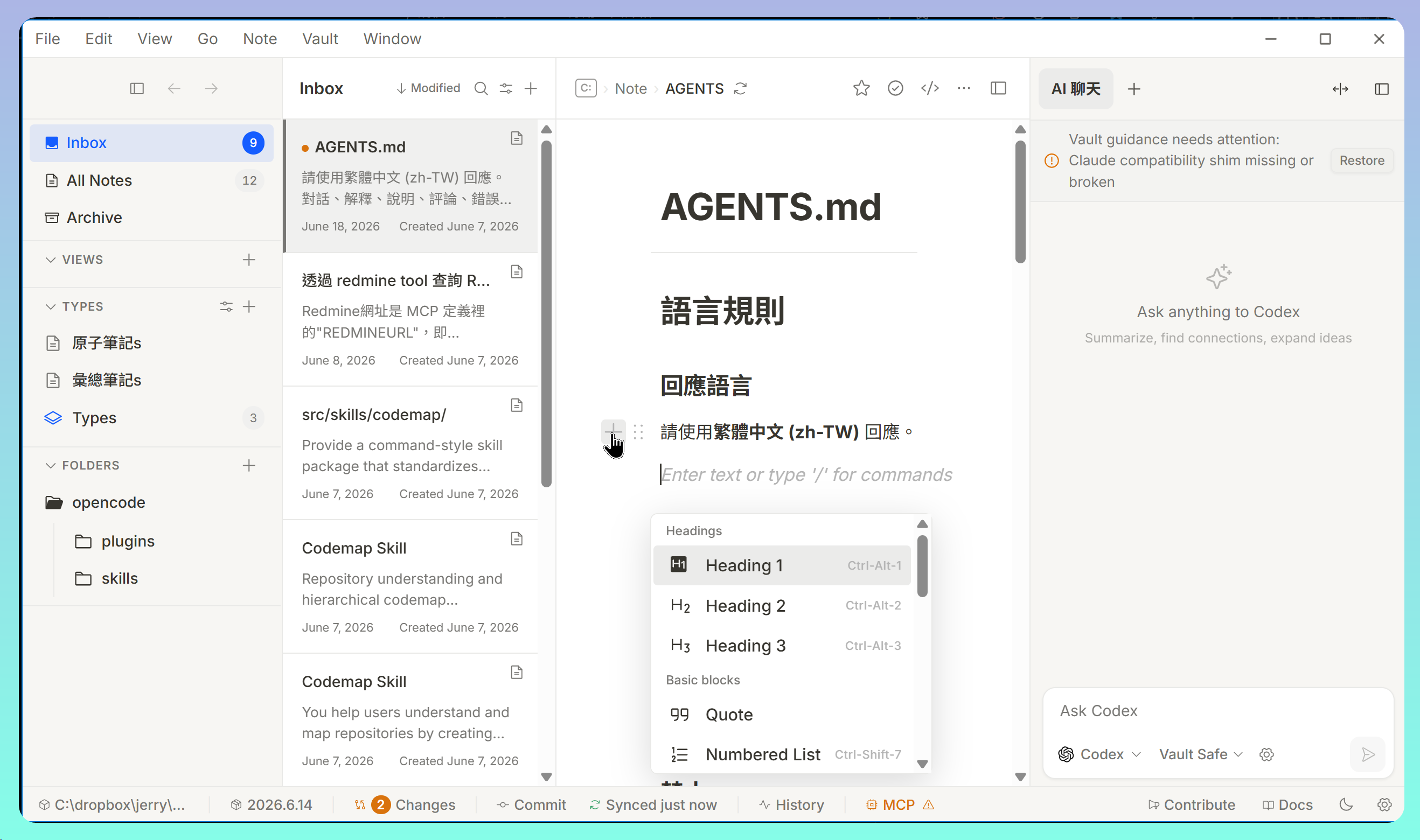
- Written in Rust, available for Windows, macOS, and Linux
- Multiple language interfaces, including Traditional and Simplified Chinese
- Left panel resembles Evernote; editing area resembles Notion
- Can open multiple Vaults simultaneously
- Integrated AI chat functionality, supporting multiple AI Agents and local models
- Built-in Git sync support
3. Snippai Screenshot AI-OCR Tool
Key Points:
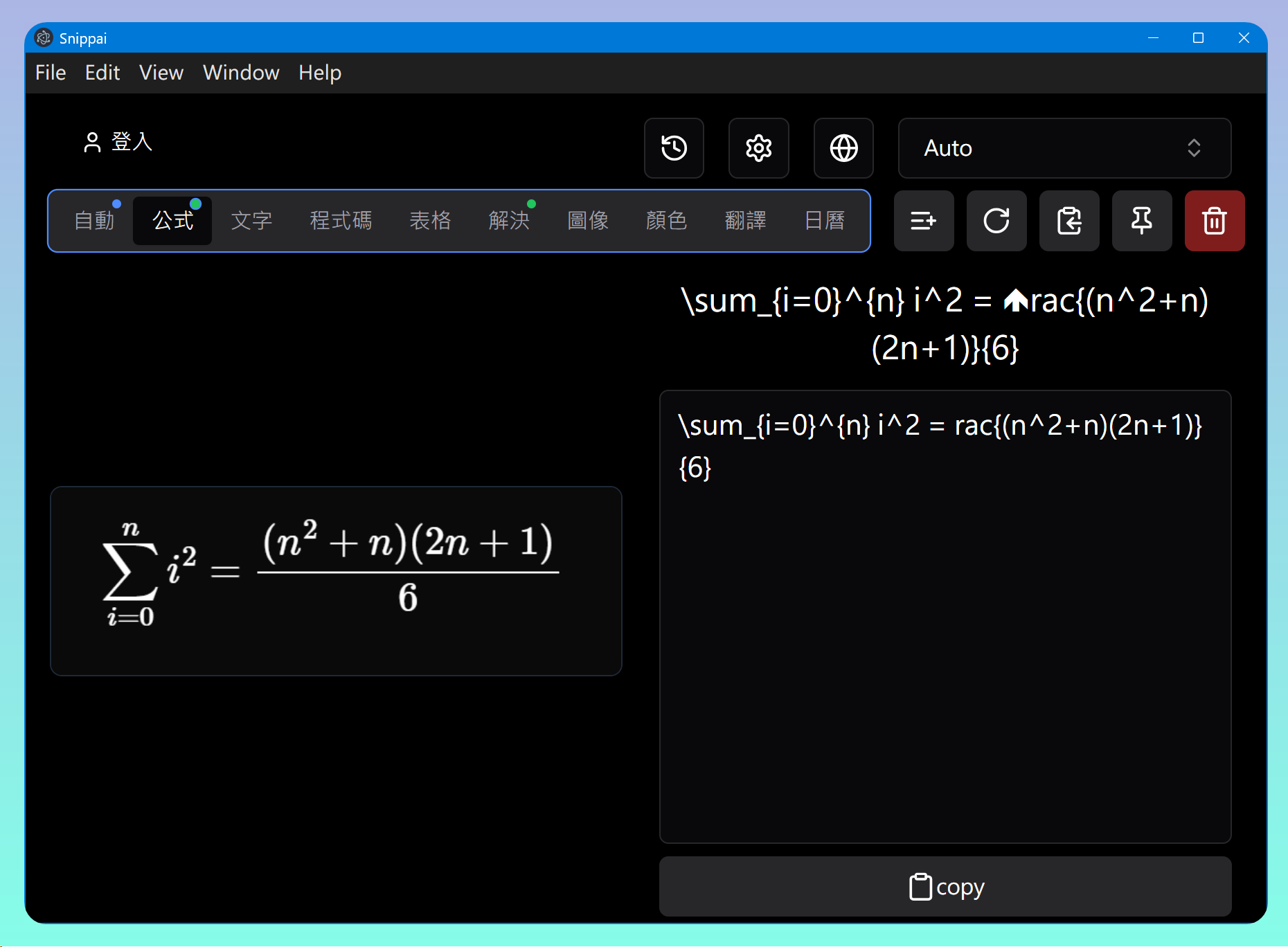
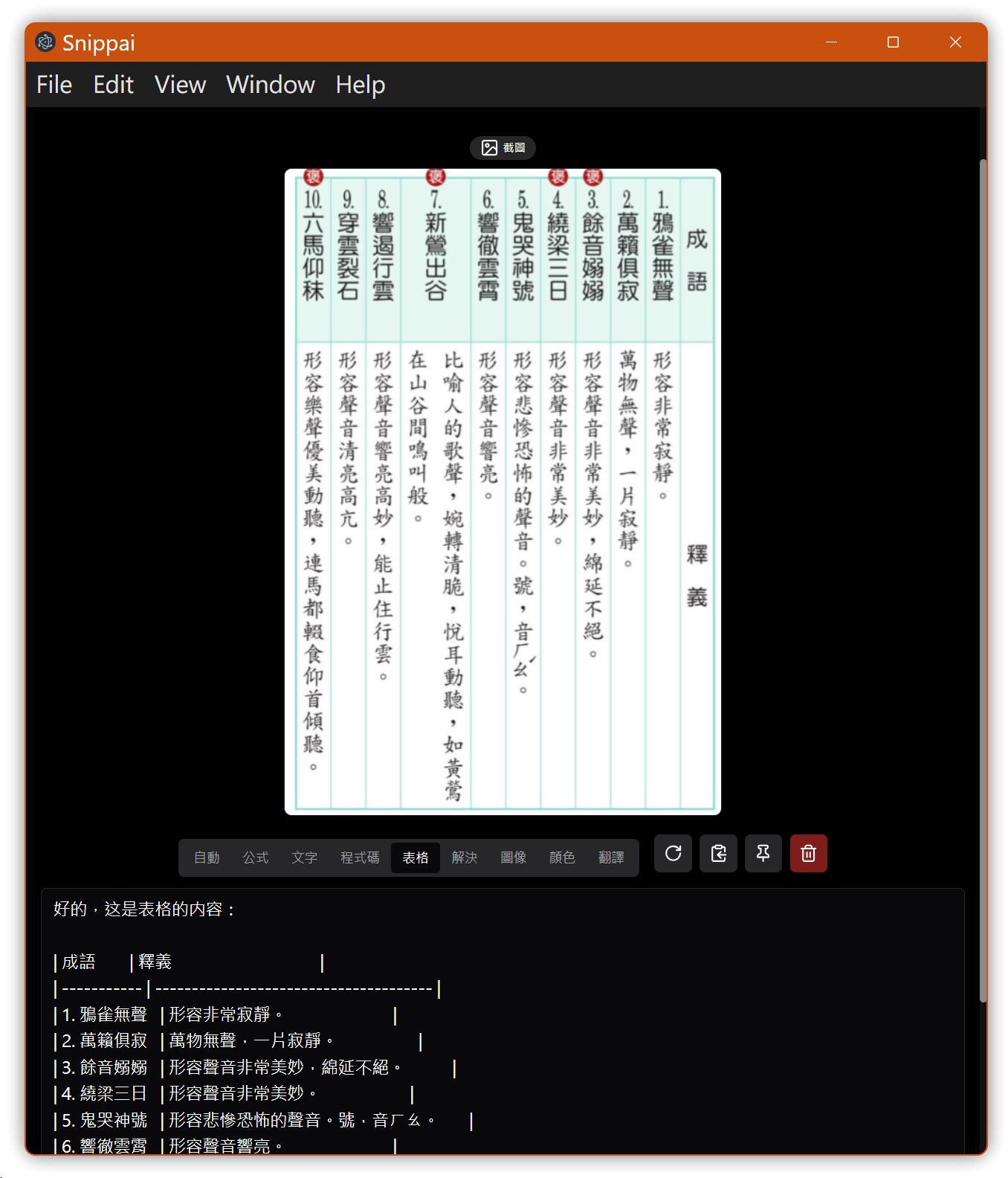
- Screenshot categories: formulas, code, tables, etc.
- Press Ctrl+Shift+A to take a screenshot and immediately call OpenAI or Gemini to parse the content and generate text
3.1. Mathematical Formula Test
$$\sum_{i=0}^n i^2 = \frac{(n^2+n)(2n+1)}{6}$$
3.2. Chinese Table Test
4. Umi-OCR Offline OCR Tool
Key Points:
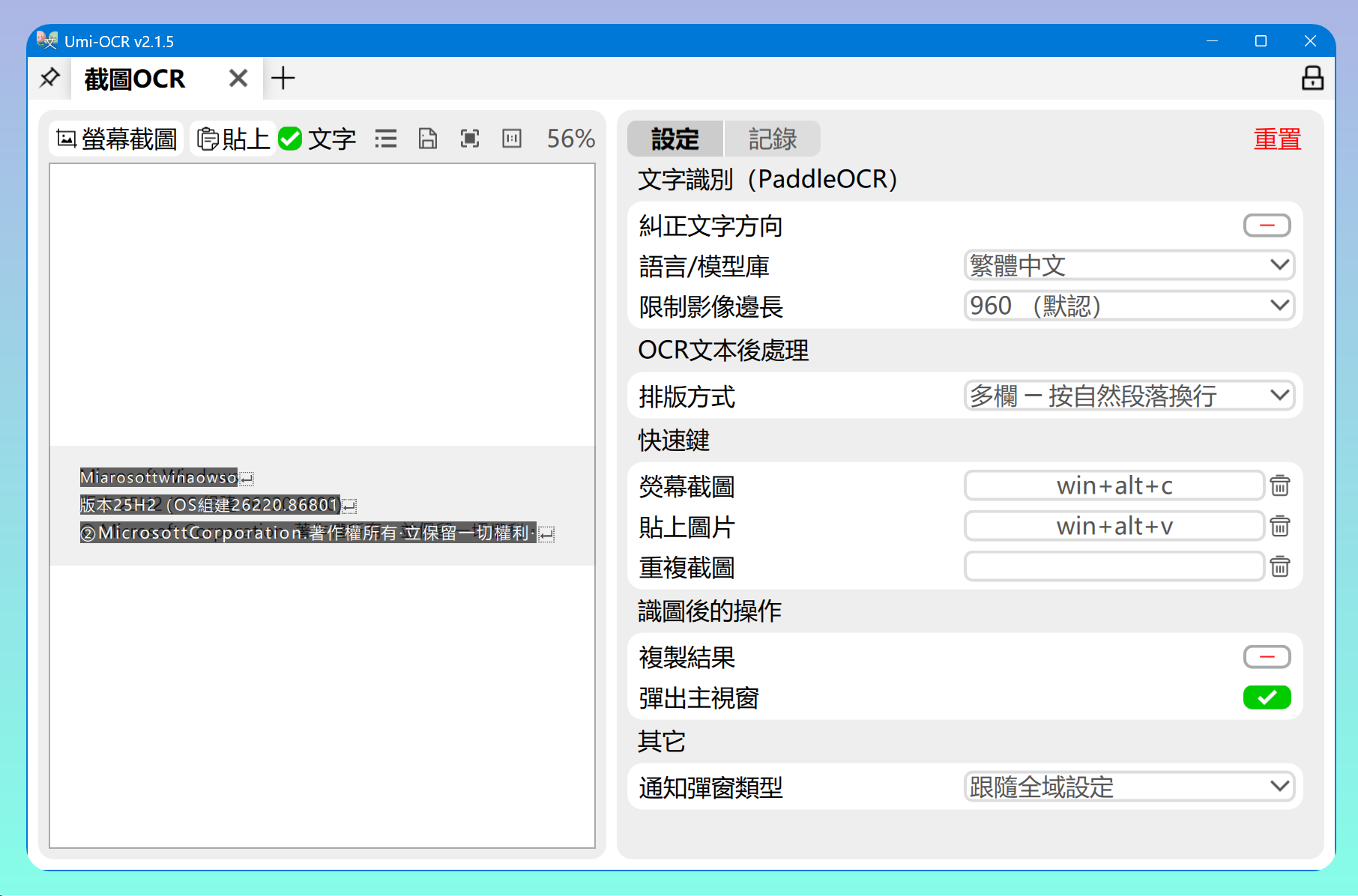
- Press Win+Alt+C to copy an image and perform OCR to generate text
- Built-in multi-language recognition libraries, including Traditional and Simplified Chinese
5. Window Tabs Application Window Tabbing
URL: https://github.com/standard-software/WindowTabs
Reference: Groupy: Together Forever~💕💘~Windows Window Grouping Tool
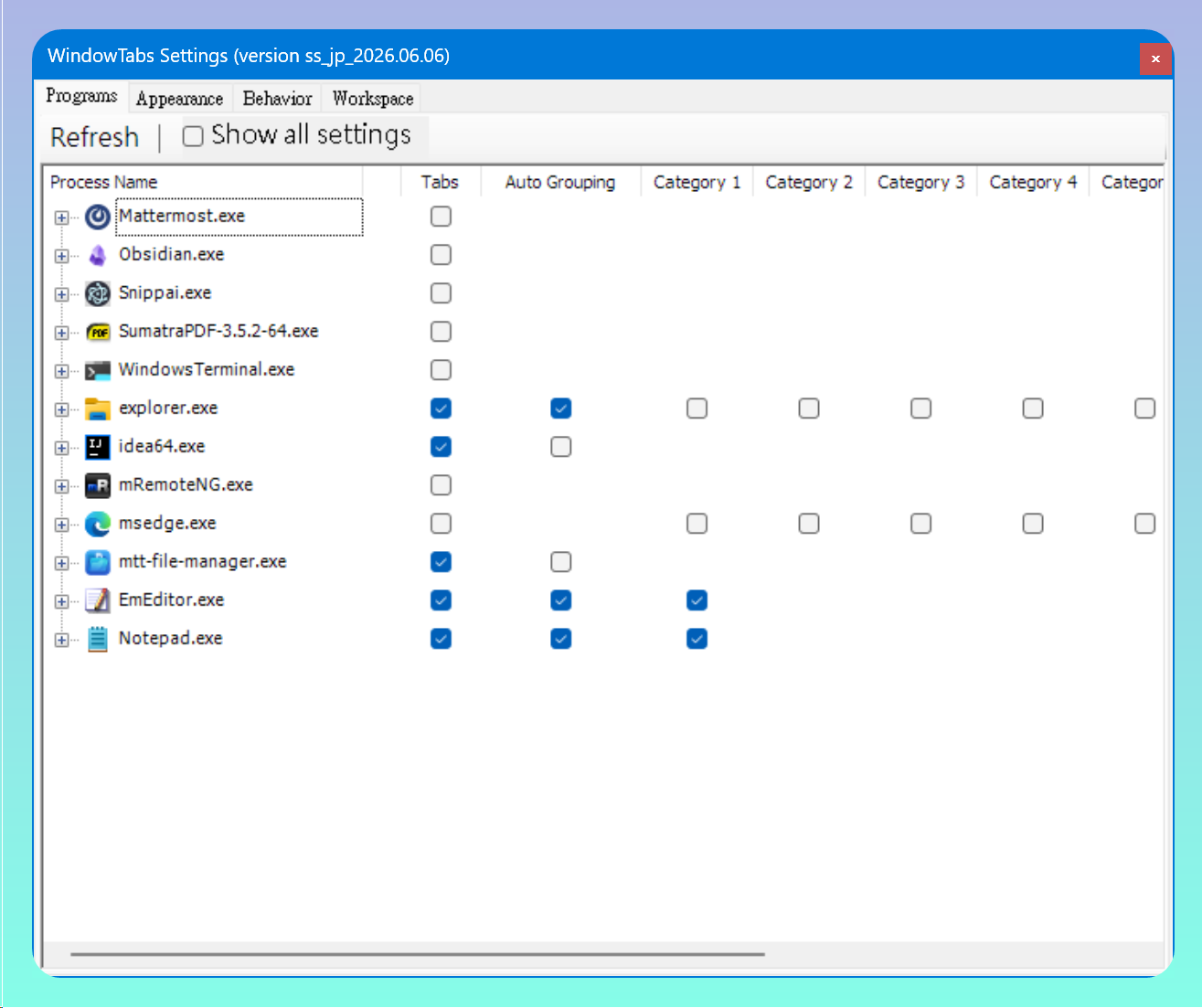
For the same application, you can enable the Auto Grouping feature by checking it in the settings.
For different applications assigned to the same category, you can drag and drop them to merge into the same group.
6. 💡 Related Links
💡 Article:
✅ Chinese: https://jdev.tw/blog/9222/
✅ English: https://quaily.com/jdevtw-en/p/five-github-tools-overview-ai-ocr-and-productivity-tools
✅ Japanese: https://quaily.com/jdevtw-en/p/five-github-tools-overview-ai-ocr-and-productivity-tools
💡 Links
✅ Beetroot Clipboard Manager: https://github.com/mnardit/beetroot-releases
✅ Tolaria Markdown Editor: https://github.com/refactoringhq/tolaria
✅ Snippai AI-Powered Snipping Tool: https://github.com/xyTom/snippai
✅ Umi-OCR: https://github.com/hiroi-sora/Umi-OCR
✅ WindowTabs: https://github.com/standard-software/WindowTabs
7. Tutorial Video
##