

Motion 动效
原文地址:
https://developer.apple.com/design/human-interface-guidelines/foundations/motion
Motion can be a great way to enhance feedback and understanding by showing how things change, what will happen when people perform an action, and what they can do next.
动效是一个很好的增强用户反馈和理解的方式,通过显示事物是如何变化的,告知用户当他们执行一个动作时会发生什么,以及他们接下来可以做什么。
Add motion purposefully, supporting the experience without overshadowing it.
如果一个动效没有目的就去掉它,不要为了添加而添加。
Accurate, realistic motion can help people understand how something works, but motion that doesn’t make sense — or appears to defy physical laws — can make them feel disoriented.
准确、真实的运动可以帮助人们理解事物是如何工作的,但是没有意义的运动(或者看起来违反物理定律的运动)会让人们感到迷失方向。也就是说,动效的效果应该遵循从哪里来,就该回到哪里去。
Platform considerations
watchOS
All layout- and appearance-based animations automatically include built-in easing that plays at the start and end of the animation.
内置的 WatchKit 中的无法自定义动效的开始和结束效果,只能使用系统默认提供的缓动曲线。
但我们依然对动效的关键帧去定义以下这些参数:
- 对齐方向(Alignment)
- 背景颜色(Background color)
- 组内间距(Group insets)
- 高度(Height)
- 透明度(Opacity)
- 强调色(Accent color)
- 宽度(Width)
Right to left 从右到左(RTL)
原文链接:
https://developer.apple.com/design/human-interface-guidelines/foundations/right-to-left
💡 强烈建议在做海外产品的设计师看这章新加入的内容,万一哪天你要做阿拉伯语或者希伯来语的设计呢?
System-provided UI frameworks support right-to-left (RTL) by default, enabling system-provided UI components to flip automatically in the RTL context. If you use system-provided elements and standard layouts, you might not need to make any changes to your app’s automatically reversed interface.
系统提供的 UI 框架默认支持从右到左(RTL) ,使系统提供的 UI 组件能够在 RTL 上下文中自动翻转。因此,如果我们要做iOS端的RTL设计,就尽量去使用系统提供的元素和标准布局,这样一来,就不需要对应用程序的自动反向界面进行任何更改。
Text alignment 文本对齐
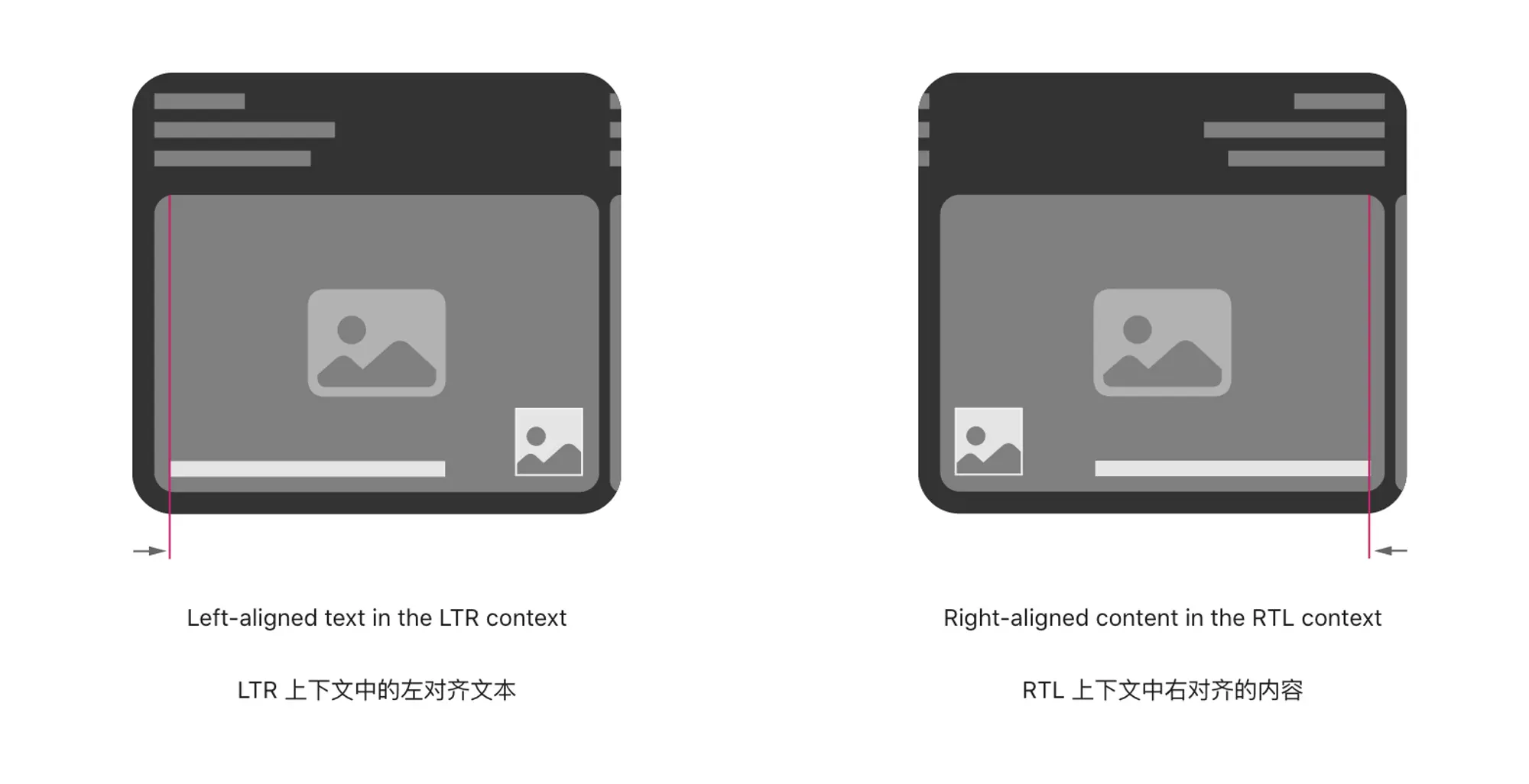
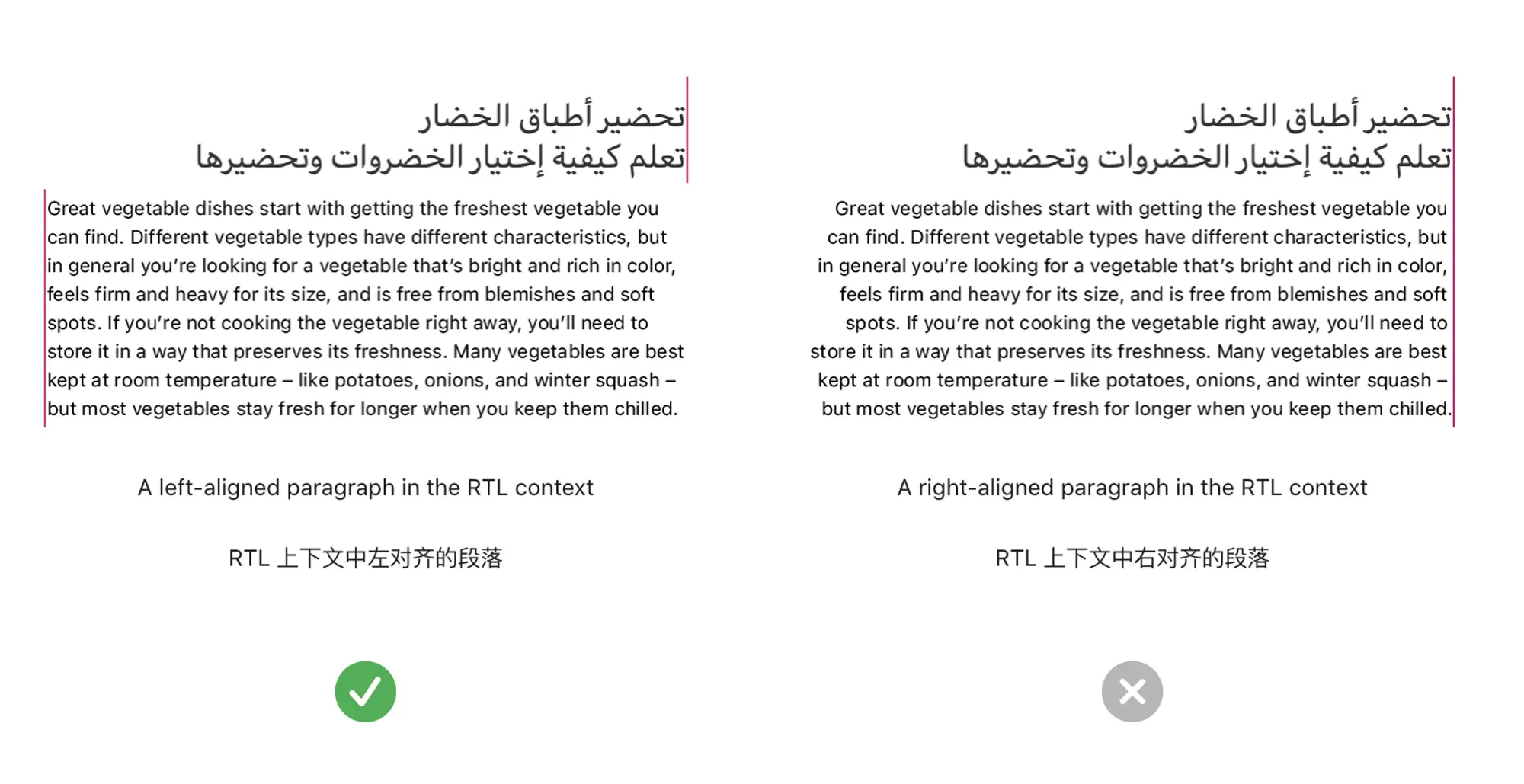
通过一张图直观对比LTR和RTL之间文本对齐的不同,了解官方是如何处理的。
不同语种文本的混排规则:段落
Align a paragraph based on its language, not on the current context.
根据段落的语言而不是当前上下文对齐段落。当出现两种语言混排的文本段落时,如图,第二段文本是英语,可读性作为第一前提,保留英语的LTR阅读顺序,而不必完全遵循阿拉伯语的阅读顺序。
不同语种文本的混排规则:列表
Use a consistent alignment for all text items in a list.
对列表中的所有文本项使用一致的对齐方式。如图所示,在列表中英语遵循了上下文中的RTL阅读顺序,确保用户在扫描文本时能获得一致的阅读体验。

Numbers and characters 数字和字符
Different RTL languages can use different number systems. For example, Hebrew text uses Western Arabic numerals, whereas Arabic text might use either Western or Eastern Arabic numerals. The use of Western and Eastern Arabic numerals varies among countries and regions and even among areas within the same country or region.
不同的 RTL 语言可以使用不同的数字系统。例如,希伯来文本使用西方阿拉伯数字,而阿拉伯文本可能使用西方或阿拉伯文数字。西方和阿拉伯文数字的使用因国家和地区而异,甚至在同一国家或地区的不同地区也有所不同。
例如:
希伯来文使用西方阿拉伯数字(0123…)。
阿拉伯文使用东方阿拉伯数字(٠١٢٣…)。
东方阿拉伯数字又分为:标准阿拉伯语系、波斯语系和乌尔都语体系。
所以,除非我们的app特别关注这种数字体系的差异,不然的话,通常可以依赖于系统提供的数字表示。
当然,有了这个意识之后,也少不了看以下这条
Don’t reverse the order of numerals in a specific number.
不要颠倒特定数字中数字的顺序。

如图,数字的顺序并没有镜像,而是数字组合和文本之间发生了置换。在做这类设计时,最好还是特地注明一下不要在号码中间做适应RTL的镜像处理。
Controls 控件
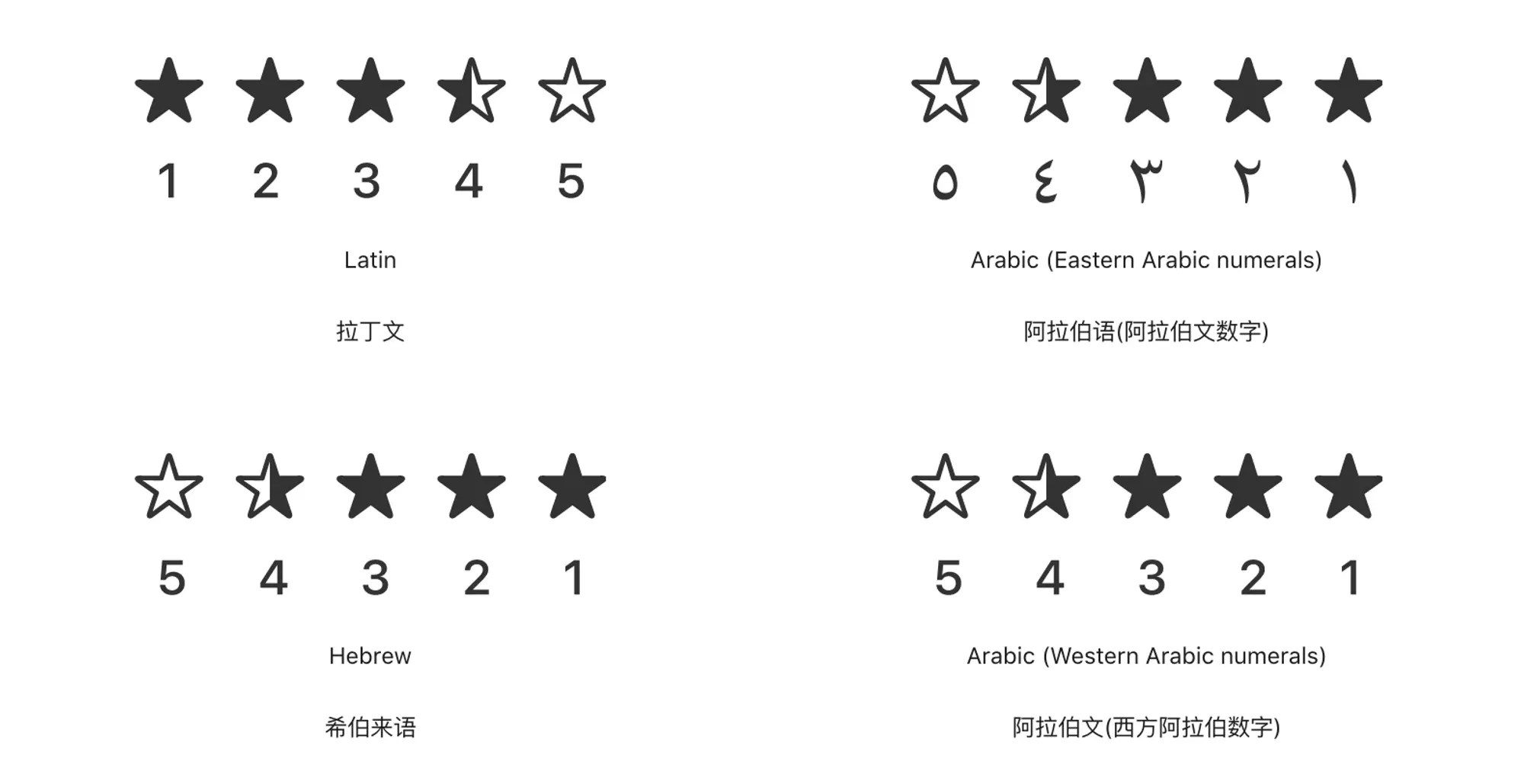
关于评分控件的RTL处理
Reverse the order of numerals that show progress or a counting direction; never flip the numerals themselves.
Controls like progress bars, sliders, and rating controls often include numerals to clarify their meaning. If you use numerals in this way, be sure to reverse the order of the numerals to match the direction of the flipped control. Also reverse a sequence of numerals if you use the sequence to communicate a specific order.
将显示进度或计数方向的数字顺序颠倒过来,不要翻转数字本身。进度条、滑块和等级控件等控件通常包含数字以阐明其含义。**如果以这种方式使用数字,一定要逆转数字的顺序,使其与翻转控件的方向相匹配。**如果您使用数字序列来传达特定的顺序,也可以反转数字序列。
关于滑块控件的RTL处理
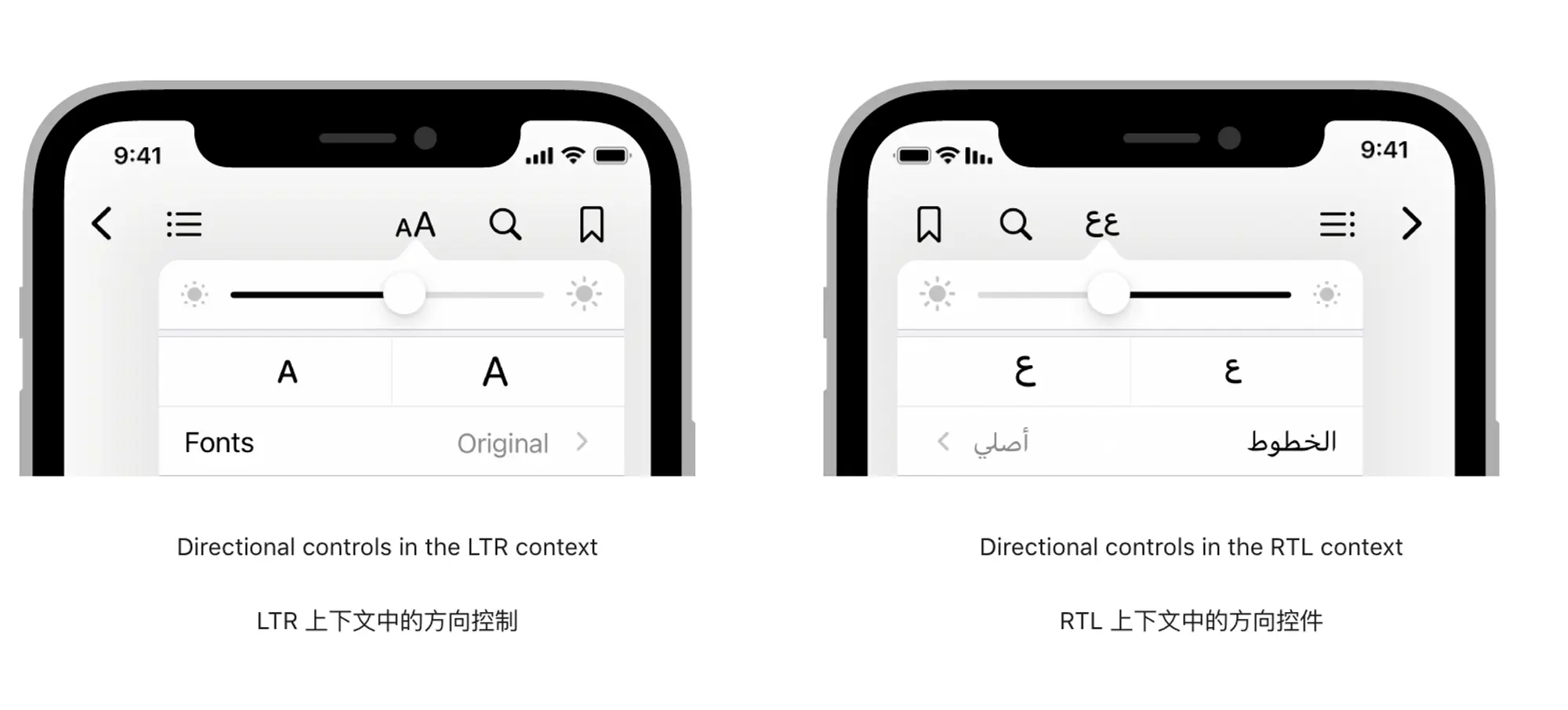
Flip controls that show progress from one value to another.
Because people tend to view forward progress as moving in the same direction as the language they read, it makes sense to flip controls like sliders and progress indicators in the RTL context. When you do this, also be sure to reverse the positions of the accompanying glyphs or images that depict the beginning and ending values of the control.
翻转显示从一个值到另一个值进度的控件。因为人们倾向于认为前进的方向与他们阅读的语言相同,所以在 RTL环境下翻转滑块和进度指示器等控件是有意义的。与此同时,也要确保将附带的描述控件开始和结束值的字形或图像的位置颠倒过来。
Flip controls that help people navigate or access items in a fixed order.
翻转控件可以帮助人们按固定的顺序导航或访问元素。比如把后退箭头翻转,使其始终指向右边(也就是我们通常理解的左边)
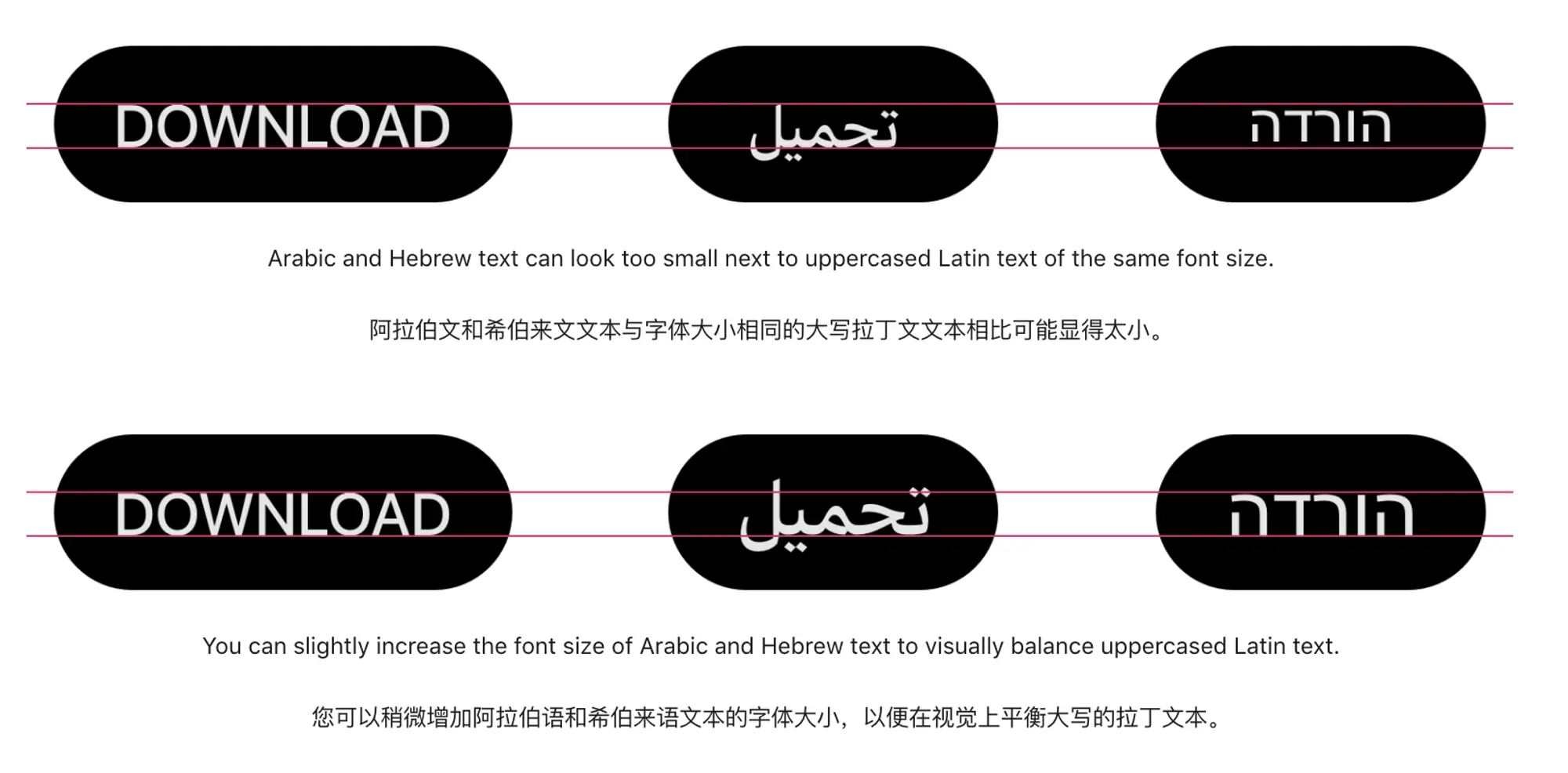
Visually balance adjacent Latin and RTL scripts when necessary. In buttons, labels, and titles, Arabic or Hebrew text can appear too small when next to uppercased Latin text, because Arabic and Hebrew don’t include uppercase letters. To visually balance Arabic or Hebrew text with Latin text that uses all capitals, it often works well to increase the RTL font size by about 2 points.
必要时在视觉上平衡相邻的拉丁文和RTL文字。在按钮、标签和标题中,当阿拉伯或希伯来文字与大写的拉丁文字相邻时,会显得太小,因为阿拉伯和希伯来文字不包括大写字母。为了在视觉上让阿拉伯文或希伯来文与使用全大写字母的拉丁文本平衡,通常将RTL字体大小增加2个像素就可以了。
Images 图像
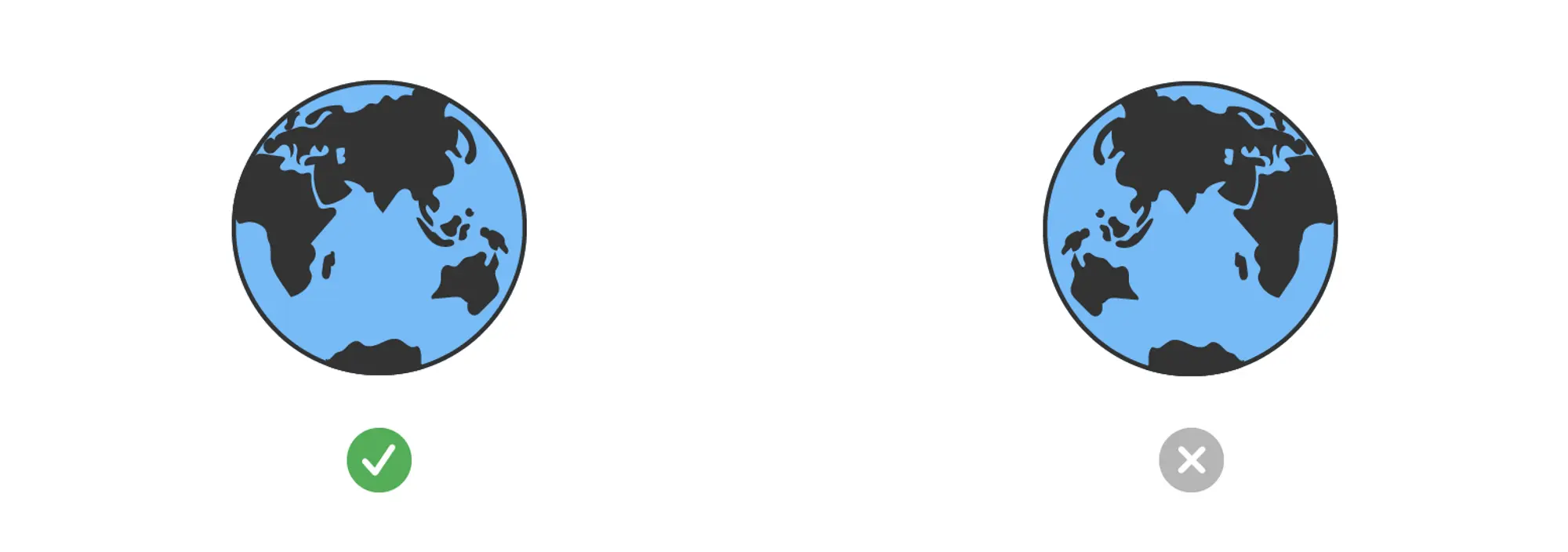
Avoid flipping images like photographs, illustrations, and general artwork.
避免翻转照片、插图和一般图片等图像。翻转照片可能会改变原本的含义,而翻转像是世界地图这样的图像就更不合适了。
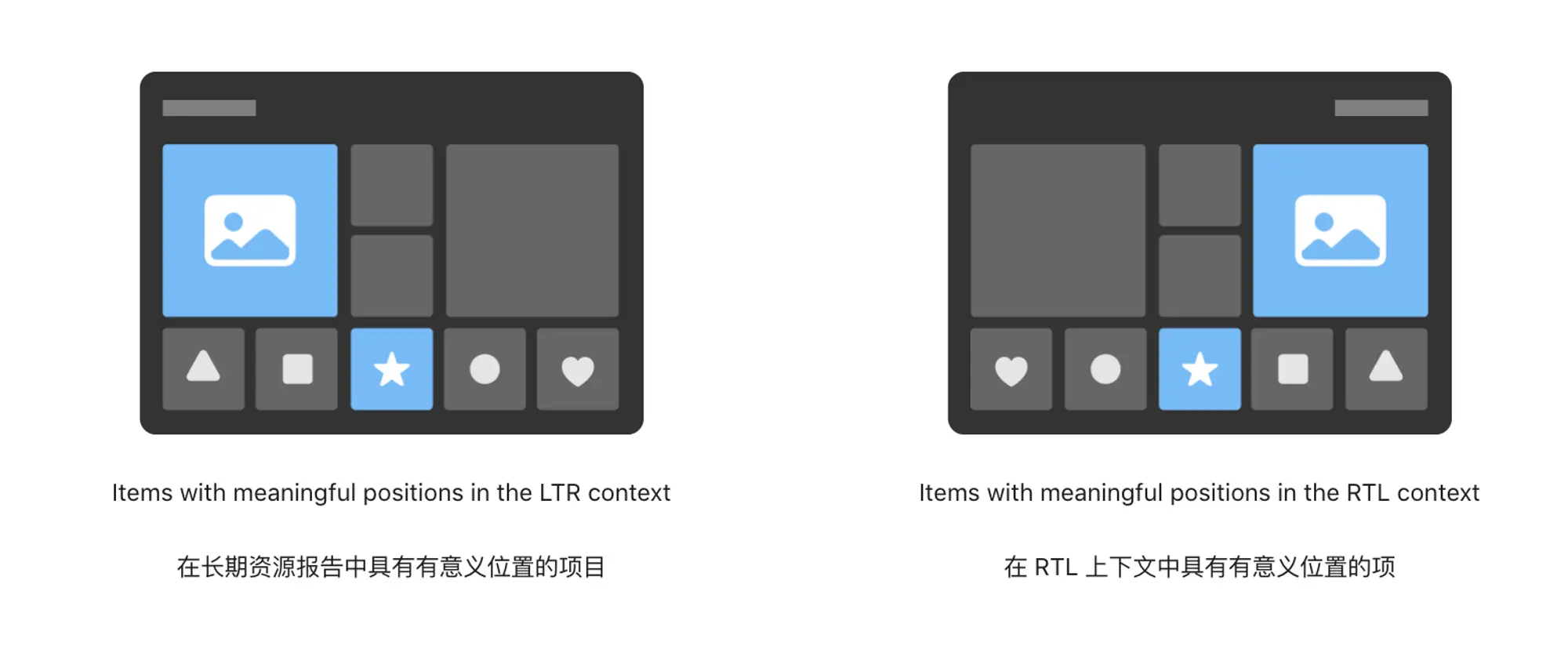
Reverse the positions of images when their order is meaningful.
只有当图像的顺序是有意义的时候可以将其翻转。例如,当我们以一个特定顺序展示一组图片时,这个顺序可以是时间,可以是算法推荐等,那么在RTL环境中,应该镜像它们的位置,以保持该顺序在RTL上下文中的意义。
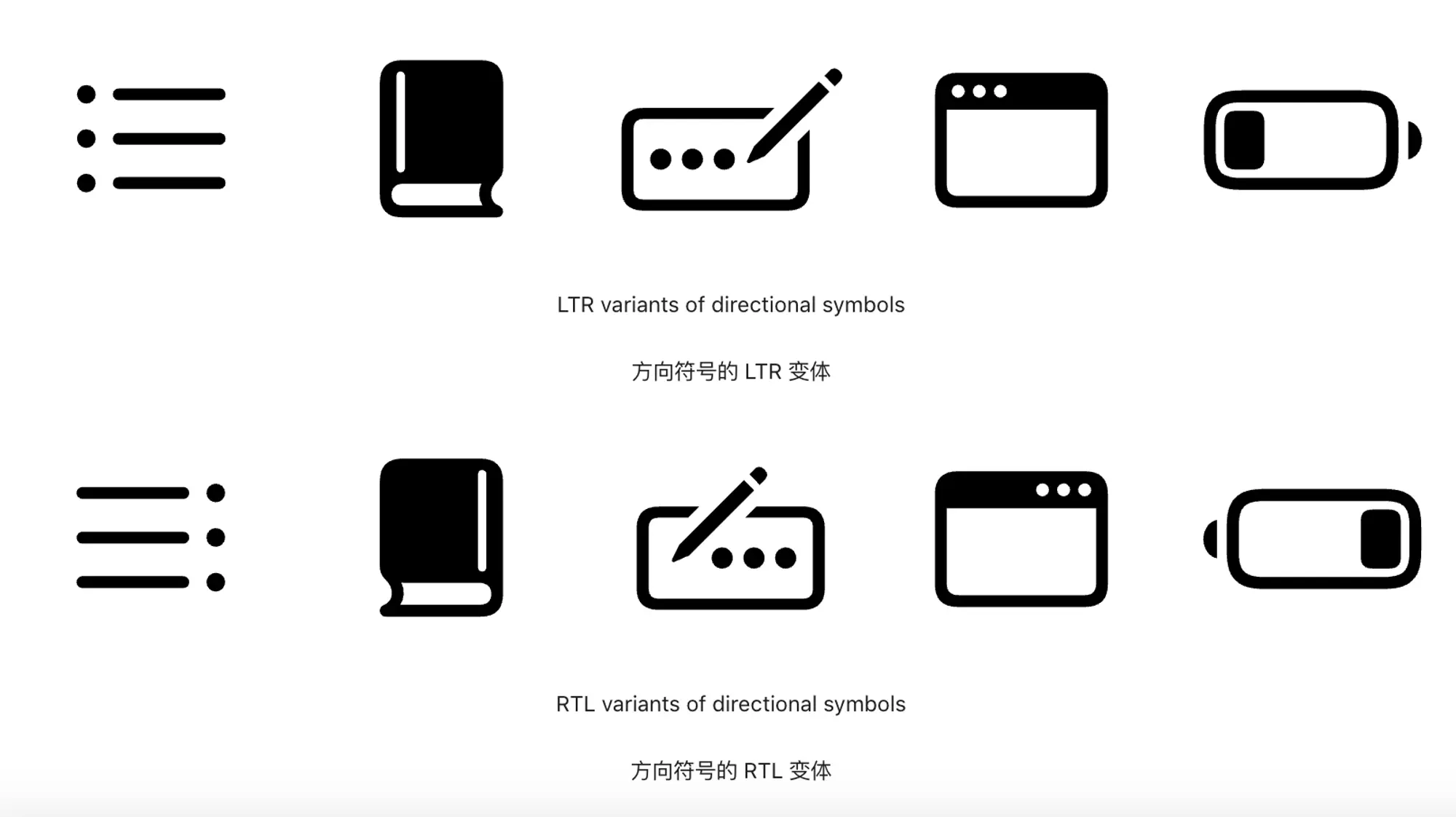
Interface icons 界面图标
如果我们使用SF symbols作为界面上的图标的话,那么系统已经帮我们在图标上做好了镜像处理(SF symbols 太强了)。
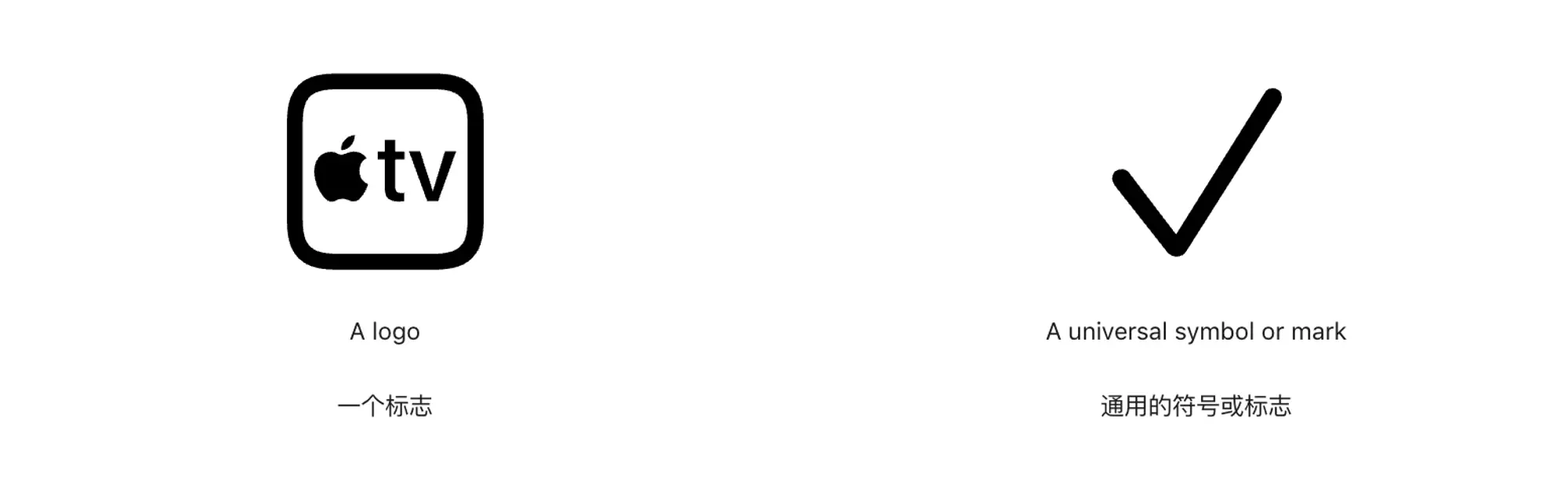
Don’t flip logos or universal signs and marks.
不要翻动标志或通用的符号和标记。比如,产品的图标,或者表示常识性状态的图标。
表示物理对象的图标通常也不需要镜像处理。比如时钟、笔(大多数人是右撇子,展示一根向右倾斜的笔没有必要)、游戏手柄的键位。

总体而言,就是在做镜像处理之前,要考虑这么做是否会改变了图标本身的含义,如果镜像了之后也不会影响用户的理解,那么就可以进行处理。
我最近建了一个电报群,分享日常看到的产品体验设计,开了一个星期,目前是133位朋友订阅了这个频道,可以看看: https://t.me/twentyfourpixelschannel