

Often said: "The writer's most important asset is inspiration."
Inspiration isn’t alone – it has a reliable partner: data.
When you log into the Quaily backend and open the Analytics panel, you may wonder what these numbers can really do for you and how to put them to good use. This article covers just that.
Why Care About Data?
Think back to the last time inspiration struck and you wrote an article late into the night, clicked publish, and then eagerly awaited reader feedback. The next morning, what you want to know most is: How many people read it? Which platforms did they use to access it? Did they leave halfway through, or did they scroll all the way to the end and subscribe?
Without data, every judgment is based on feeling – and feelings can often deceive us.
Built-in Analytics: A Thermometer Ready for Use
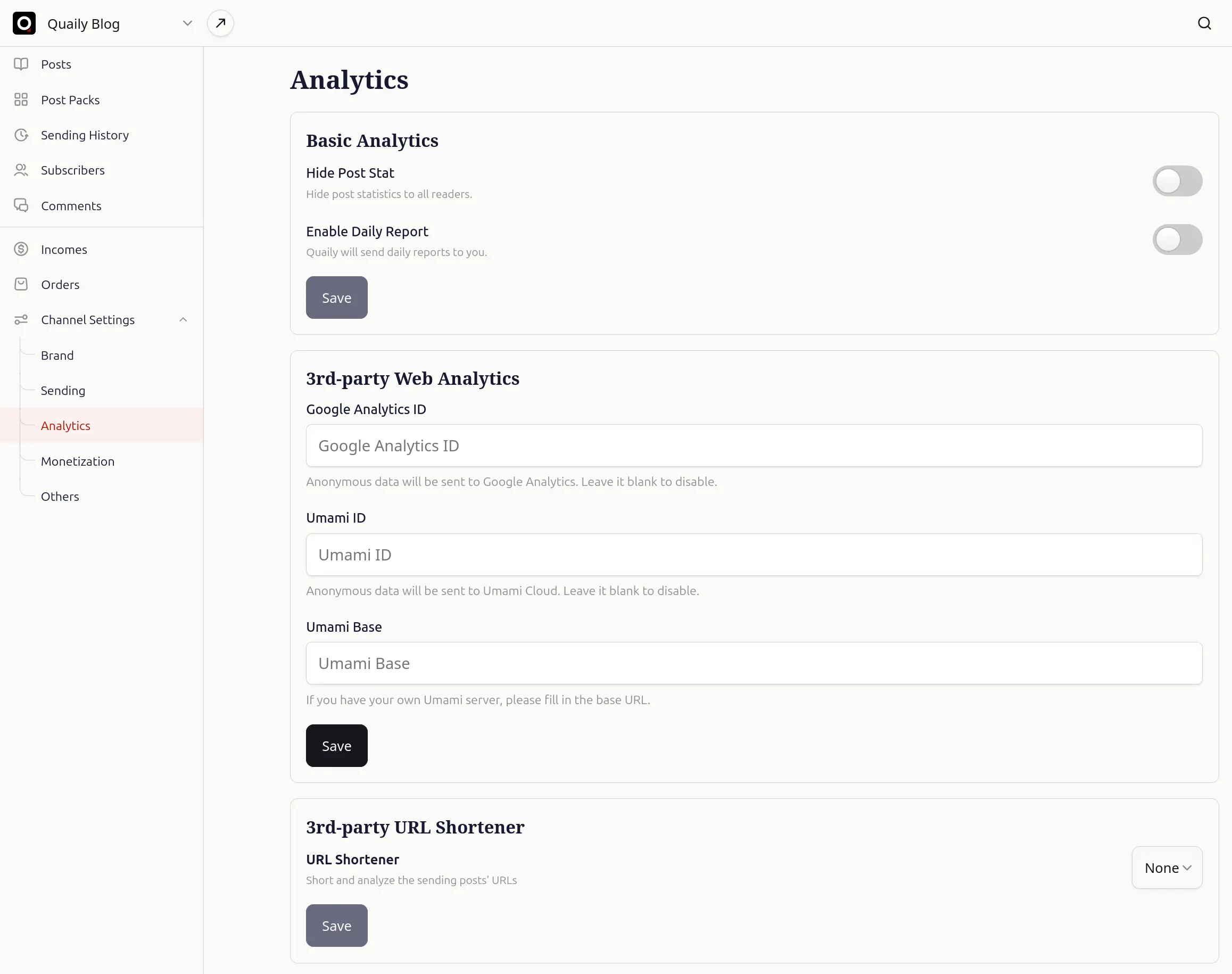
The first section on the Analytics page is Basic Analytics.
Without any additional setup, you can view three core metrics: Page views, Post reads, and Email reads.
If you prefer to keep everything low-key, simply toggle the Hide Post Stat button to conceal these numbers from your readers.
Within the same panel, there's a switch called Enable Daily Report.
Turn it on and Quaily will email you a report each morning with the previous day’s performance details – such as whether subscriptions and payments exceeded your expectations. Just one email gives you a clear picture of your performance.
When Basic Numbers Aren’t Enough for Your Curiosity
Google Analytics 4: In-Depth Funnels and Event Tracking
If you want to break down the reader journey further, GA4 remains the industry’s most powerful magnifier. In the 3rd‑party Web Analytics section of the Quaily backend, enter your Measurement ID (starting with G‑XXXXXXX) and Quaily will begin sending key events like page views, subscriptions, checkout initiation, and payment completions to GA. This way, you can see the complete funnel from reading to payment directly in GA’s conversion reports.
Default Events Overview
| Event Name | Trigger | Purpose |
|---|---|---|
sign_up |
When a reader submits their email and subscribes | To evaluate conversion efficiency |
begin_checkout |
When the checkout page is entered | To gauge the number of potential customers mid-funnel |
purchase |
When payment is successful | To serve as the basis for paid conversion and LTV calculation |
Umami: Lightweight, Privacy-Focused, Zero Cookies
If you prefer a self-hosted solution or just want a more streamlined set of real-time data, Umami is an excellent choice.
After registering for Umami Cloud, simply paste your Website ID into the Umami ID input box to begin tracking;
If you’ve set up your own Umami server, just enter the service address in Base. Umami doesn’t rely on cookies and won’t display extra pop-ups to your readers.
External Short Links: Keeping Sharing in the Loop
Whether you’re promoting your article on social media or via email, long original URLs not only look unappealing but also fragment your click statistics.
Through the 3rd‑party URL Shortener at the bottom of the Analytics page, you can integrate a third-party short link service1.
Once configured, Quaily will generate short links uniformly in the backend. Combined with the click data from Sending History, this lets you consolidate your external sharing performance into a single report.
Now, head over to Analytics and enable the Daily Report – let your inbox surprise you tomorrow morning! 🚀