

Alright.
When a new article of yours is released, where is it viewed and read? Quaily’s newly launched analytics feature now offers clear and thoughtful answers to these questions.
What is Post Analytics?
This is a new feature you can find in your writing dashboard.
It provides article-level insights, showing daily reading trends and traffic sources, helping authors quickly assess: What content is resonating? What to do next?
Key Perspectives from Post Analytics
Views & Reads
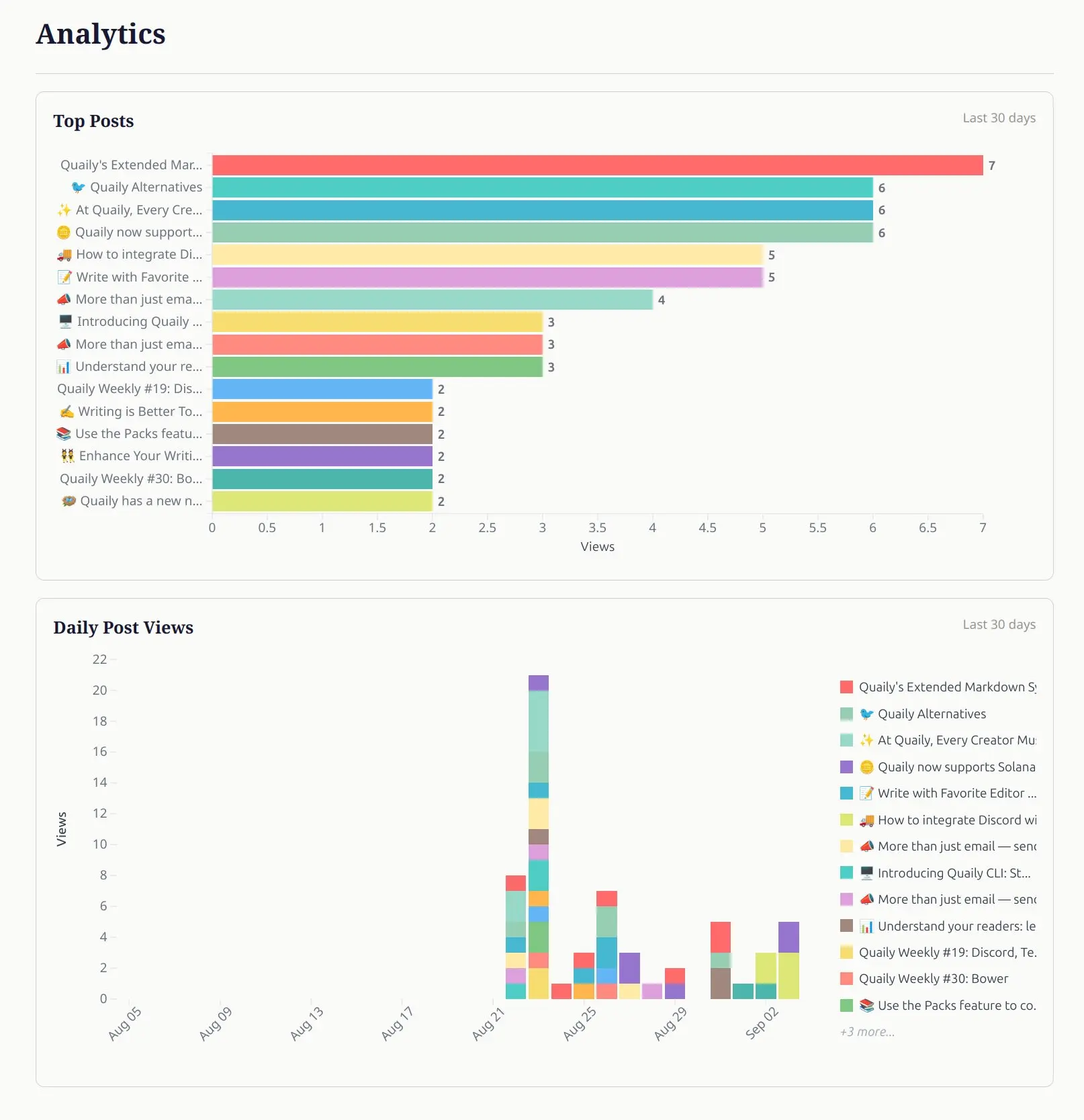
- Views: How many people clicked on the article.
- Reads: How many people actually read through it.
Comparing the two gives you a clear sense of how well your title attracts clicks and how well your content retains readers.
- Email Views
Performance of your newsletter when sent via email. This tells you whether subscribers prefer to finish reading in their inbox.
- Daily Trends: The daily fluctuations look like a breathing curve.
Did a particular day’s shares bring a spike? Was a new platform promotion effective? How do weekend and weekday reading patterns differ? Trends help you identify the causes behind distribution and promotion effects.
- Top Posts (Last 30 Days)
See which topics have been most popular lately. Narrowing the time frame helps you quickly catch the current consensus.
Details

Click into any article from the overview to see its summary metrics plus daily views. You can immediately tell:
- Is this article “strong at the start” or does it have high completion rates?
- Did it explode upon release or grow slowly over time?
- Which of Quaily’s supported channels brought the best traffic results?
FAQ
Q: Views are high but Reads are average?
A: The title successfully attracted clicks, but the opening may need to deliver value more quickly; try adding a “problem–promise–path” introduction.
Q: Email Views are stronger than on-site views — what does this mean?
A: Your subscribers are of higher quality; consider embedding a subscription form directly in the article to boost subscription rates.
Q: A certain post’s long-tail views keep growing?
A: This often indicates consistent demand or cumulative search traffic — suitable for creating a series, evergreen pages, or compiling into a collection.
Try it Now
Log in to the Quaily Author Dashboard, select Analytics from the sidebar, and explore how your work resonates in the world through data.