
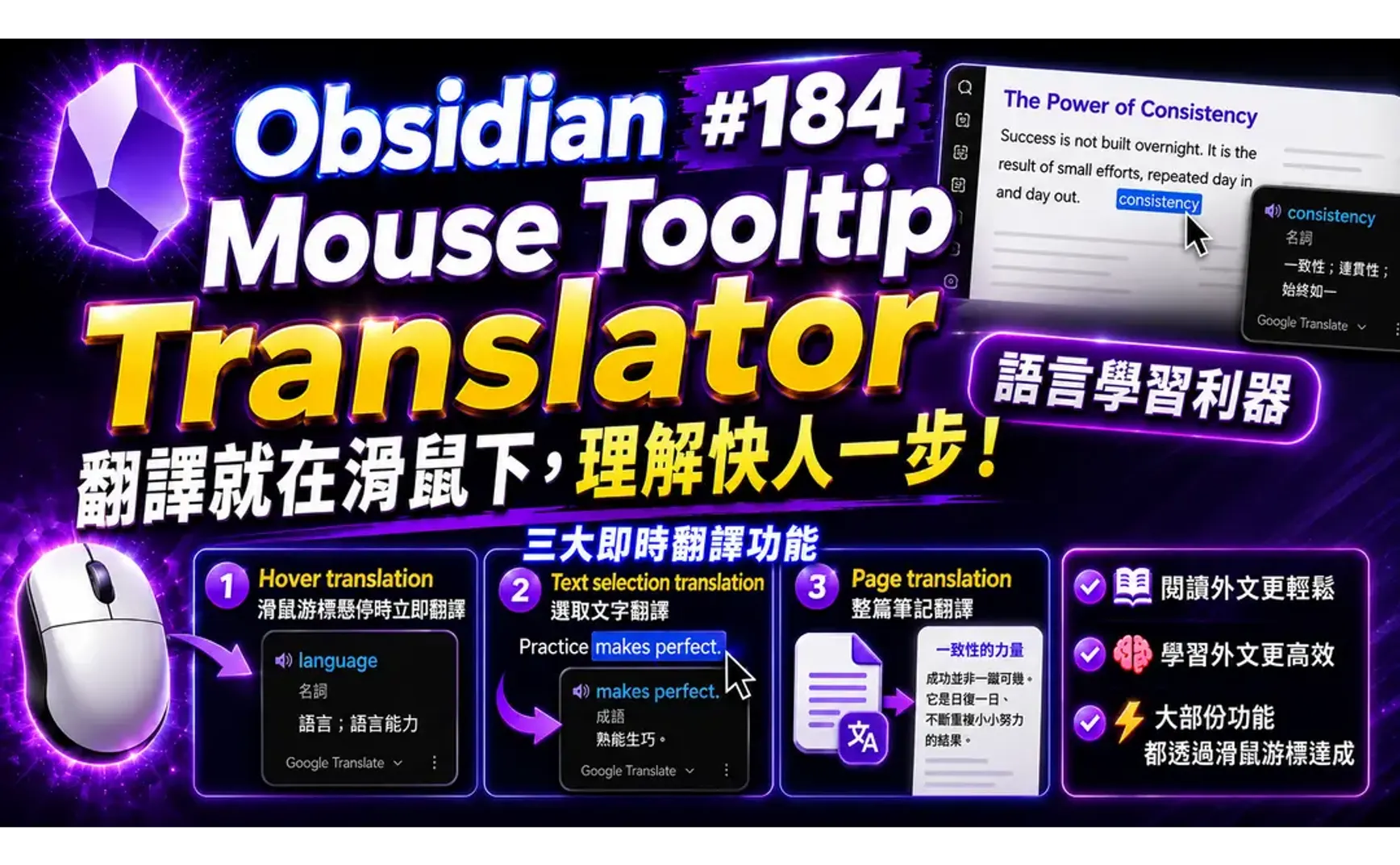
如果你在Obsidian裡閱讀外文或是學習外文,Mouse Tooltip translator外掛能提供非常便利的協助─大部份功能都透過滑鼠游標達成。
Mouse Tooltip translator外掛有三大類的即時翻譯功能:
- Hover translation: 滑鼠游標懸停時立即翻譯
- Text selection translation: 選取文字翻譯
- Page translation: 整篇筆記翻譯
1. 使用範例
▼ Steve Jobs (史蒂夫‧賈伯斯) 2005 年在史丹佛大學畢業典禮的演講
Of course it was impossible to connect the dots looking forward when I was in college, but it was very, very clear looking backwards 10 years later.

Again, you can’t connect the dots looking forward.

You can only connect them looking backwards, so you have to trust that the dots will somehow connect in your future.

You have to trust in something--your gut, destiny, life, karma, whatever--because believing that the dots will connect down the road will give you the confidence to follow your heart, even when it leads you off the well-worn path, and that will make all the difference.
2. 翻譯引擎
翻譯提供者(引擎)由下列幾種;後方有提供使用OpenCode的設定方法,可使用OpenCode Zen訂閱的免費模型:
| Engine | Notes |
|---|---|
| Default. Supports dictionary entries and transliteration | |
| Google GTX | Alternative Google endpoint |
| DeepL | Experimental web endpoint |
| Bing | Experimental web endpoint |
| Yandex | Experimental web endpoint |
| Papago | Experimental web endpoint |
2.1. OpenCode設定
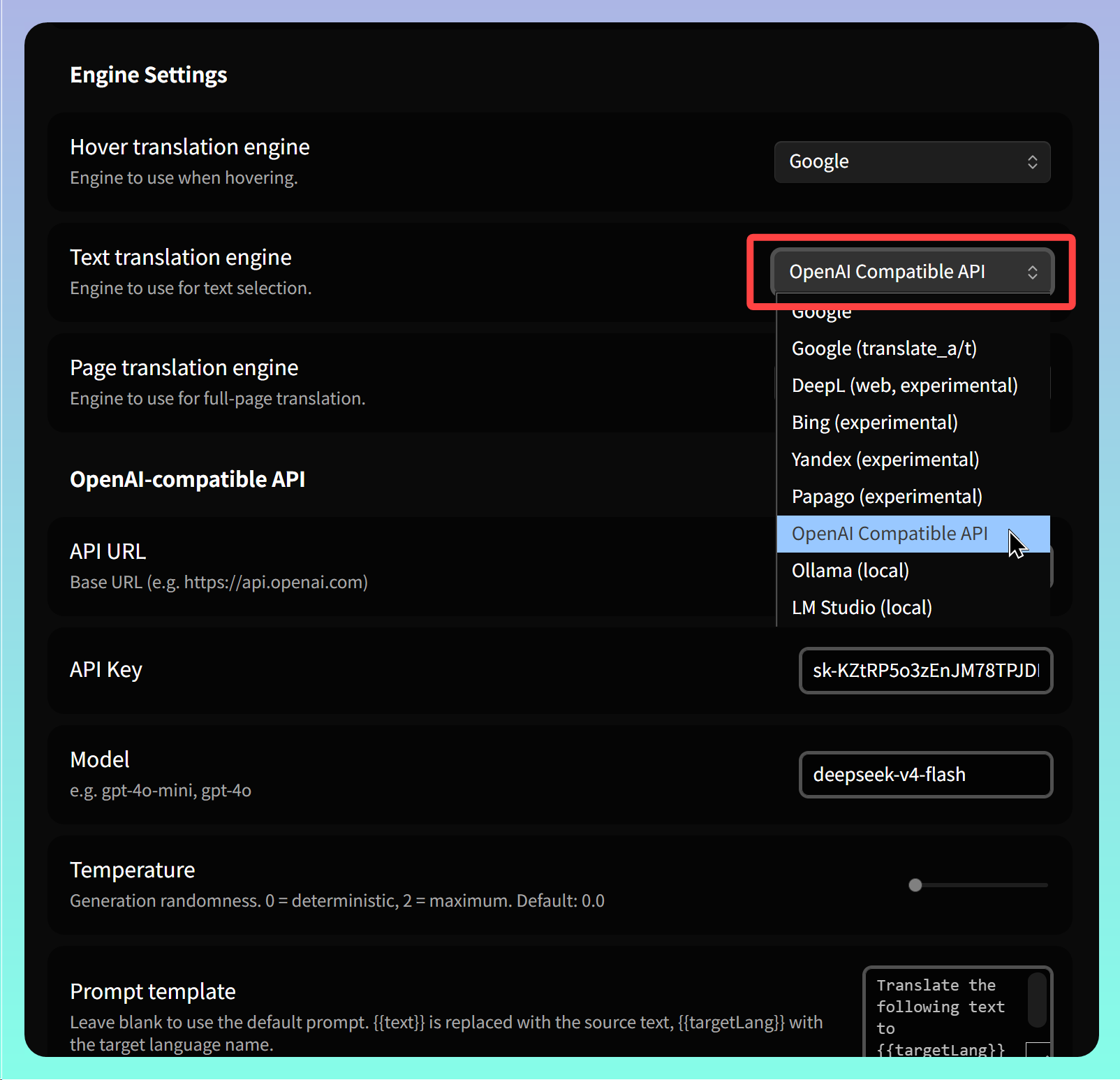
進入外掛的設定頁面後,找到【Engine Settings】區塊,針對三大類的翻譯功能分別指定使用的翻譯引擎。OpenAI或OpenCode選用 【OpenAI Compatible API】
-
API URL: 輸入API的基礎網址:
-
使用OpenCode Zen訂閱: https://opencode.ai/zen
-
使用OpenCode Go訂閱: https://opencode.ai/zen/go
-
-
Model: 對應使用的訂閱方案,輸入不同的模型。注意:「opencode-zen/」和:「opencode-go/」不必輸入。使用示範模型:deepseek-v4-flash
-
使用OpenCode Zen訂閱免費模型: deepseek-v4-flash-free
-
使用OpenCode Go訂閱: deepseek-v4-flash
-
3. 生字本 (Vocabulary List)
用Ctrl/Cmd+P開啟命令面板並執行 【Open Vacabulary List】即能在側邊欄顯示生字本清單,所有操作過的單字或句子的原文與翻譯都以清單格式顯示。
4. 功能加強
翻譯後文字無法複製再利用,希望作者能再增加這個功能。
目前的解決方法是用文字編輯器直接開啟 .obsidian/plugins/mouse-tooltip-translator/translation-log.json,找到內容後再複製到剪貼簿。
5. 💡 相關鏈接
✅ 解說文章(繁體中文): https://jdev.tw/blog/9211/
✅ Explanation article(English)
✅ 解説記事(日本語)
✅GitHub: https://github.com/toki1703/mouse-tooltip-translator
✅ Chrome Web Store: https://chrome.google.com/webstore/detail/mouse-tooltip-translator/hmigninkgibhdckiaphhmbgcghochdjc
✅ Chrome extensikon GitHub: https://github.com/ttop32/MouseTooltipTranslator
6. 教學影片
##