
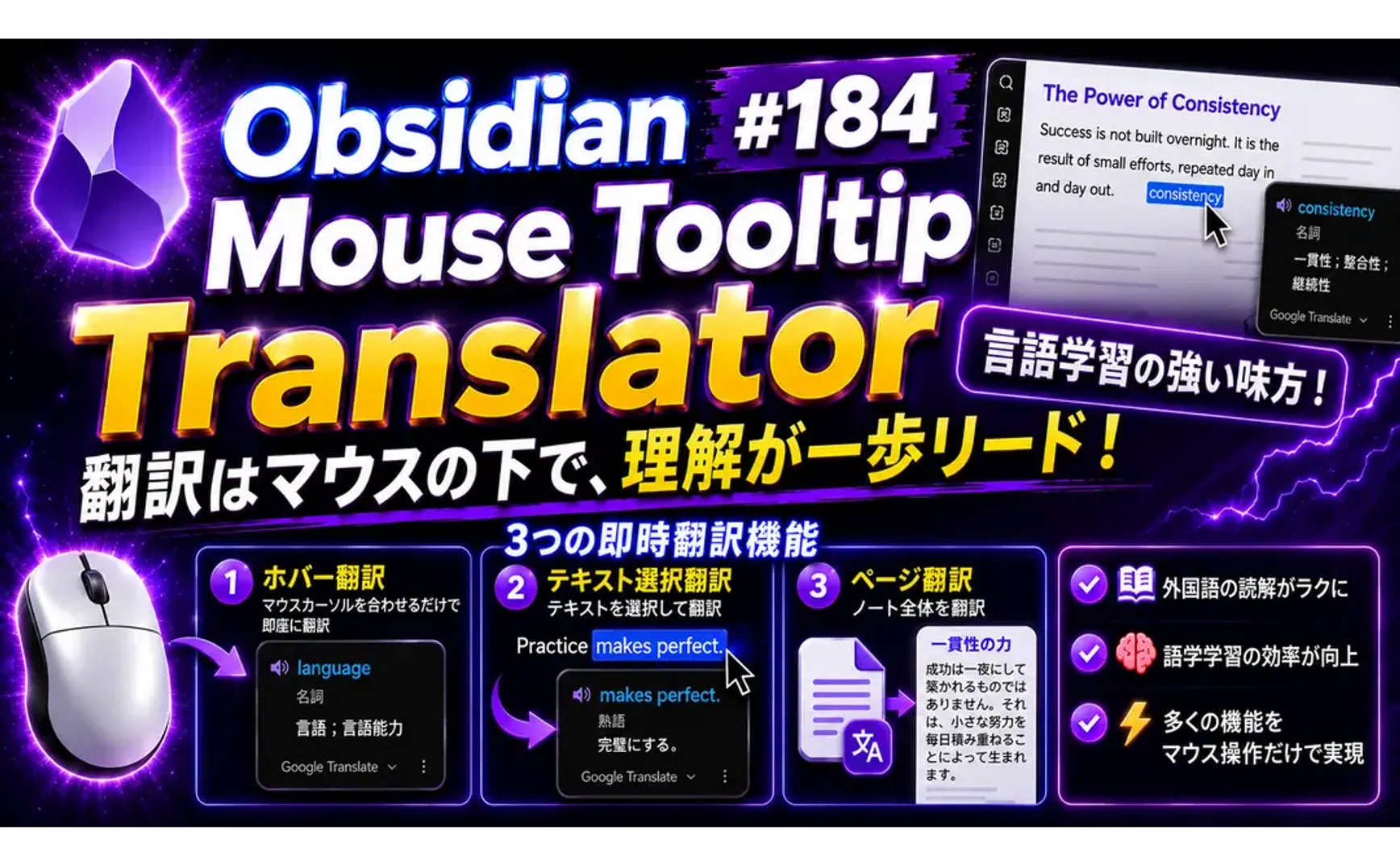
Obsidianで外国語を読んだり学習したりする場合、Mouse Tooltip translatorプラグインは非常に便利なサポートを提供してくれます。ほとんどの機能はマウスカーソルで操作できます。
Mouse Tooltip translatorプラグインには3種類のリアルタイム翻訳機能があります:
- Hover translation: マウスカーソルを置くと即座に翻訳
- Text selection translation: テキスト選択翻訳
- Page translation: ノート全体の翻訳
1. 使用例
▼ Steve Jobs(スティーブ・ジョブズ)2005年スタンフォード大学卒業式でのスピーチ
Of course it was impossible to connect the dots looking forward when I was in college, but it was very, very clear looking backwards 10 years later.

Again, you can't connect the dots looking forward.

You can only connect them looking backwards, so you have to trust that the dots will somehow connect in your future.

You have to trust in something--your gut, destiny, life, karma, whatever--because believing that the dots will connect down the road will give you the confidence to follow your heart, even when it leads you off the well-worn path, and that will make all the difference.
2. 翻訳エンジン
翻訳プロバイダー(エンジン)は以下の通りです。後述のOpenCode設定方法を参照すれば、OpenCode Zenサブスクリプションの無料モデルを使用できます:
| Engine | Notes |
|---|---|
| Default. Supports dictionary entries and transliteration | |
| Google GTX | Alternative Google endpoint |
| DeepL | Experimental web endpoint |
| Bing | Experimental web endpoint |
| Yandex | Experimental web endpoint |
| Papago | Experimental web endpoint |
2.1. OpenCode設定
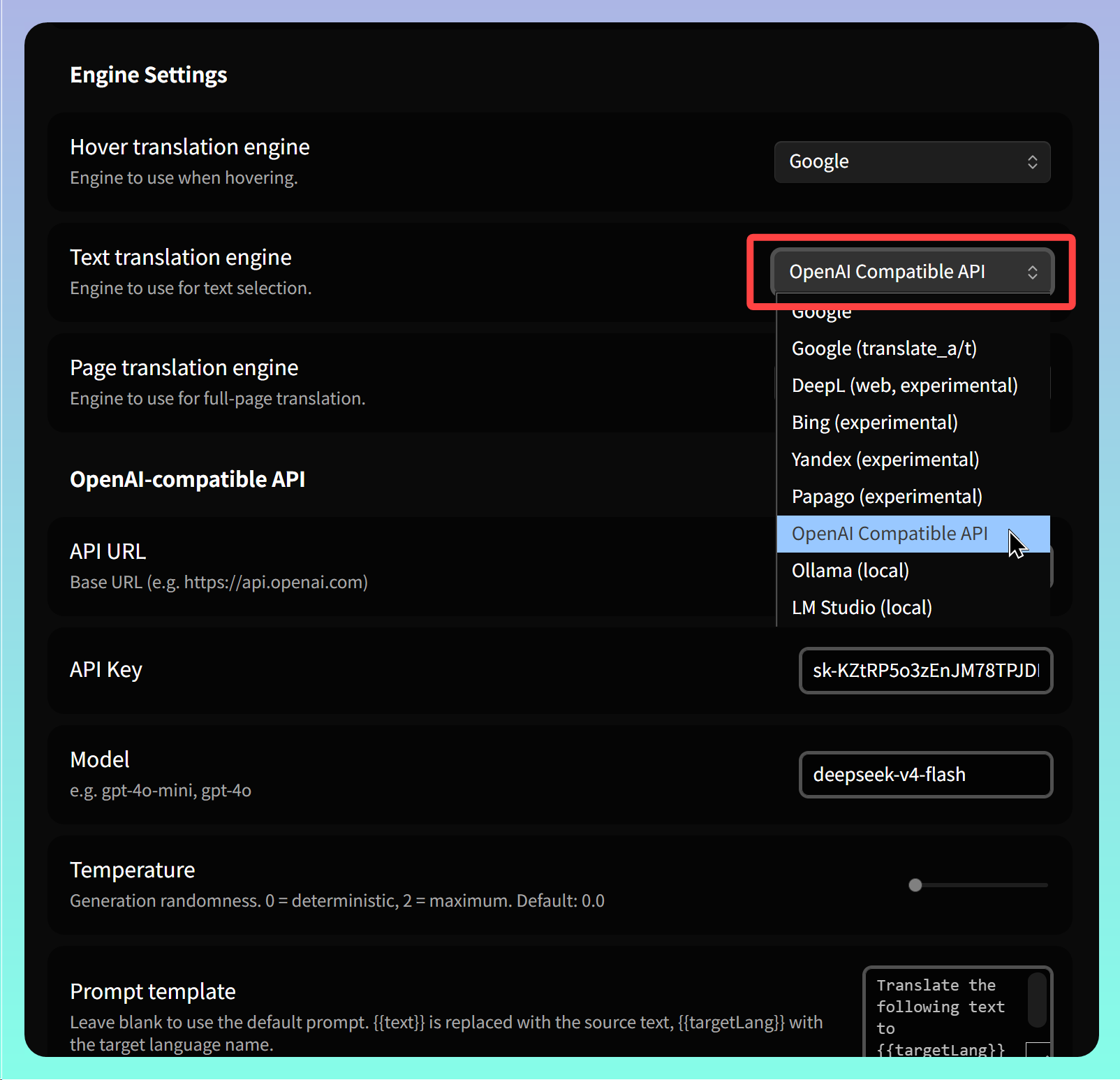
プラグインの設定ページに入り、【Engine Settings】セクションを見つけて、3種類の翻訳機能それぞれに使用する翻訳エンジンを指定します。OpenAIまたはOpenCodeを使用する場合は【OpenAI Compatible API】を選択します。
-
API URL: APIのベースURLを入力:
-
OpenCode Zenサブスクリプションを使用: https://opencode.ai/zen
-
OpenCode Goサブスクリプションを使用: https://opencode.ai/zen/go
-
-
Model: 使用するサブスクリプションプランに応じて、異なるモデルを入力します。注意:「opencode-zen/」と「opencode-go/」は入力不要です。使用例モデル:deepseek-v4-flash
-
OpenCode Zenサブスクリプション無料モデルを使用: deepseek-v4-flash-free
-
OpenCode Goサブスクリプションを使用: deepseek-v4-flash
-
3. 単語帳 (Vocabulary List)
Ctrl/Cmd+Pでコマンドパレットを開き、【Open Vacabulary List】を実行すると、サイドバーに単語帳リストが表示されます。操作したすべての単語や文章の原文と翻訳がリスト形式で表示されます。
4. 機能強化
翻訳後のテキストをコピーして再利用できないため、作者にこの機能を追加してほしいと思います。
現在の解決方法は、テキストエディタで直接 .obsidian/plugins/mouse-tooltip-translator/translation-log.json を開き、内容を見つけてからクリップボードにコピーすることです。
5. 💡 関連リンク
✅ 解説文章(繁体字中国語): https://jdev.tw/blog/9211/
✅ Explanation article(English)
✅ 解説記事(日本語)
✅GitHub: https://github.com/toki1703/mouse-tooltip-translator
✅ Chrome Web Store: https://chrome.google.com/webstore/detail/mouse-tooltip-translator/hmigninkgibhdckiaphhmbgcghochdjc
✅ Chrome extensikon GitHub: https://github.com/ttop32/MouseTooltipTranslator
6. チュートリアル動画
##