💬 Deep Dive
In February, I attempted to create two videos. Unlike before, I switched from using Jianying to Final Cut Pro for editing. Although I have long thought about moving away from Jianying, this was the first time I produced a complete film using Final Cut Pro.
This switch made me realize that mastering a new tool quickly requires several conditions. These conditions apply not only to Final Cut Pro, but also to other tools such as Notion and TickTick.
1. Understanding the Interface
When you pick up a nonfiction book, the first thing you should look at is the table of contents. The table of contents forms the framework of the book; it tells you the structure, the distribution of content, and the problems the book eventually aims to help you solve.
Likewise, when approaching a new tool, you should first understand its framework before delving into its specific functions, or you might easily get lost in the tool.
The tool's interface represents its framework. Take Final Cut Pro as an example—its interface, or framework, is mainly divided into four parts:
- Library: Manages all the media assets required for editing.
- Viewer: Provides real-time preview of the edits.
- Inspector: Used to adjust parameters such as video color, position, and effects.
- Timeline: Where you place editing clips to determine the sequence of the video.
Once you clearly understand this interface framework and master the three commonly used elements—"generators," "effects," and "transitions"—you can start producing videos with Final Cut Pro.
One of the challenges with tools like PS, PR, and Final Cut Pro is that the icons in their interfaces are not very intuitive. Half a year ago, I thought Final Cut Pro wasn’t as user-friendly as Jianying, largely because I wasn’t familiar with its icons.
Jianying’s interface is very beginner-friendly; its icons come with Chinese labels below, while Final Cut Pro only displays icons. Similarly, Jianying’s function descriptions are more straightforward than Final Cut Pro’s.
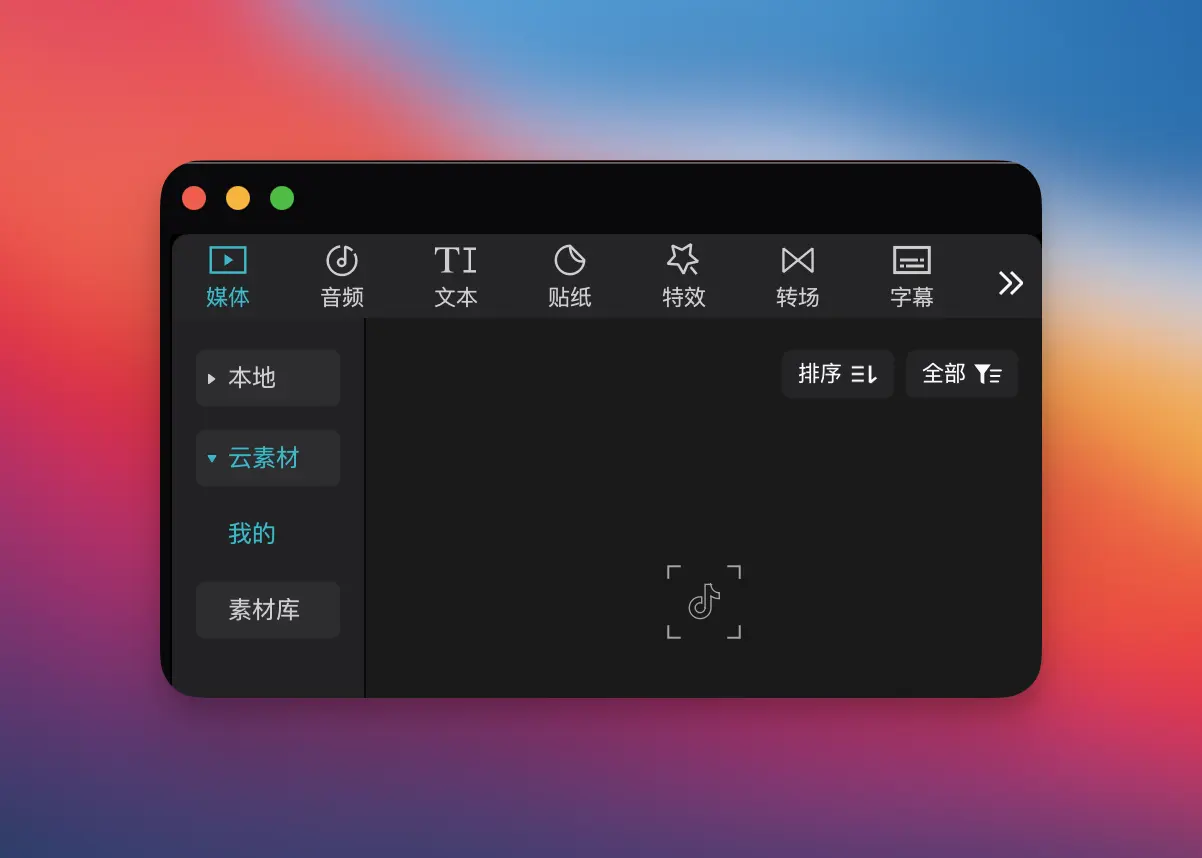
This difference in interface design and feature descriptions increases the learning curve for Final Cut Pro. However, it is essential to understand the interface to get started.
2. Grasping Concepts and Principles
Understanding concepts and principles is more important than merely memorizing techniques.
In editing, concepts like "masks" and "keyframes" appear frequently, and looking at their literal meanings might seem abstract.
- A "mask" is used to hide or reveal part of the frame.
- A "keyframe" records changes at specific points in time to control movement, scaling, transparency, and other parameters.
If you understand these concepts and principles, you can flexibly combine them to achieve various effects. For example, you can create dynamic masking using "masks" + "keyframes."
Similarly, if you grasp that everything in Notion is a Block—whether it’s a Page or a Database, which are essentially different forms of Blocks, and that Blocks serve as containers that can be converted or associated with one another—you can understand some of Notion's operational logic. For example:
- Each row in a Database is a Page that can be edited independently.
- The Database itself is also a Block, meaning it can be nested within other Pages.
- Different Blocks can be interconnected to link different pieces of information, such as linking a "Task" Database with a "Project" Database.
The benefit of understanding the concepts and principles is that you not only know how things work, but also why, which frees you from relying on fixed tutorials and templates.
3. Ample Time
Learning a tool’s interface and principles requires sufficient time for exploration; otherwise, you might easily revert to your comfort zone.
Last summer, I had the idea to switch from Jianying to Final Cut Pro and tried using it for video editing. However, at that time, I was producing videos for the company with strict deadlines and delivery requirements. When I encountered issues with the interface, I didn’t have enough time to explore, and I had to prioritize the output over experimenting with the tool, so I quickly returned to Jianying.
This time was different—I was making videos for myself and had the liberty to set my own pace. This allowed the switch to succeed, as I was willing to spend several hours editing until I achieved a satisfactory result.
Therefore, only when you have ample time and control over your schedule can you master a new tool more quickly.
4. Learning by Doing
The best way to quickly become proficient with a tool is not to watch tutorials from start to finish, but to take a problem-solving approach: dive in and learn along the way. When issues arise during the process, tackle them one by one; this will lead to more effective learning. My first video edited in Final Cut Pro took over ten hours because I continuously ran into detail-specific issues:
- What do I do when Command + mouse wheel doesn't zoom the timeline in Final Cut Pro?
- How can I adjust the video corner radius when Final Cut Pro does not offer this function directly?
- How do I achieve the AI keying effect from Jianying in Final Cut Pro?
- ……
If you were simply watching tutorials, these issues might not have surfaced. But once you start editing, they come to light. By researching online, asking AI, and consulting manuals, I solved one issue after another, allowing me to reuse these solutions when similar situations arose.
In contrast, just watching tutorials offers limited effectiveness.
5. Proper Hardware
Using the right equipment can significantly streamline your experience with a new tool. Whether you want to learn video editing, graphic design, or coding, these tasks have certain hardware requirements.
When I used an older computer for video editing, I constantly encountered lag and slow rendering, which made color grading and applying effects a time-consuming process, dampening my motivation to learn.
After upgrading to a new computer, editing became smooth, and adjusting parameters provided real-time previews. This eliminated many obstacles and made the video production experience more enjoyable and motivating. Therefore, investing in productivity-enhancing equipment is certainly worthwhile.
Final
Regardless of whether you are learning a tool or mastering a skill, every attempt builds strength for future progress and breakthroughs. Looking back at my editing journey, it has spanned five stages over five years:
- June 2020: Edited videos on my phone, learning that videos, audio, images, and text each occupy a layer, with the stacking order representing the layer order.
- August 2022: Edited videos on a computer, selecting specific regions in Jianying and exporting particular segments in batches.
- August 2023: As an amateur, produced fewer than 10 videos using icons, screen recordings, and animations paired with rhythmic music to create tech-centered videos.
- August 2024: Used the methods I had explored in 2023 to create videos for a company product, employing keyframes for animations.
- February 2025: Moved away from Jianying and switched to Final Cut Pro, incorporating all of the techniques I had accumulated over time.
This process was very gradual because there was no significant problem or requirement driving it. To quickly master a tool, it is crucial to let problems or needs steer the learning process, understand the principles behind frequently used concepts, benefit from productivity-enhancing equipment, and accumulate experience through practice.
💎 Curated Gems
1. Tacit Knowledge
Knowledge that can be expressed in language is explicit knowledge. Knowledge that cannot be articulated in language is tacit knowledge. Due to the existence of tacit knowledge, the boundaries of the world extend beyond those of language.
Intuition, as a form of pattern recognition, and taste, as a form of perceptual judgment, both reflect tacit knowledge. Tacit knowledge comes from personal experience, cannot be easily conveyed through words, and is best taught by example. It profoundly influences individual decision-making, proving that true knowledge comes from practice.
For further reading, see: A Full Discussion on My Views on 'Tacit Knowledge' and 23 Thoughts on 'Taste'.
2. Is Bookmarking Useless?
Why single out bookmarking for discussion? Because whenever I see articles debating tools and habits for bookmarking, I often hear claims that "bookmarking is useless."
We habitually attach negative labels such as "hoarding" or "information hamster syndrome" to bookmarking, yet we overlook an important point: these terms describe people rather than the tool itself.
When you instinctively blame the tool and casually complain before moving on, you are merely rationalizing your past setbacks to seek psychological comfort. The real fear of bookmarking stems from inaction after the bookmark, rather than the act of bookmarking itself.
For further reading, see: Living Comfortably with Information: My Practice of Minimalist Information Management.
3. The RECH Principle for Content
Liu Fei's new book, Content Is Brand, outlines the RECH principle for achieving great content: Good Content = Resonance × Efficiency × Comfort × Helpfulness.
"Resonance" and "Helpfulness" are common content standards—the former leans toward delivering emotional value, while the latter provides practical value.
"Efficiency" and "Comfort" are less frequently discussed, but I believe they point to the same issue: whether the content creator respects the consumer.
"Efficiency" means respecting the user's time by conveying ideas clearly and delivering high-value information in a limited time.
"Comfort" means respecting the user's experience—through layout, tone, and information hierarchy—to reduce reading resistance and encourage engagement.
My view remains: both content and products reflect the creator's own aesthetics, taste, and personality. If the result is a brand, then the brand's temperament mirrors that of the creator.
For further reading, see: Content Is Brand.
🧵 One More Thing
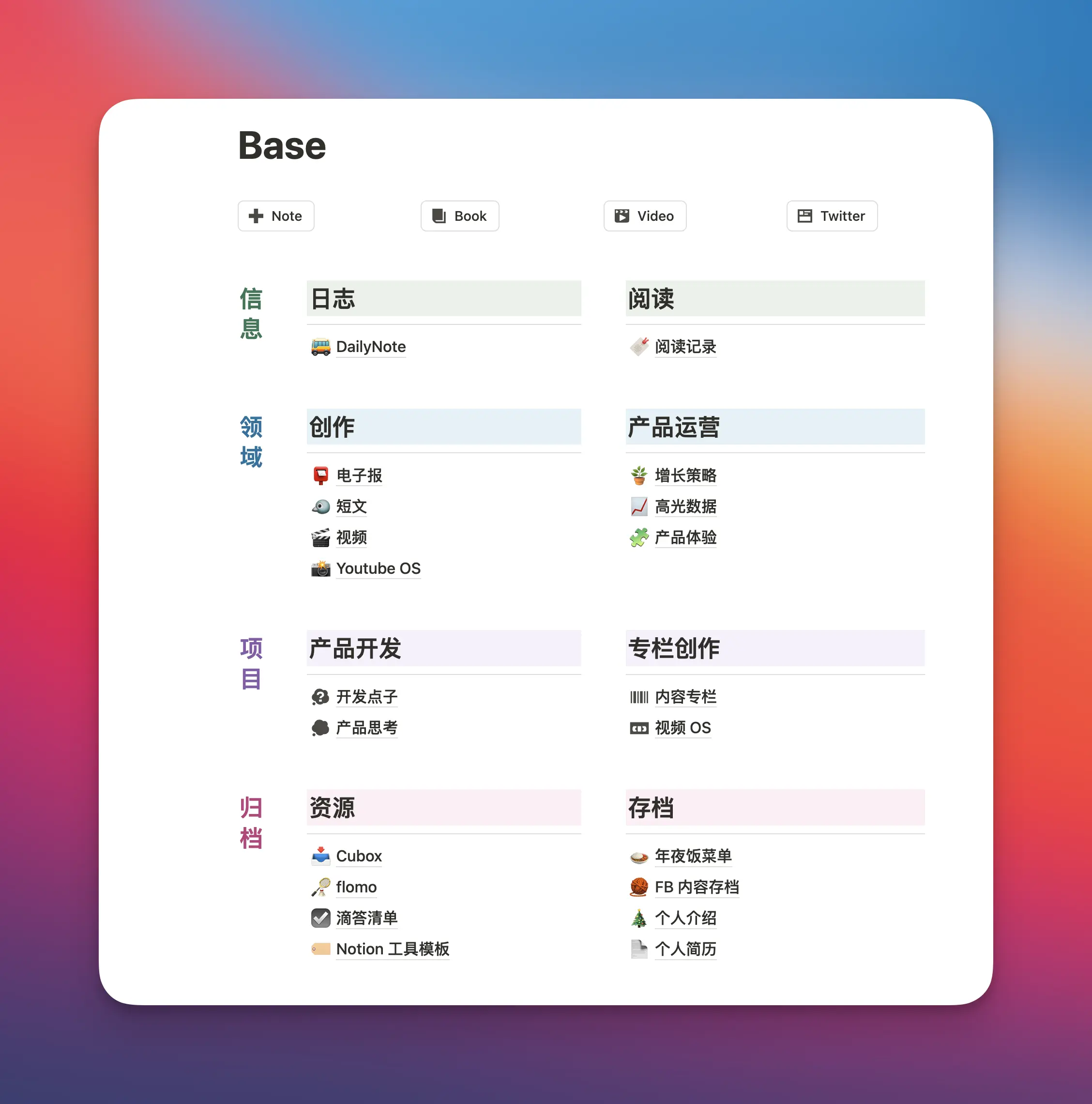
I recently redesigned my Notion homepage to be very simple. I don’t follow the P·A·R·A note-management system in Notion because I primarily use it for writing logs and drafting manuscripts—two functions that don’t require complex organization.
However, in flomo I do use the P·A·R·A system, as I have hundreds of inspiring pieces of content collected externally that need to be well organized.
Now, I position these two tools as follows: flomo serves as my external knowledge repository, while Notion is my personal creative workspace. When I come up with satisfying ideas or insights in my Notion logs, I also bookmark them into flomo since flomo offers daily reviews, thereby enhancing the value of my ideas and insights.
Ultimately, every method and theory must be adapted to one’s personal needs.