
Abandon "read later" apps and build a brand-new reading and writing workflow with Follow+Notion+ChatGPT+Dia.
💬 Deep Dive
In March of this year, I planned to write an article sharing my latest reading and writing workflow. At that time, I had just deeply experienced YouMind, which nearly covered all the scenarios in which I used Cubox for "read later." Coupled with various issues when reading in the browser, I quickly decided to replace Cubox with YouMind.
However, in early June, after reading an article on Minority on the Notion clipping plugin, I decided to skip the "read later" apps and store all my "read later" content directly in Notion.
So, starting in June, I officially abandoned the "read later" apps and built a new reading and writing workflow with Follow+Notion+ChatGPT+Dia.
Below is my practical approach covering four stages: gathering information, digesting it, creating content, and reviewing notes.
1. Information Collection
I use Follow to receive all my RSS feeds and newsletters. In Follow, some newsletters and official accounts have already been converted to RSS by other users, so you can search and subscribe directly. If a newsletter you wish to read isn’t available in RSS, you can use tools like RSS Anything and Kill the Newsletter! to handle it.
I have previously shared that consolidating most information into one place can be quite overwhelming. Fortunately, Follow provides three methods to "Mark as Read." Using scroll marking and hover marking greatly eases the pressure of having to open every item.

Most importantly, I shifted my mindset to treat Follow as the first layer of information filtering: there’s no need to read every item. I only click on a title that interests me; after reading Follow’s AI summary, if I want to continue, I clip it into Notion, moving it into my second reading pool.
2. Information Digestion
I save most clippings using the "Save to Notion" plugin since I primarily read on my computer’s browser. For the remaining items, I usually forward them directly to the Notion App on my phone.
Within Notion, I’ve set up three clipping databases:
- "My Links": Contains inspirational and growth-related content, mostly in the self-help or psychology realm.
- "My Todo": Holds actionable information, mostly related to product growth and operations.
- "My Videos": Where I clip appealing covers, titles, or topics for later reference in video creation.
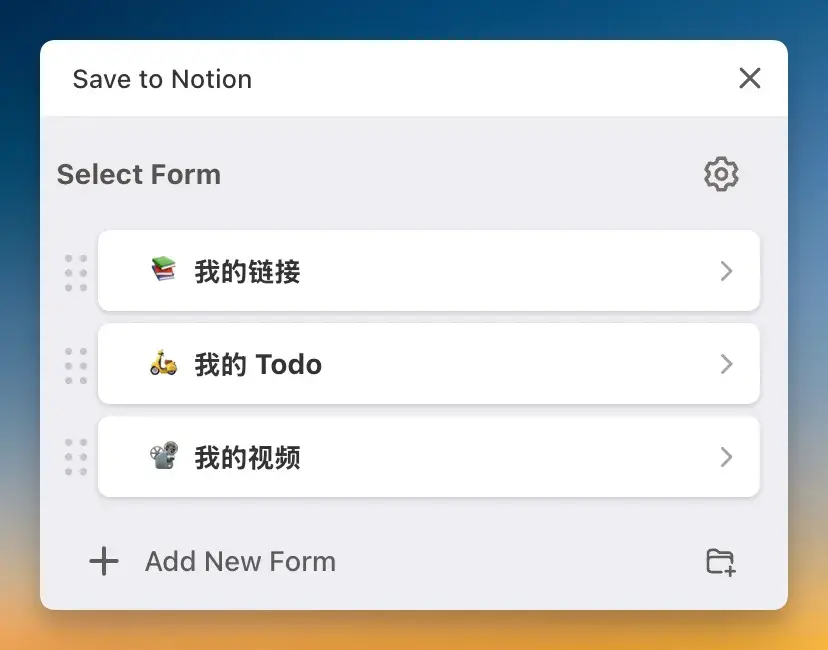
In the long run, the most beneficial database for my growth has been "My Links," which I read seriously and take notes on.
I continue to use the PARA framework for tagging, categorizing with four primary single-choice tags based on "domain," "resource," "project," and "archive," and then additional multi-select secondary tags like "psychology," "product," and "design."
When digesting the content, I read it word-for-word and use Notion’s comment feature to highlight and jot down ideas.
Afterwards, I use Dia or ChatGPT to process the page, input my "TL;DR and Action Suggestions" or "Mr. Feynman" prompt to generate summaries placed at the beginning of the article for easy review later using the Feed view.
Below are my two prompts:
Please help me summarize the main points of this article in the following format:
TL;DR
Summarize the core content of the article, distilling the most important points. Each bullet should be no more than two sentences. Don’t omit key points; list them using a Markdown numeric list.
Action Suggestions
Based on the article, offer several practical suggestions to enhance thinking or action. Ensure no key points are missed and list them using a Markdown numeric list.
Please keep it concise and practical, suitable for quick understanding and future use. Add a space between Chinese and English.
Please act as my Feynman study assistant. Based on the article I’m reading, complete the following four steps:
Simple Explanation
Use the simplest and clearest language (as if explaining to a 12-year-old) to summarize the core content of the article in one paragraph.
Analogy/Metaphor
Try using a real-life example or analogy to help me understand the core idea of the article more intuitively.
Identify Blind Spots
Point out which concepts, reasoning, or arguments in the article might be hard to understand, commonly misunderstood, or prone to error.
Knowledge Inversion
Summarize in one sentence: "If this article is wrong, then I might have previously thought…" to help reinforce my understanding.
Maintain a pragmatic and clear style, and don’t pretend I already understand it. Use the attitude "if you don’t understand it, you can’t bluff your way through" in your explanation. Ensure neat formatting with a space between Chinese and English.
3. Content Creation
I create all my content within Notion. The benefit of Notion is that ChatGPT’s client can directly access the page for smooth editing and polishing.
The AI tool that has helped my creation process the most is undoubtedly ChatGPT. Since the beginning of this year, my newsletters have been co-created with ChatGPT. I stick with ChatGPT because it has long-term memory and understands my preferred expression style (which might also be a sort of echo chamber 🤣). Of course, sometimes I also use Dia's side chat for writing assistance; my usage ratio between ChatGPT and Dia is about 8:2.
Within Notion, if a clipped item is worth sharing in my newsletter, I simply link it using relational properties, eliminating the need to search in the "read later" app for material during writing.
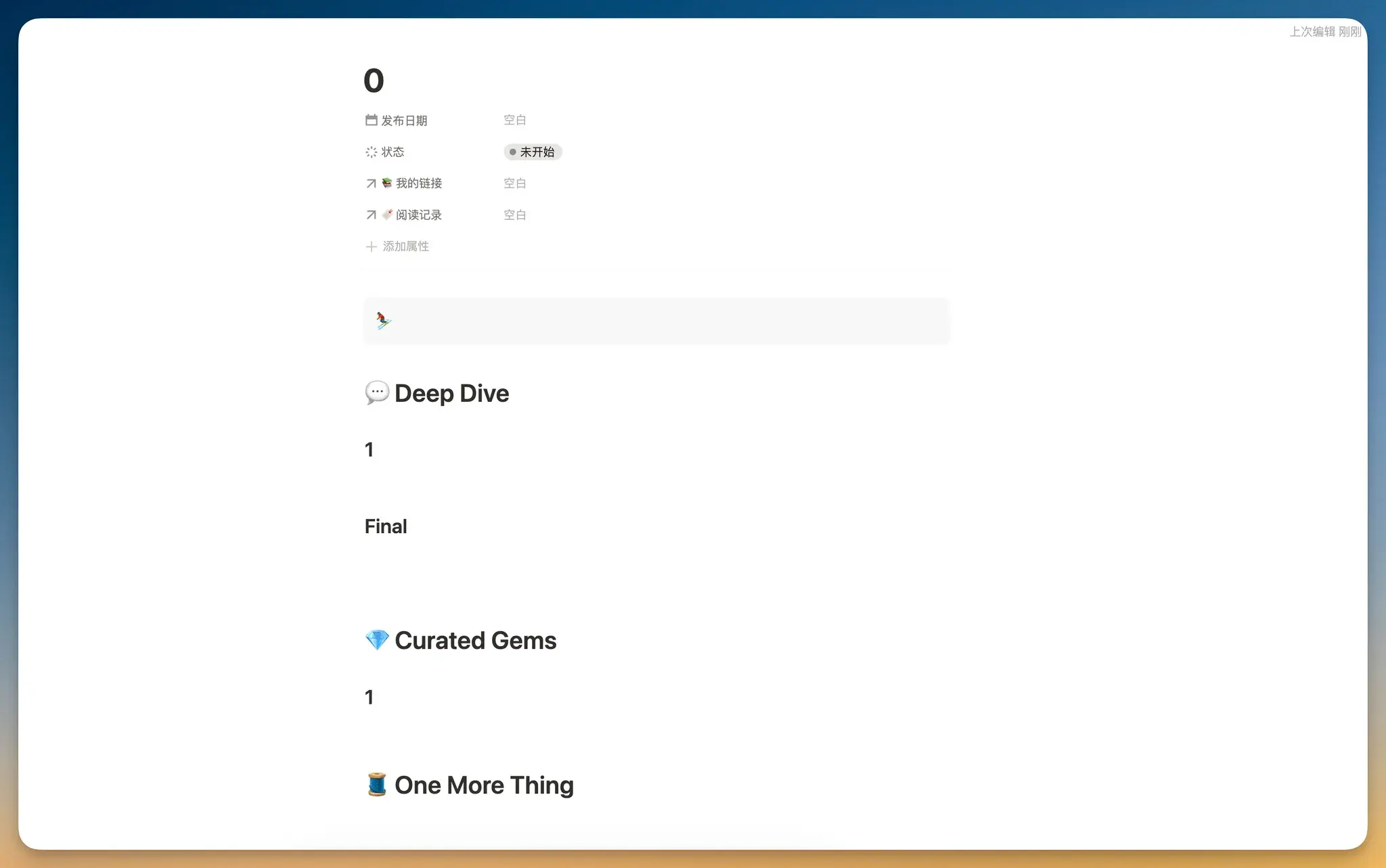
In the Newsletter database, I’ve configured a template that can be generated with one click every time I create a new entry. This feature is extremely convenient for creators.
4. Note Review
To be honest, compared to the past two years, I’ve reviewed my notes less frequently this year, but I still use a formula shared by the Sketched Scholar in Notion.
mod(
  mod(timestamp(prop("创建时间")) * 100011979 + 500067713, 900066731)
  *
  mod(round(timestamp(now()) / 600) * 600 * 800067089 + 800068411, 800053967)
  900067309,
  900066571
)
This formula generates a pseudo-random number based on the creation time of a database entry and the current time, automatically changing at fixed intervals (e.g., every 10 minutes) to periodically refresh the content. The number 600 represents the cycle unit (in seconds), and by replacing 600 with another value, you can control the refresh frequency.
I apply this formula in my "My Links" database in the Feed view, sorting content by the numerical value of the formula. This way, each time I open it, the content order changes, creating a random walk effect.
For the digestion stage, I place the results of the "TL;DR" or "Mr. Feynman" prompts at the article’s beginning, marked with a Callout. This makes browsing and reviewing in the Feed view visually appealing.
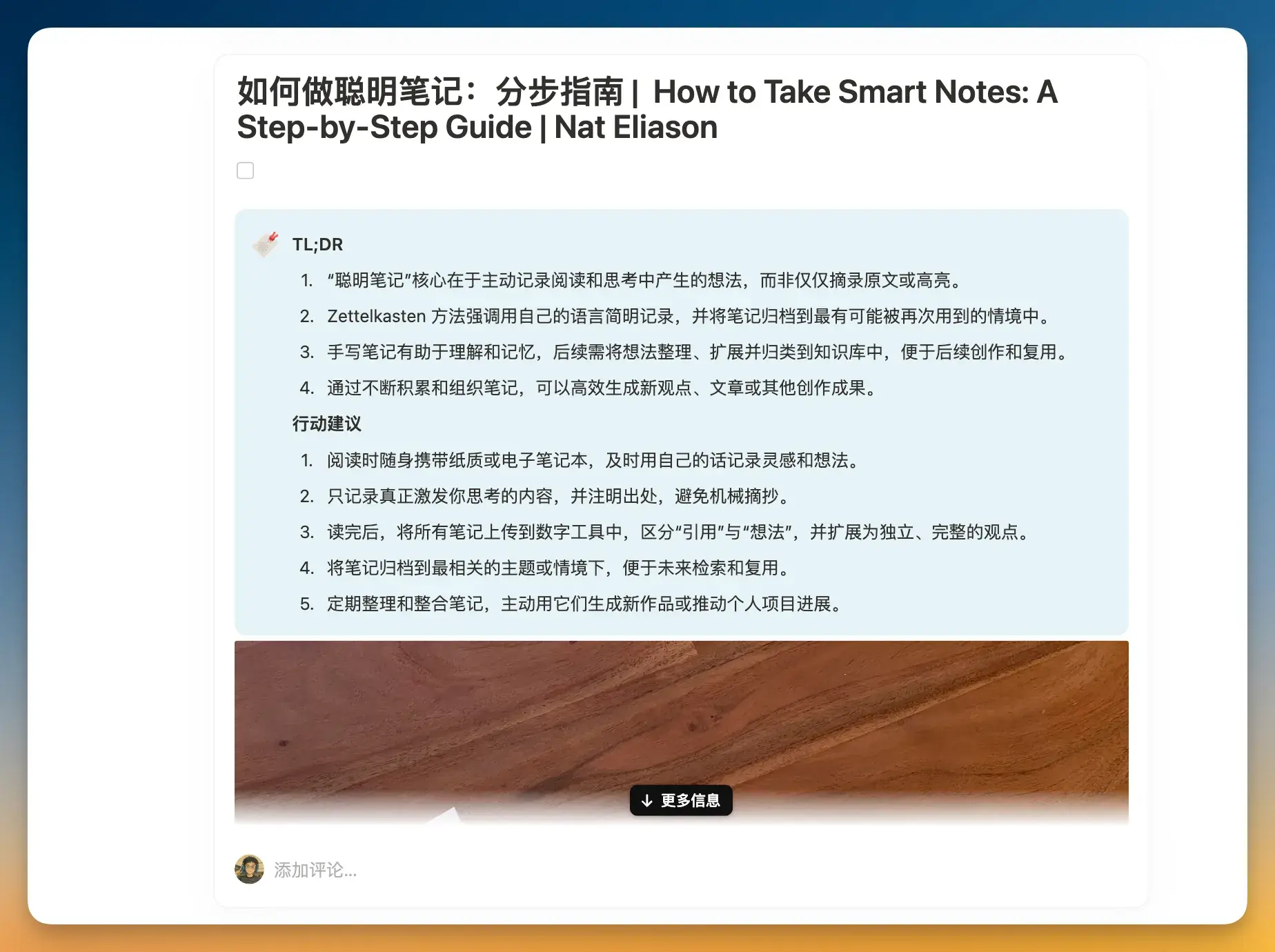
Currently, I prefer reviewing the entire article by clicking inside and reading the comments on the right side, which allows me to directly refer to the original context if needed.
If you only enjoy clipping and reviewing highlighted sentences, I recommend watching this video by Jeff Su for guidance.
Final
This is my latest reading and writing workflow centered on Notion, combined with Follows, ChatGPT, and Dia. Perhaps in the AI era, the greatest migration cost for users is long-term memory.
In fact, over the past six months, YouMind has evolved remarkably. I even made a video to share this product.
Version 0.1 of YouMind works like Cubox, clipping articles, podcasts, and videos for "read later." Its differentiator is the ability to transcribe podcasts and videos so you can skip playback and read directly. I often use YouMind now to transcribe podcasts that I don’t want to listen to but may still find useful.
Version 0.2 of YouMind, launched before Dia’s browser, introduced the AI Studio on the right side, allowing customized prompts for AI chat to understand any content. After using Dia, I found the two products very similar: both have a right-side AI chat, offer customizable prompts, and can read multiple page contents.
Version 0.3 of YouMind introduced the AI Board, which uses an Agent to search for data, create groupings, generate drafts, images, and audio all around a theme, and even auto-completes text in a manner similar to how Cursor auto-completes code.
If you’re interested, you can try it on the YouMind website where new users can enjoy a 7-day free trial.
💎 Curated Gems
1. The Strategy Behind Dia’s Design
The Browser Company’s approach with Dia is much less radical than with their first product.
The strategy behind its design is to prioritize retaining familiar operations for users to reduce learning costs, only introducing new features when they offer significant value. This way, the product balances familiarity with improvement.
2. Reading Like a Thief
He Caitou summarizes five reading approaches and recommends reading like a thief—imitate, learn, and extract building materials for your own house from the books.
The "Critic" approach is about reading solely to form opinions, often resulting in negative judgments.
The "Thief" approach is about extracting the nourishing parts from every book, with the intention of building something for oneself—even if it means stealing materials when they are in short supply.
The "Peacock" approach is about taking photos, reciting summaries and reviews to appear as an avid reader in front of others, even though they don’t truly engage with the content.
The "Squirrel" approach focuses on quantity—believing one book gives one idea, and one hundred books give a hundred ideas. Squirrels treat their brains as storage warehouses, stocking up on reading material without ever reviewing it, continuously chasing the next book.
The "Addict" approach is being addicted to the act of reading itself—not necessarily consuming many books, but always reading because the act provides a certain mental or emotional pleasure, even self-identification. Interrupting their reading abruptly may trigger severe withdrawal symptoms, making them acutely aware of the consequences.
I think being an addicted reader is not bad—it brings joy and experience, rather than the constant criticism of being a "critic," the showboating of a "peacock," or the hoarding of a "squirrel."
I reflect that I have tendencies of both a "peacock" and a "squirrel," and it wasn’t until the latter half of 2023 that I began to settle down and focus on genuinely accumulating knowledge through reading.
3. Single Belief Under Scientific Domination
We often use "scientific evidence" to determine what is true and false. We believe that the world can be understood, measured, and transformed, and that progress is limitless.
Behind these actions and beliefs is the scientific ideology at work. Since the Industrial Revolution, science has become the "operating system" we use to understand the world, explain phenomena, and judge right from wrong.
Meritocracy, driven by the notion of endless progress under scientific ideology, has become the sole value standard—leading either to excessive competition or complacency.
To build a truly pluralistic society, we should first reflect on the underlying concepts that govern our everyday behavior.
🧵 One More Thing
Since June, my video creation efficiency has increased significantly, and I have consecutively released three videos.
The most rewarding part of making videos is truly knowing that users benefit from them. In March, after I released my Notion tutorial video, I saw several users in the comments say that the video helped them get started with Notion.
I particularly liked the two recent videos—one on Dia and one on YouMind.
My next topic is already planned: How to accumulate 600 Karma in a month on Reddit? If you’re interested, you can follow me on Bilibili, Xiaohongshu, or YouTube.