

querydash enhances the display features of Dataview. Once enabled and the code language is changed from dataview to querydash, Dataview tables gain visual operations such as filtering, column sorting, row height adjustment, and data pagination.
1. Example
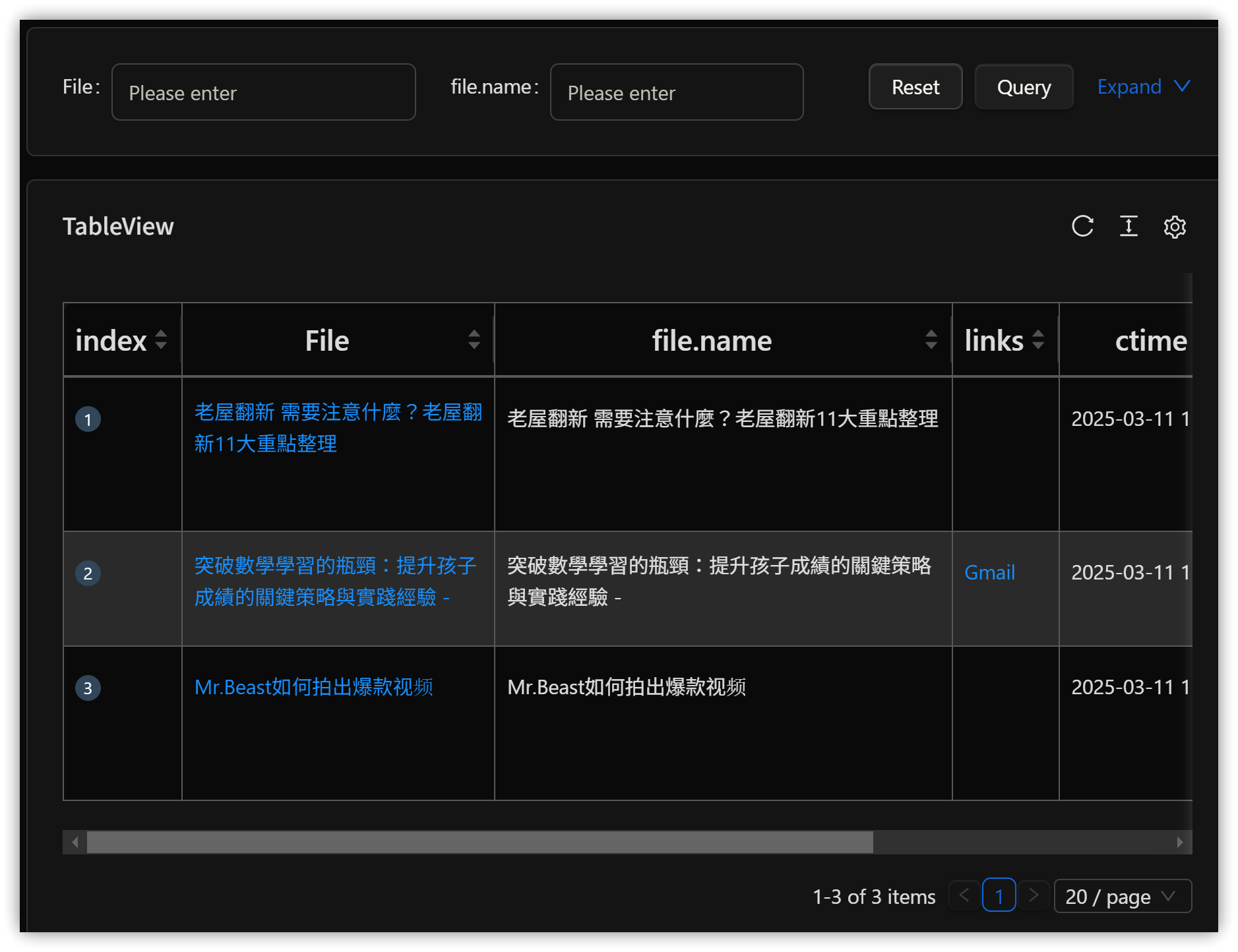
Below is an example of converting a Dataview query to querydash:
```querydash
table file.name , file.outlinks as "links" ,file.ctime as "ctime",
file.mtime as "mtime" ,file.tags as "tags" from #clippings
```
▼ Display Result
2. Other Features
2.1. Task List
List all tasks.
```querydash
task
```

2.2. Timeline
Display in a timeline format.
```querydash
timeline  from #start
```

3. 💡 Related Links
💡 Explanation article (Traditional Chinese): https://jdev.tw/blog/8823/
💡 Explanation article(English): https://quaily.com/jdevtw-en/p/efficiency-boost-obsidian-querydash-plugin-custom-dataview-table
💡 解説記事(日本語): https://quaily.com/jdevtw-jp/p/efficiency-boost-obsidian-querydash-plugin-custom-dataview-table
✅ obsidian-querydash GitHub: https://github.com/liufree/obsidian-querydash