



5 GitHub Tools at a Glance: AI, OCR & Productivity Tools
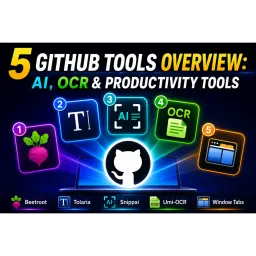
Five open-source power tools in hand, productivity follows naturally: Beetroot manages your clipboard with AI integration, Tolaria forges a Markdown editing masterpiece in Rust, Snippai captures screenshots to instantly recognize anything (formulas, code, tables), Umi-OCR handles offline recognition without relying on anyone else, and WindowTabs unifies your scattered windows under one roof. Tools need not be many—what matters is they fit your hand.

Obs186|Local REST API & MCP Server 4.0 Major Overhaul! Search Notes, Write Files, and Manage Tags Using Natural Language
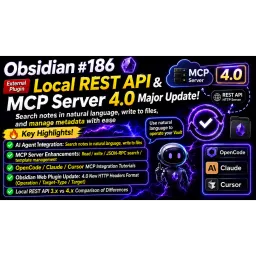
Local REST API 4.0 is no longer just a bridge for browsers — it also serves as an MCP Server, allowing AI Agents to search, read, write, and patch your Obsidian notes directly using natural language. Browser extension settings have changed accordingly, and the HTTP Headers format needs to be updated. In essence, your vault has evolved from "manual operation" to "a knowledge interface that AI can interact with directly."

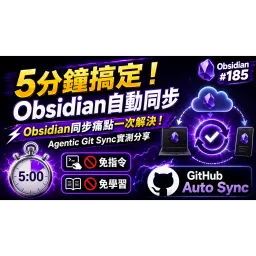
Obs185 | Solve All Your Obsidian Sync Pain Points in One Go! Hands-On Review of the Agentic Git Sync Plugin
Syncing Obsidian notes is a must-have. From Dropbox to Git, it's been a journey of trial and error. Now, Agentic Git Sync lets you enjoy all the benefits of Git sync without knowing a thing about Git—just use it! All you need is a GitHub URL and a token, install the plugin, and sync with one click. Even conflicts can be handed off to AI. The only limitations: it currently supports GitHub only, and it's not yet available on mobile.

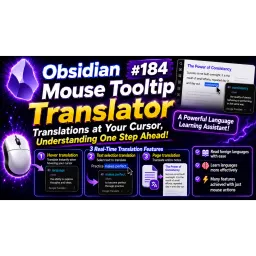
Obs184|🚀 The Ultimate Language Learning Tool for Obsidian! Mouse Tooltip Translator Makes Reading Foreign Text Effortless—Hover Your Mouse and Turn Obsidian into an Instant Translator
Hover your mouse, and foreign text is instantly understood. Three translation methods: hover, select, or full page. Supports multiple engines, plus an automatic vocabulary notebook. Read foreign text without getting stuck.

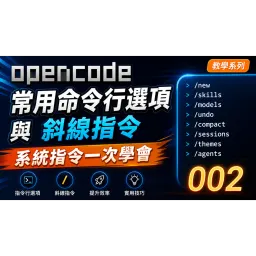
Common OpenCode TUI Command-Line Options and Slash Commands — Master System Commands at Once 【OpenCode 002】
Use fewer keyboard shortcuts and more slash commands; distinguish conversations clearly, make good use of the model, collect when you should collect, step back when you should step back—only then can AI become a handy blade rather than a wild gust of wind.
![90% of People Don't Know These Hidden OpenCode Shortcuts—The Complete Guide to OpenCode TUI Input Efficiency, UI Layout + Full Keybind Categories [OpenCode 001]](https://images.quaily.com/nXDupYPdHqLNxzFfwuDBXBWRlINhg7wDb0-YOoNdzrY/rs:fill:128:128:1:0/f:webp/dpr:2/plain/https://static.quaily.com/media/wn050u09v3.webp)

90% of People Don't Know These Hidden OpenCode Shortcuts—The Complete Guide to OpenCode TUI Input Efficiency, UI Layout + Full Keybind Categories [OpenCode 001]
The way of tools lies not in having them, but in mastering them. OpenCode TUI conceals a complete hotkey system—most people only type and send, unaware their fingertips could fly. The layout divides into four zones: messages, input, status, and sidebar; keys are categorized by function, customizable through tui.json. Those who know use it never leave the keyboard; those who don't click their mouse till old age.

The Art of Product Naming in the AI Explosion Era
Naming as Metaphor: From literature to mythology, AI products take their names from the crystallized wisdom of humanity, reflecting their creators' philosophical contemplation on the essence of technology—works, poetry, eternal labor, fire-bringer, sky-bearer—all are digital incarnations of the human spirit.

Error occurred while connecting GPT model with OpenCode
When multitasking disrupts your balance and scatters your focus, mistakes appear like illusions. Shift your mind, shift your approach, and the problems vanish. Technology, too, is like Zen—flow with change, and nothing will stand in your way.

How can I use more free large language models in OpenCode?
Seek the infinite within the finite; five kinds may suffice, yet ninety-four can also do. The key lies in a single API key, and the gate opens where the heart is open. Use it wisely and stay mindful—only then can one move freely across the ocean of digital intelligence.

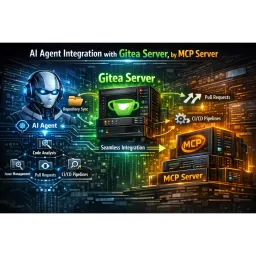
Explore and manage your Gitea repositories through chat — with the Gitea MCP Server
Using language as a bridge to connect programming with the human heart. Gitea MCP simplifies complexity, making repository management as natural as conversation, as effortless as breathing—no tedious searches needed, just a single line of natural language, and everything comes to life.

A free tool for changing Windows system font size: No!! Meiryo UI
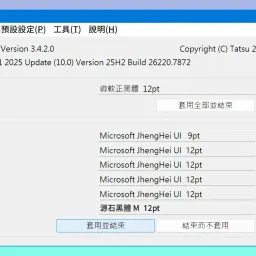
Eye fatigue, heart unrest; seek a vessel of calm, change the type, and the world becomes clear in an instant. No!! Meiryo UI—it’s not for showy style, but for comfortable reading. What’s changed is the font; what’s nourished is the state of mind.

In Nyagos, use Lua to create a file menu for the current folder to quickly retrieve file names.
With the key at heart and the file in mind—one click to retrieve, no fuss required; swift hands guided by intent, the file name comes naturally.

Windows Nyagos history with fzf: Use the menu to select a command to rerun
Looking back, time flows like water; with a tap of the finger, the past comes into view. No searching is needed—what the heart seeks appears instantly. History and tools merge, as swift as a thought, as precise as intention.

The first step to catching the eye: use ShareX to create stunning screenshots.
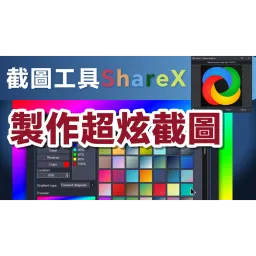
Master the tools, and you can capture any scene at will; refining the moment is also a cultivation of the mind. A screenshot is more than just recording an image—it’s about crafting your own style within the frame and the shadows.

In Nyagos, use Lua to simulate the functions of cmd.exe F1–F9 keys.
With the heart as a guide and the keys as the path — the old F key transforms into the dance of Lua, where history and commands flow at your fingertips, past and present meeting as seamlessly as breathing.

Initial Testing and Observations of Raycast for Windows Beta
New to Windows, Raycast fits in like a blade to its sheath—fast, stable, complete. Launching, searching, converting, snippets, extensions—all respond as swiftly as thought. Only minor flaws remain, still needing adjustment. The true contest between tools lies not in the number of features, but in the harmony between mind and hand.

Modification of WordPress Site View Count and Introduction to the Stop Bad Bots Plugin
Eliminate fake clicks, block malicious bots, and let the digital world return to its original purity—like pruning branches and removing excess growth, undistracted by superficial glitz, holding fast only to truth and tranquility.

Obs183 | Quickly create collection notes using CSV files through Obsidian Importer plugin, and showcase the Bases Group feature; import thousands of records with a single click, leaving manual copy-and-paste behind!
Countless records, no more manual handling; with a single click, they flow in like water into the sea. With the right tools at hand, complexity fades into silence, and the mind moves freely with the clarity of the data.

WhisperDesktop Alternatives: A Beginner’s Guide to Whisper.cpp and an Introduction to the Rust GUI
Tools, whether old or new, require a flexible mind; when models change form, the sound can still be heard. Knowing the way is not hindered by names; skillful use leads to the desired goal.