
以前「Obs097 | Highlightrプラグイン-Obsidianノートの見た目を豊かに」で、HTMLのMark標準タグを挿入してテキストを目立たせるHighlightrプラグインを紹介しました。今回は、より多くの設定オプションを提供するPainterを紹介します。新しいプラグイン(PainterとFast Text Color)を試してみたい方は、ぜひ使ってみてください。
1. Painter:<mark>タグを使用
1.1. 設定のポイント
- Menu mode: minimal、normal
-
Choose highlight method: css-classes、inline-style
挿入される<mark>タグは、CSSスタイルクラスまたはstyle属性を使用します。 -
Choose highlight style:<mark style="background-color:#b48ead">6つ</mark>のスタイルから選択可能

-
Choose highlight colors:色と透明度を選択
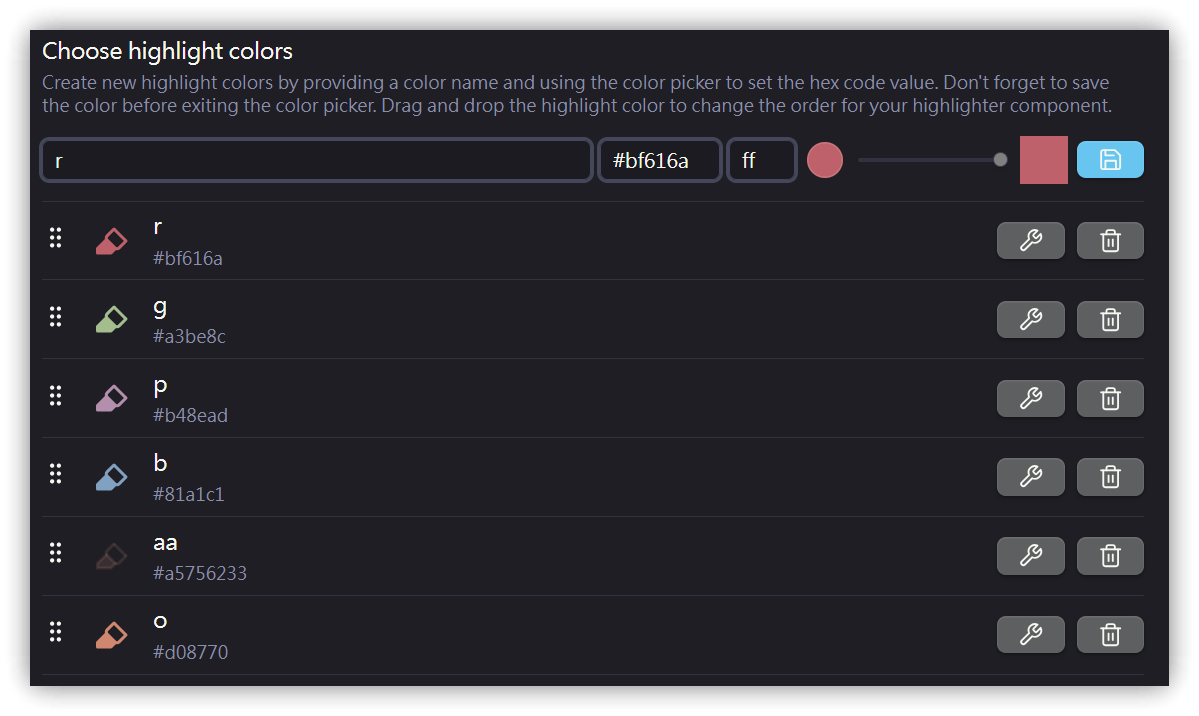
各色はコマンドとして設定され、<mark style="background-color:#a3be8c">コマンドパレット</mark>やホットキーの設定を通じて素早く挿入できます。
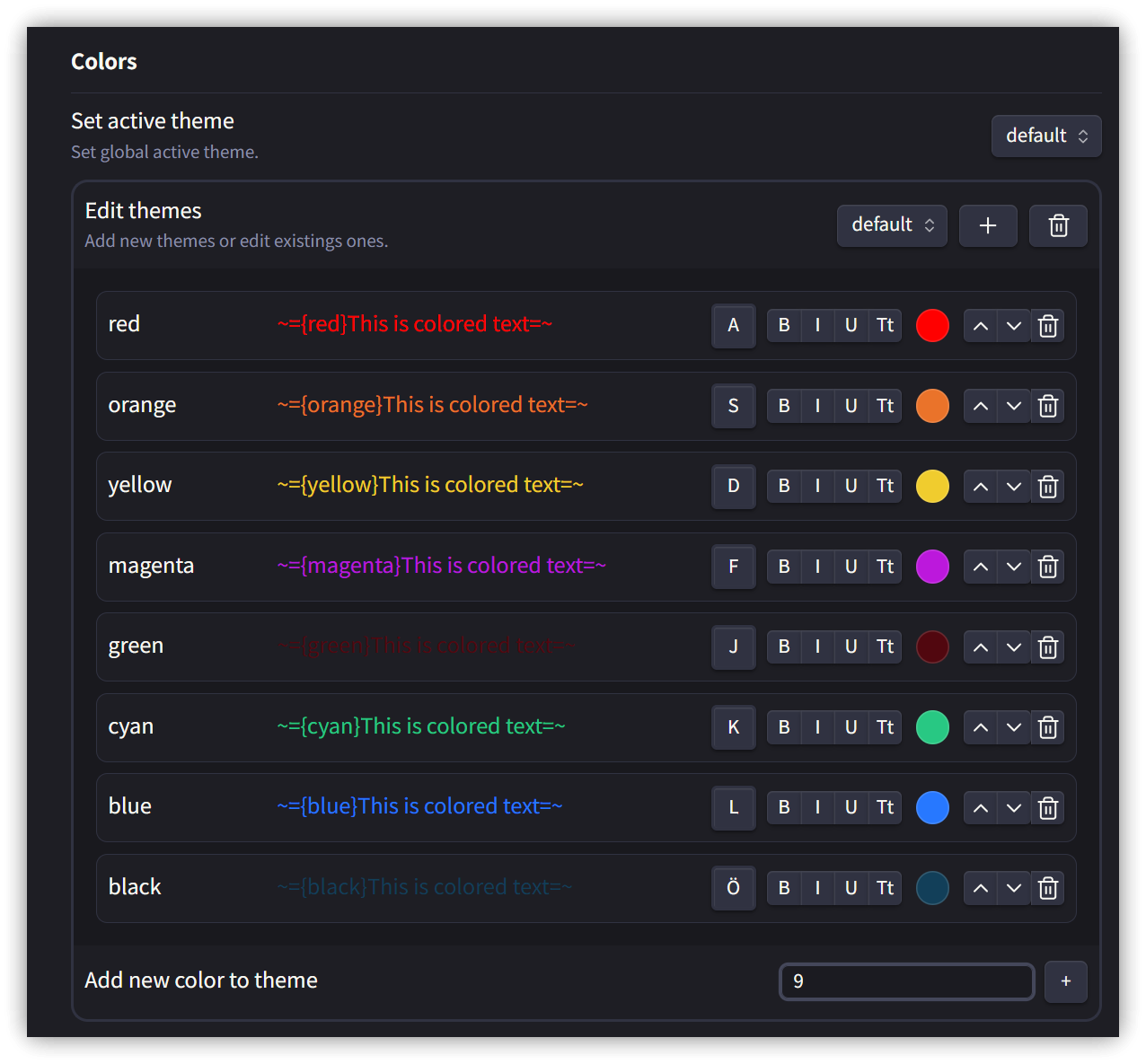
2. Fast Text Color:~=、 =~マーカーを使用
カスタムMarkdownマーカーを使用して、表示するテキストの前景色を指定します。
<code>={カラーコード}表示するテキスト=</code>
2.1. 使用例
={red}RED text= ={blue}BLUE text= ={orange}Yellow=
カーソルがコードブロックに入るとメニューがポップアップ表示されます。
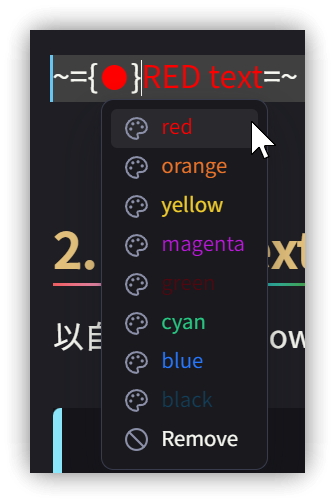
Change Text Colorコマンドを実行すると、カラーメニューがポップアップ表示され、色を選択するとマーカーが挿入されます。
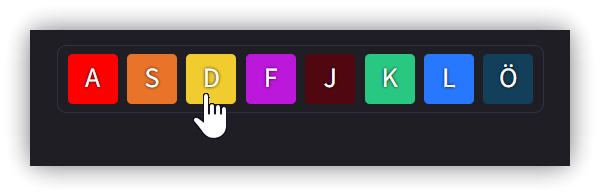
2.2. 設定
3. 💡 関連リンク
💡 解説記事: https://jdev.tw/blog/8466/
💡Explanation article(English): https://quaily.com/jdevtw-en/p/obs161-obsidian-highlighting-text-options-painter-fast-text-color
💡解説記事(日本語): https://quaily.com/jdevtw-jp/p/obs161-obsidian-highlighting-text-options-painter-fast-text-color
✅GitHub - KraXen72/obsidian-painter: paint text different colors
✅ GitHub - Superschnizel/obisdian-fast-text-color: Obsidian plugin to enable colored text with a custom syntax.
- Obs097 | Highlightrプラグイン-Obsidianノートの見た目を豊かに: https://youtu.be/-kr9t-iw1MM
4. 解説動画
##