

When editing videos using editing software, to enhance operational efficiency, you can change the default shortcut key combinations to single keys. This allows the right hand to operate the mouse while the left hand uses single key presses. For example, splitting a video clip with Ctrl+B can be changed to the b key, requiring one less key press.
1. My Recommendations
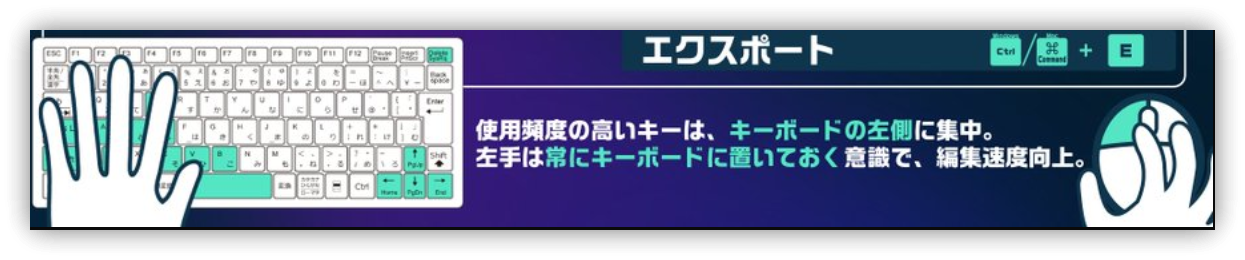
Here are my own Filmora shortcut settings (all lowercase):
| Function | Original Key | New Key | Description |
|---|---|---|---|
| Trim left of playhead | Alt+[ | q | Select the clip, move the playhead, then press 'q' to delete the left part. |
| Trim right of playhead | Alt+] | w | Select the clip, move the playhead, then press 'w' to delete the right part. |
| Split | Ctrl+B | b | Split video clip. |
| Delete | Del | z | Changed all delete functions to 'z'. Concentrates keys for left-hand use. |
| Go To Previous Marker | Shift_Up | , | Located near 'M' for easy recall. |
| Go To Next Marker | Shift+Down | . | Located near 'M' for easy recall. |
| Select Previous | Ctrl+Left | d | Convenient for selection (A, S are already assigned). |
| Select Next | Ctrl+Right | f | Easy to remember and use for selection. |
| Start of project | Home | Ctrl+Home | Single key is easy to press accidentally; changed to a combination key. |
| End of project | End | Ctrl+End | Single key is easy to press accidentally; changed to a combination key. |
2. 💡 Related Links
💡 Explanation article (Traditional Chinese): https://jdev.tw/blog/8797/
💡 Explanation article(English): https://quaily.com/jdevtw-en/p/fimora-practice-efficiency-editing-fimora-shortcut-custom-tips
💡 解説記事(日本語): https://quaily.com/jdevtw-jp/p/fimora-practice-efficiency-editing-fimora-shortcut-custom-tips
✅ Keyboard shortcuts list: https://filmora.wondershare.com/guide/keyboard-shortcuts-on-windows.html