

After installing the local Gitea MCP Server, you can query various information from the Gitea Server in natural language directly within OpenCode, without checking each webpage one by one or using SQL queries.
“Enjoy exploring and managing your Gitea repositories through chat!”
1. Installation Steps
- Download gitea-mcp.exe: https://gitea.com/gitea/gitea-mcp/releases
- Copy gitea-mcp.exe to a folder included in your environment variable PATH.
- Edit
C:\Users\<your-username>\.config\opencode\opencode.json, and add the "gitea-mcp" section.- Personal Access Token (PAT): Settings → Applications → Token
- A token can only be copied right after it is created. You can use an old one you saved earlier or [create a new PAT](300-R興趣/300-99-Tools/ai/透過聊天探索與管理您的 Gitea 倉庫─使用Gitea MCP Server#如何用OpenCode查詢公司的Gitea server?#建立新的PAT).
{
  "$schema": "https://opencode.ai/config.json",
  "plugin": [
    "oh-my-opencode"
  ],
  "permission": {
    "skill": {
      "*": "allow",
      "pr-review": "allow",
      "internal-*": "deny",
      "experimental-*": "ask"
    }
  },
  "mcp": {
    "GitHub-MCP": {
      "type": "remote",
      "url": "https://api.githubcopilot.com/mcp/",
      "enabled": true,
      "headers": {
        "Authorization": "Bearer GitHub Personal Access Token"
      }
    },
    "chrome-devtools": {
      "type": "local",
      "command": [
        "npx",
        "chrome-devtools-mcp@latest",
        "--autoConnect"
      ]
    },
    "gitea-mcp": {
      "type": "local",
      "command": [
        "gitea-mcp",
        "-t",
        "stdio",
        "--host",
        "https://your-gitea-server-url",
        "--token",
        "your-Personal-Access-Token"
      ]
    }
  }
}
2. Usage Examples
How many repos are there in total?
List the number of organization repos, Top 10
Which repos does organization MY_ORG have?
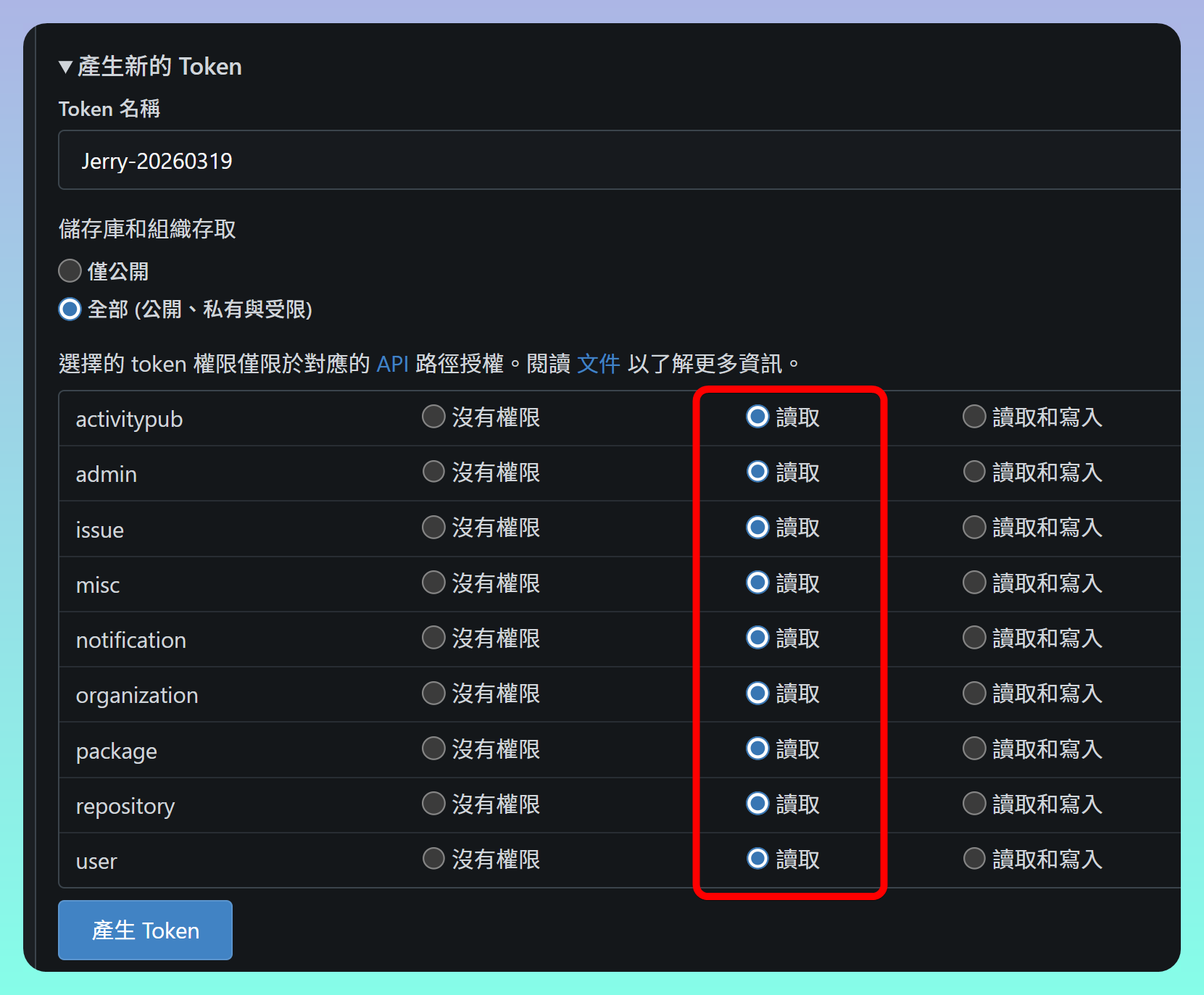
3. Create a New PAT
- Enable additional read permissions
Related Links
✅ Explanation Article (Traditional Chinese)