
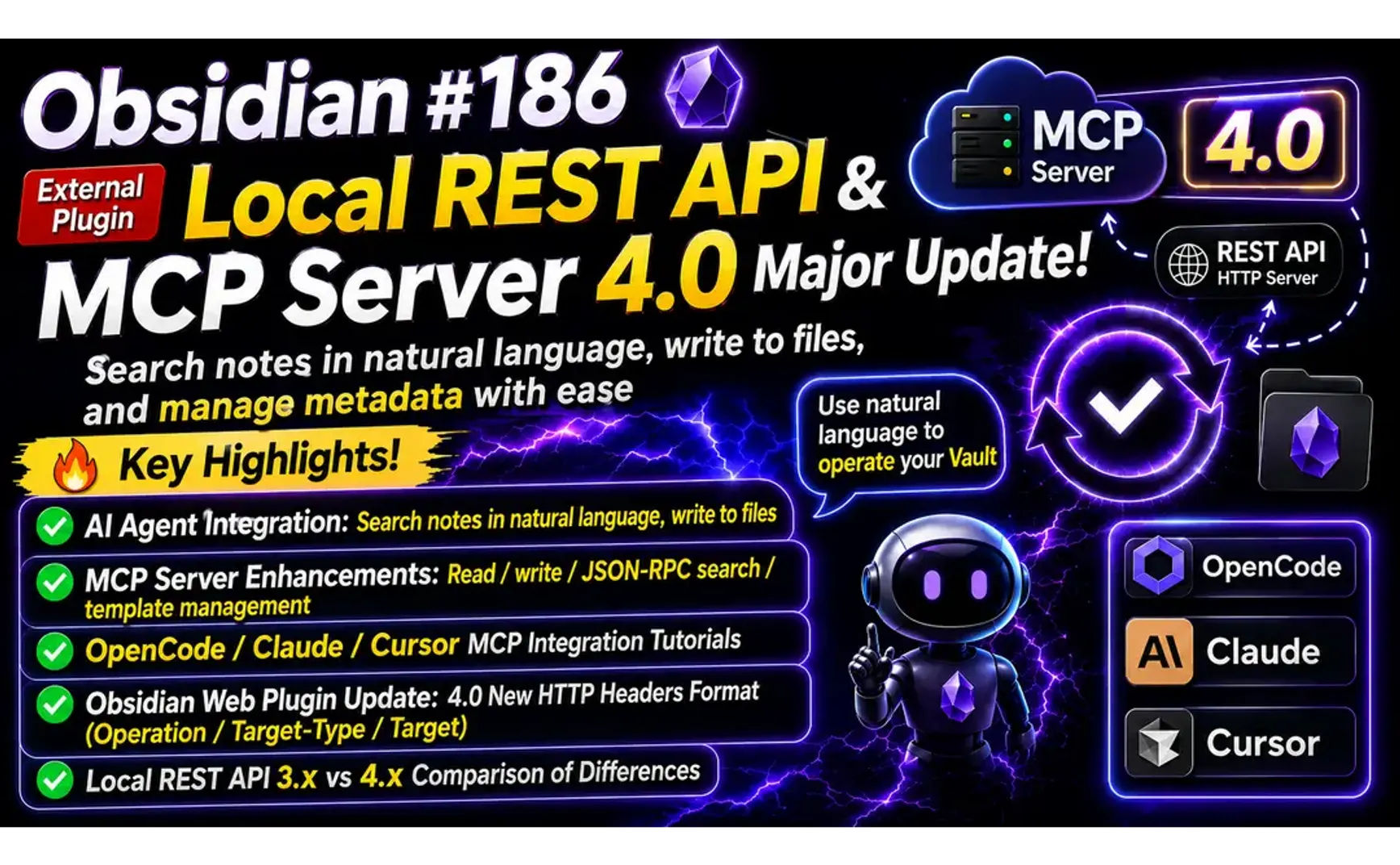
In Obs105 – The Local REST API Plugin for External Integration, I introduced the Local REST API plugin. Through the browser extension Obsidian Web, you could add URLs or selected text to a designated note. However, after upgrading the Local REST API plugin to version 4.0, the browser operations stopped working.
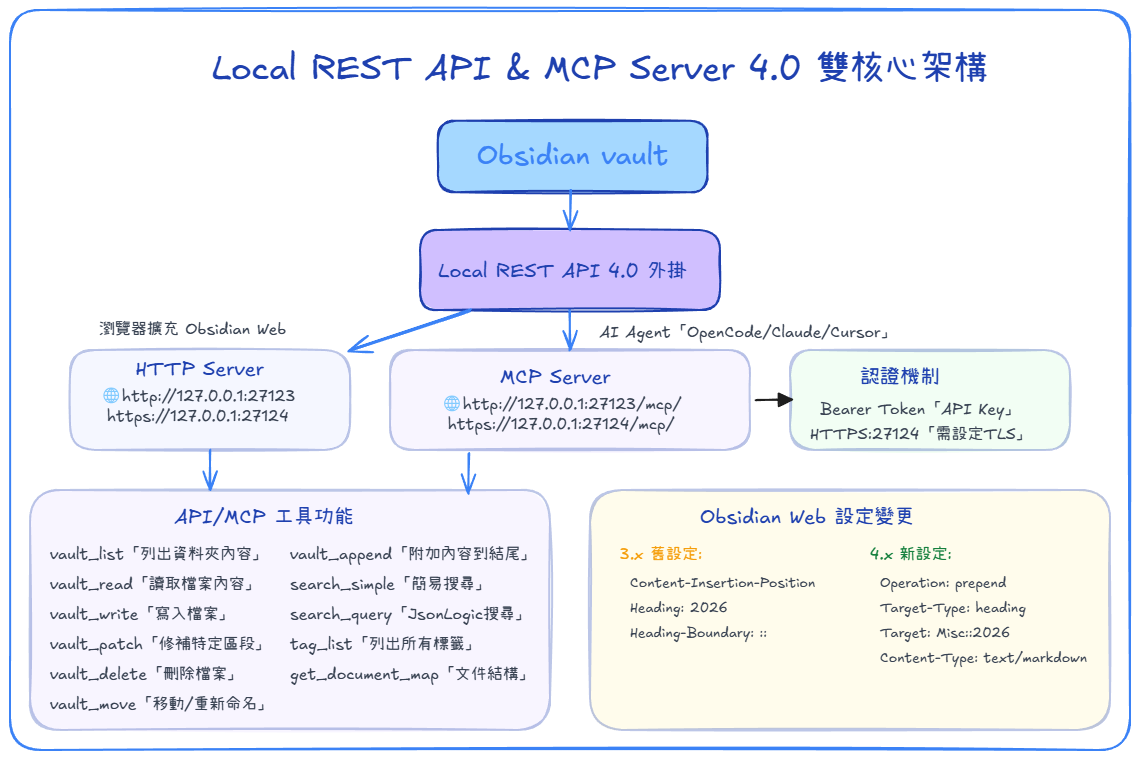
Upon investigation, the cause was clear: Local REST API underwent a major overhaul starting with version 4.0. It now provides not only an HTTP Server (for browser use) but also an MCP Server (for AI Agent use). The browser extension settings have also changed accordingly.
1. AI Agent Feature Demo
Notes containing "MCP server", write the results to 030-Inbox/list.md
- Because AGENTS.md contains the rule: "For simple tasks, just do them directly — no need to 'ask for directions' first.", it prioritizes using OpenCode native tools, i.e., MCP tools.
Write the results of the following query to 030-Inbox/mcp.md:
What is MCP?
1.1. Differences from Obsidian CLI
MCP tools are more direct; Obsidian CLI operates through Skills.
| Aspect | Obsidian CLI (obsidian command) | Local REST API & MCP Server |
|---|---|---|
| Nature | Obsidian official built-in feature | Third-party community plugin (coddingtonbear/obsidian-local-rest-api) |
| Activation | Settings → General → Enable Command line interface | Install community plugin → Settings → Local REST API |
| Protocol | Proprietary CLI protocol (subprocess communication) | HTTP(S) REST API + MCP (Streamable HTTP) |
| Endpoint | None (communicates directly with the Obsidian process) | http://127.0.0.1:27123/ (HTTP) / https://127.0.0.1:27124/ (HTTPS) |
| Authentication | None (OS-level process communication) | Bearer token (API key) |
| Features | Developer tools, plugin management, themes, Sync, Publish, etc. | obsidian_vault_patch can precisely target heading / block / frontmatter for add, delete, and modify operations |
2. MCP Server Features and Configuration
2.1. MCP Available Tools
| Tool | Function |
|---|---|
| obsidian_vault_list | List folder contents |
| obsidian_vault_read | Read file contents |
| obsidian_vault_write | Write to a file |
| obsidian_vault_patch | Patch a specific section of a file |
| obsidian_vault_delete | Delete a file |
| obsidian_vault_move | Move / rename a file |
| obsidian_vault_get_document_map | Get document structure (headings, block references, frontmatter) |
| obsidian_vault_append | Append content to the end of a file |
| obsidian_search_simple | Simple search |
| obsidian_search_query | JsonLogic advanced search |
| obsidian_tag_list | List all tags |
2.2. AI Agent Configuration
-
For Claude and Cursor, refer to GitHub.
-
OpenCode configuration is as follows:
  "mcp": {
    "obsidian": {
      "type": "remote",
      "url": "http://127.0.0.1:27123/mcp/",
      "enabled": true,
      "headers": {
        "Authorization": "Bearer YOUR_API_KEY",
      }
    }
  }
- Because Local REST API uses a self-signed certificate, using
http://directly is simpler. - If you run the following commands before launching OpenCode, you can use
"https://127.0.0.1:27124/mcp/"for the "url":
set NODE_TLS_REJECT_UNAUTHORIZED=0

rem Permanently set the environment variable
setx NODE_TLS_REJECT_UNAUTHORIZED 0
3. Installing and Enabling in Obsidian
- Search for "Local REST API" in Community Plugins, then install and enable it.
- Go to Settings → search for "Local REST API" → copy the API Key:
Bearer YOUR_API_KEY - Check "Enable non-encrypted (HTTP) server"
4. Obsidian Web Browser Extension Settings
- Right-click the Obsidian Web icon → Extension Options → modify existing Templates.
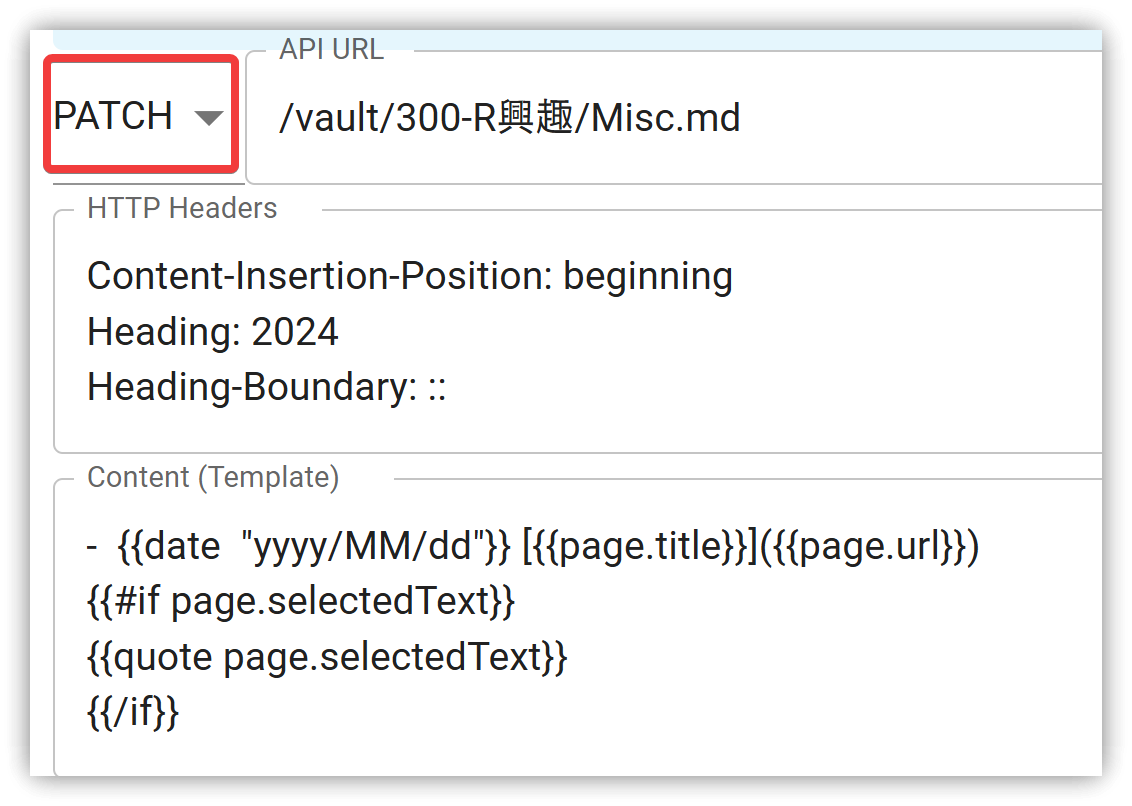
4.1. Local REST API 3.x Original Settings
- Append content: PATCH /vault/folder/note.md
- Find the heading "2026" in the note and prepend new content at the beginning of that section.
- The HTTP Headers format has changed in 4.0.
4.2. Local REST API 4.x New Settings
- Append content: PATCH /vault/folder/note.md
- Find the heading "2026" in the note and prepend new content at the beginning of that section.
- Operation: append (add at the end of the section), prepend (add at the first line of the section), replace
- Target-Type: heading, block, frontmatter
- For heading, you must use the format
heading1::heading2, specifying headings from top to bottom.
- For heading, you must use the format
- Content-Type: cannot use
text/plain→ usetext/markdownorapplication/jsoninstead.
5. 💡 Related Links
✅ Explanation article (Traditional Chinese): https://jdev.tw/blog/9217/
✅ Explanation article (English)
✅ Explanation article (Japanese)
✅ Obsidian Web browser extension: Obsidian Web - Chrome Web Store
✅ GitHub local-rest-api with MCP: https://github.com/coddingtonbear/obsidian-local-rest-api