

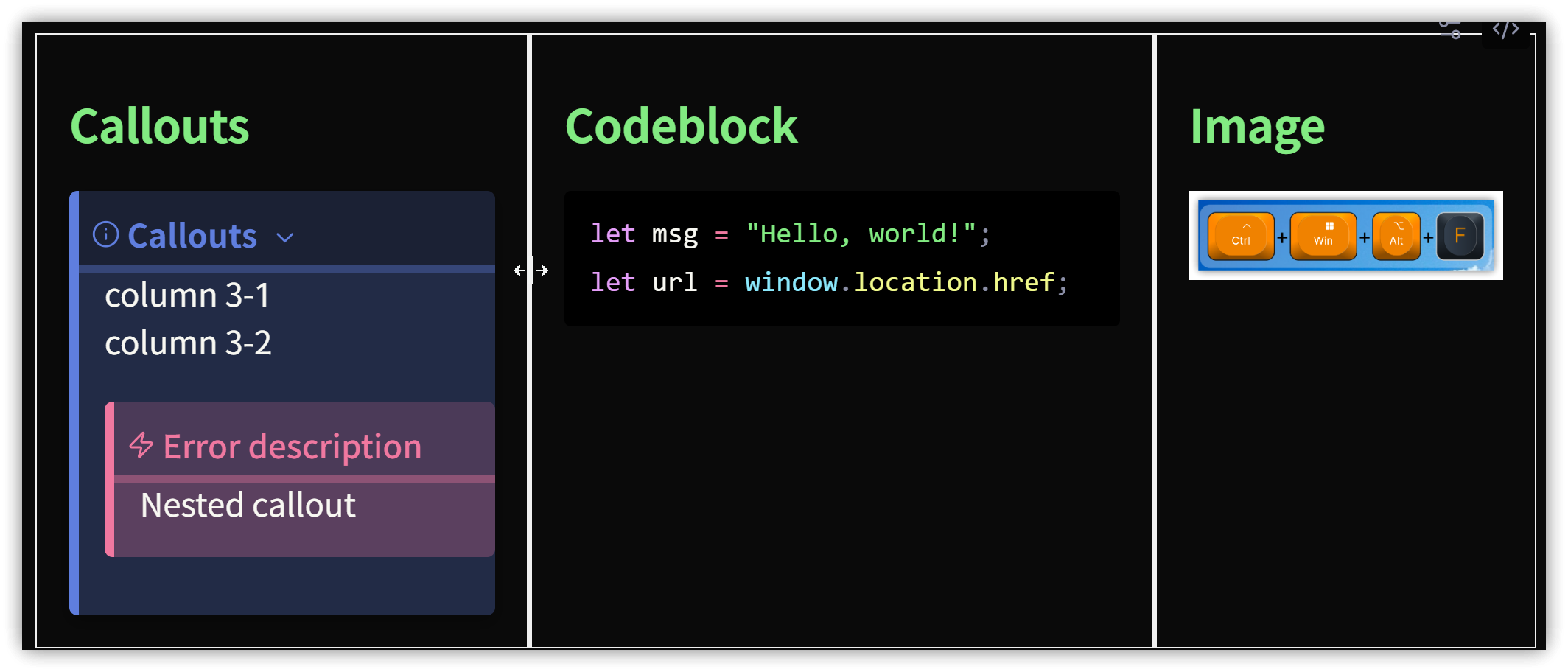
Previously, we introduced a plugin for multi-column layouts (Obs084-另一個更簡便的筆記多欄作法:使用Obsidian Columns外掛). However, the recently released Simple-Columns not only offers the same multi-column functionality but also provides the following features:
- Customizable appearance: Global settings or individual multi-column block styles.
- Resizable columns: Adjust the column widths by dragging.
- The column separator is
===instead of three backticks, making it more friendly for code blocks.
Even better, there is a command to insert code without needing to learn any syntax, making it much more convenient than the Obsidian Columns plugin.
1. Example
- Code language:
columns - Column delimiter:
===
```columns
id: 2snPI9hqmRlnbBLXJ9e6r
===
### Callouts
> [!INFO] Callouts
> column 3-1
> column 3-2
>> [!ERROR] Error description
>> Nested callout
===
### Codeblock
```js
let msg = "Hello, world!";
let url = window.location.href;
```
===
### Image
2. Usage
Right-click the menu → Add columns → 2/3/4 columns. The inserted code block will be assigned a unique ID. Click the options icon in the top right to open a customization dialog and set the appearance.
3. 💡 Related Links
💡 解說文章(繁體中文): https://jdev.tw/blog/8837/
💡 Explanation article(English): https://quaily.com/jdevtw-en/p/obsidian-multiple-columns-simple-columns-custom-appearance-drag-column-width-efficiency-improvement
💡 解説記事(日本語): https://quaily.com/jdevtw-jp/p/obsidian-multiple-columns-simple-columns-custom-appearance-drag-column-width-efficiency-improvement
✅ Simple-Columns Plugin: https://github.com/Josie1902/Simple-Columns