
Obsidian's file explorer is presented in a tree structure, while the following plugins provide a card-based display interface:
- Notes Explorer
- GridExplorer
- Data cards
1. Notes Explorer: Tag-focused with folder support
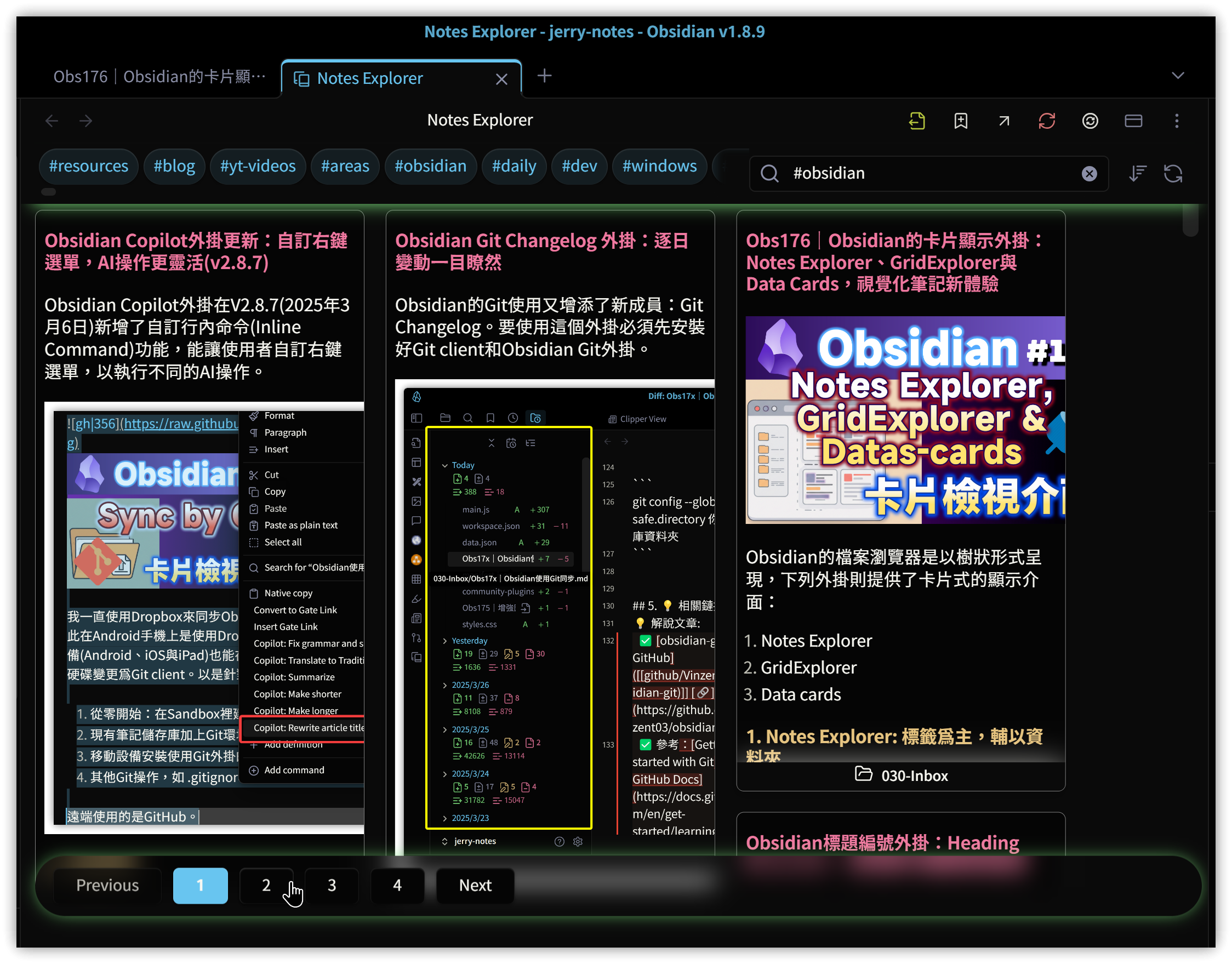
Notes Explorer is a new plugin branched and enhanced from the Cards View plugin. When executing the "Open notes explorer in main window" command or clicking the left toolbar, Notes Explorer displays all notes in card format in the editing area. You can then click or enter tags to filter notes matching those tags.
1.1. Page View mode
To address performance issues when dealing with numerous notes, Notes Explorer introduces pagination settings. By specifying Page View mode in the settings and indicating the maximum number of entries per page, clicking on the "Page:" label in the status bar will reveal a pagination navigation bar at the bottom of the editing area for jumping to specific pages.
1.2. Folder cards
Right-click on a folder in the file explorer and select "Open folder in Cards view" to display that folder in card format.
1.3. Common settings
1.3.1. Open note layout
In the settings, you can specify how to open a note when clicking on a card:
- Open note on right side
- Open note in new tab
- Open note in same tab
- Open note in new window
1.3.2. Tag color indicator
In the Tag color indicator section of the settings, you can specify certain tags to display in different colors for quick identification. The color application style can be set to background or border.
2. GridExplorer: Folder-based
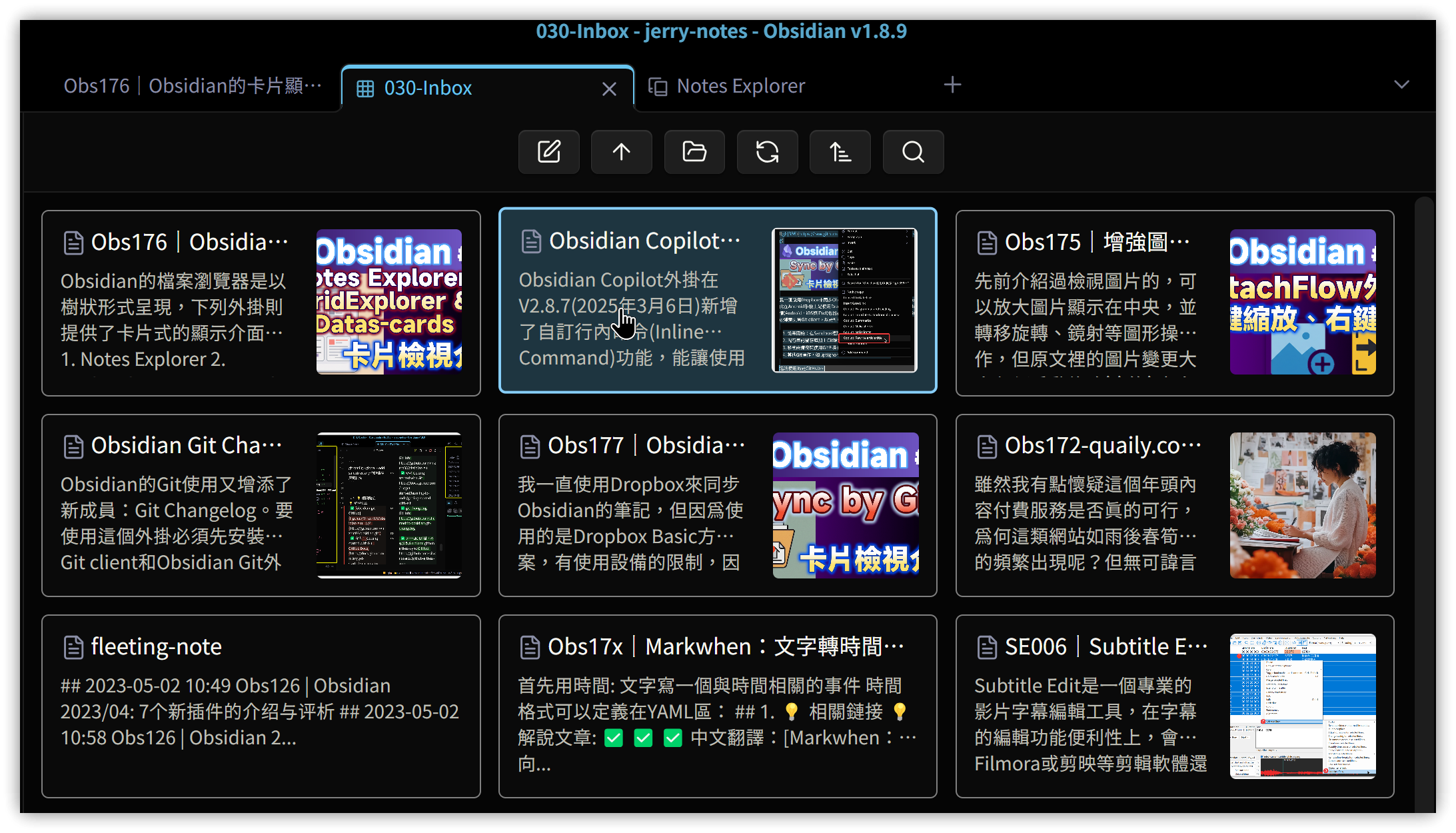
Click the GridExplorer icon on the left toolbar or execute "Open grid view". In the folder selection dialog that appears, choose a folder to display it in card format. You can also click on subfolders to browse notes within them.
2.1. Common settings
- Default open location: Specify how to open a note when clicking on a card
- Open in new tab
- Open in left sidebar
- Open in right sidebar
- Default sort type: Default method for sorting cards
3. Data Cards: Dataview extension
Data cards is currently not available in the community plugins. Install manually or using BRAT
Data cards plugin is an extension of Dataview. By adding Data cards configuration options after a regular Dataview code block (the programming language must be changed to datacards), Dataview will display in card format instead of lists or tables.
To display images on cards, the note itself must have an image Property (default is cover), and then specify the imageProperty parameter in the datacards block with the value being the name of the image Property.
Parameters that can be used in Data cards can be found on the plugin documentation page.
```datacards
table cover_image_url,join(file.tags," ") as Tags, created, modified
from "030-Inbox"
where type="專案筆記"
sort created desc

// Settings
//    preset: grid, portrait, square, compact, dense
preset: grid
imageProperty: cover_image_url
```
4. 💡 Related links
💡 Explanatory article: https://jdev.tw/blog/8727/
✅ obsidian-notes-explorer GitHub: https://github.com/tu2-atmanand/obsidian-notes-explorer
✅ obsidian-gridexplorer GitHub: https://github.com/Devon22/obsidian-gridexplorer
✅ data-cards GitHub: https://github.com/Sophokles187/data-cards