

I’ve been using Nyagos in Windows Terminal for some time, and recently asked the author about solutions to two issues:
1. Add Ctrl+End to clear text to the right of the cursor
- In the original cmd.exe window, pressing Ctrl+End clears everything to the right of the cursor. In Nyagos, the equivalent key is Ctrl+K, but its key list does not include
C_END. The author provided a solution:- Simply add the following Lua code in the
.nyagosfile in the installation folder. - I personally added it directly into my custom Lua file in
nyagos.d, and it worked just as well.
- Simply add the following Lua code in the
nyagos.key["\027[1;5F"] = "KILL_LINE"
2. Remove the asterisk at the end of file names
When using the ll command, executable filenames are displayed with an asterisk (*) at the end. How can this asterisk be removed?
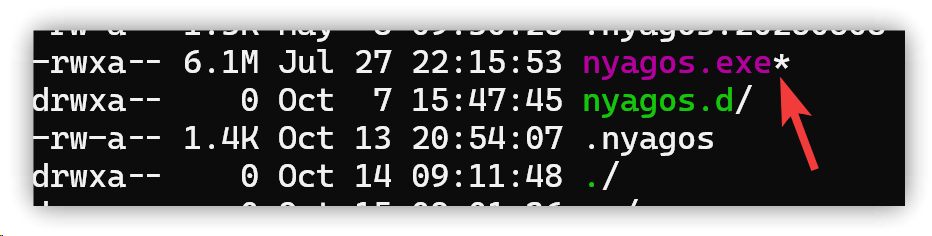
The reason is that ll is a custom alias, and removing the F option will prevent the asterisk from being shown. Locate the .lua file defining the alias in nyagos.d and modify it.
▼ Before modification
if nyagos.env.OS == "Windows_NT" then
  nyagos.alias.ll="__ls__ -olFh -tr -al $*"
end
▼ After modification
if nyagos.env.OS == "Windows_NT" then
  nyagos.alias.ll="__ls__ -olh -tr -al $*"
end
3. 💡 Related links
✅ Explanation article (Traditional Chinese): https://jdev.tw/blog/8975/
✅ Explanation article (English)
✅ Explanation article (Japanese)