

How to Control DataGrip to Generate INSERT Statements – Uppercase Column Names and Remove Schema Name
When we need to export partial data using an INSERT statement, we can do so with a query. The steps are as follows:
- In the editor, run a SELECT statement to query the data.
- In the data grid area, check the top-right corner to ensure Data Extractors is set to SQL-Insert-Statements (groovy). If it's not, select it from the menu.
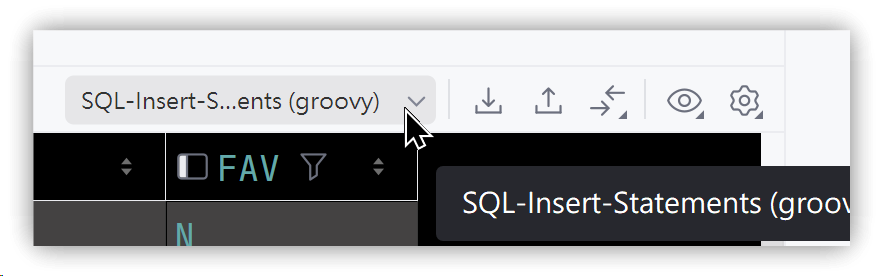
- In the data grid area, select multiple records and press Ctrl+C to generate corresponding INSERT statements and copy them to the clipboard.
- In the editor or any text editor, press Ctrl+V to paste the generated statements and verify that they meet your requirements.
1. Requirements
- The source database collation is case-insensitive, but the target database is case-sensitive, so the table names and column names in the INSERT statements need to be uppercase.
- The INSERT statements should not include the database name or schema name.
With the default settings, these requirements are not met, so further adjustments are needed.
2. Uppercase Identifiers
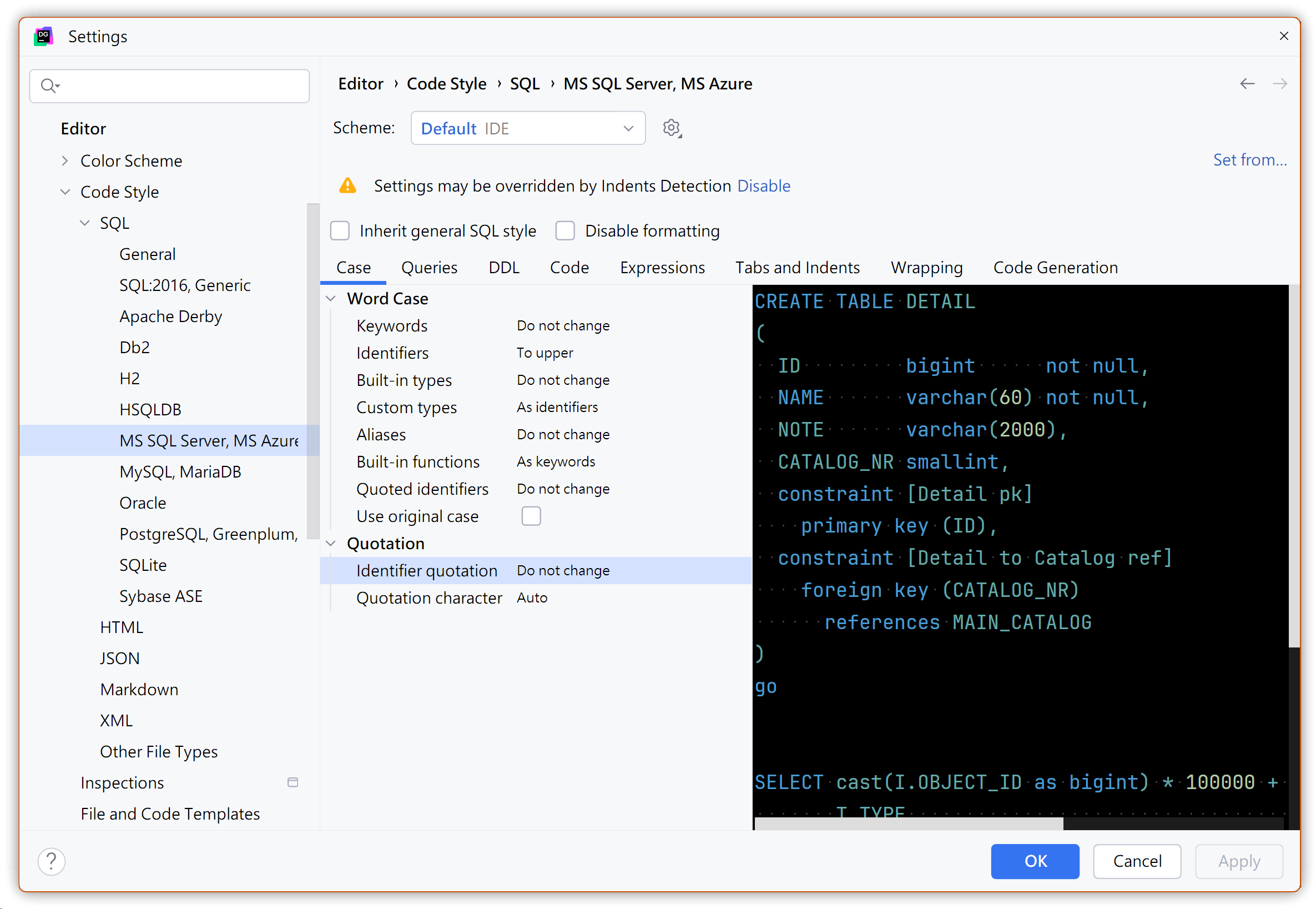
- Go to Settings... → Editor → Code Style → SQL → select MS SQL Server, MS Azure since the database is MS SQL Server.
- Click the Case tab and set Identifiers under Word Case to To upper.
- You will see in the preview on the right that table names and column names are now uppercase.
3. Removing Database and Schema Names
Data Extractors and the SQL Generator do not provide an option to remove the database name, but we can modify the processing script that generates INSERT statements: SQL-Insert-Statements.sql.groovy, written in Groovy.
3.1. Backup Before Changes
- In the data grid area, click the Data Extractors menu in the top-right corner → last option Go to Scripts Directory, or go to File → Scratchers and Consoles → Extensions → Database Tools and SQL → data → extractors.
- Right-click
SQL-Insert-Statements.sql.groovy→ Copy (Ctrl+C), then press Ctrl+V to paste and save it as a new script.
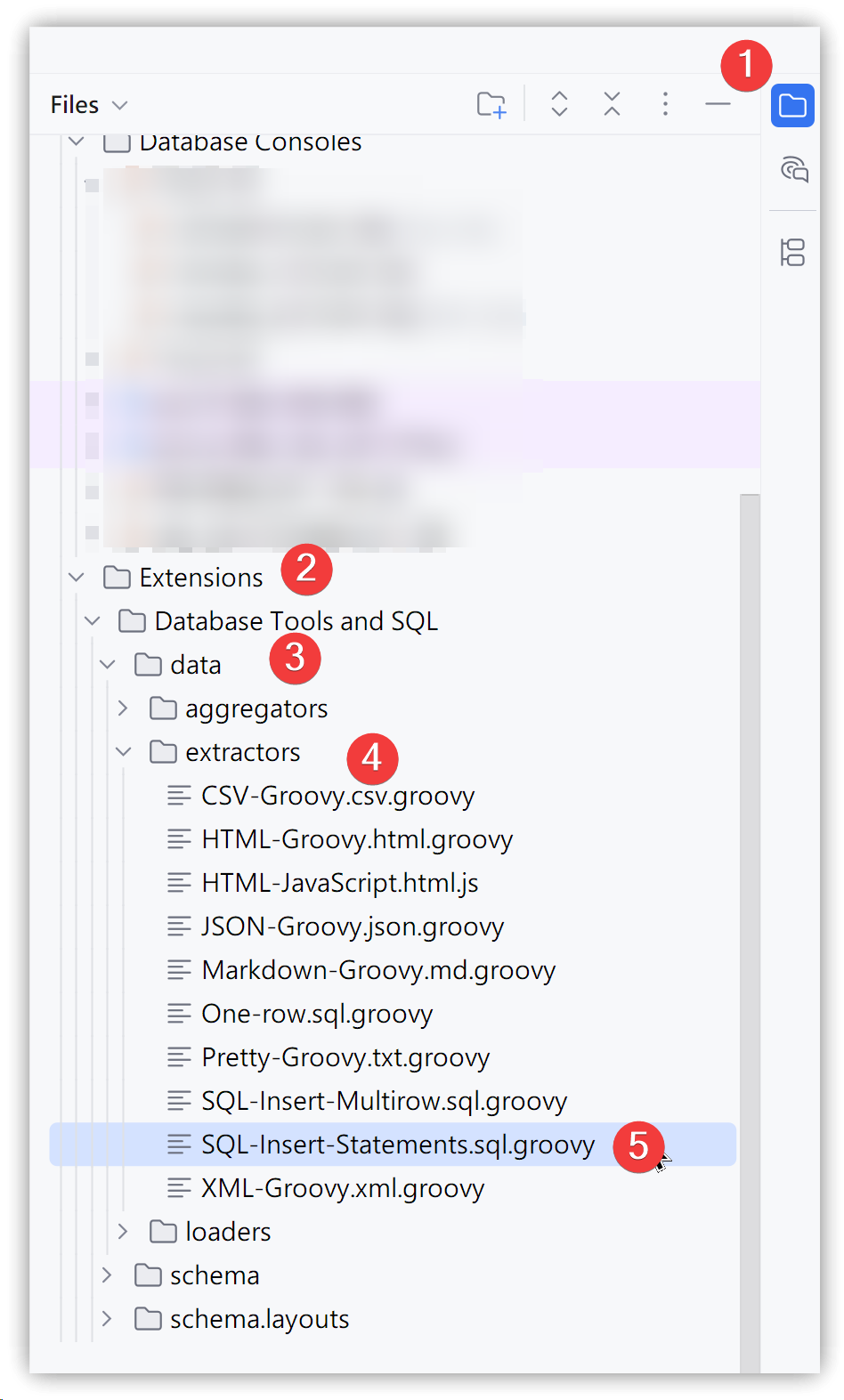
C:\Users\<UserName>\AppData\Roaming\JetBrains\DataGrip2025.2\extensions\com.intellij.database\data\extractors\SQL-Insert-Statements.sql.groovy
3.2. Editing the Script
Open the script to be modified and comment out the code that outputs the database and schema names:
def record(columns, dataRow) {
    OUT.append(KW_INSERT_INTO)
    def table_name = TABLE.getName().toUpperCase()
    if (TABLE == null) OUT.append("MY_TABLE")
    else OUT/*.append(TABLE.getParent().getName()).append(".")*/.append(table_name)
    OUT.append(" (")

    columns.eachWithIndex { column, idx ->
        def name = column.name().toUpperCase()
        OUT.append(name).append(idx != columns.size() - 1 ? SEP : "")
    }
After modifying the script, restart DataGrip. Make sure the Data Extractors menu is using your updated .groovy script. Then, in the data grid area, select records and press Ctrl+C. From now on, the generated INSERT statements will match the required format.
4. 💡 Related Links
✅ Explanation article (Traditional Chinese): https://jdev.tw/blog/8985/
✅ Explanation article (English)
✅ Explanation article (Japanese)