

The Dashboard Navigator plugin provides an overview of the file distribution within your vault, presented as panes with two view interfaces: a dashboard and a navigation panel.
It also covers how to use the NetClip plugin to customize the display of new tabs.
1. Dashboard
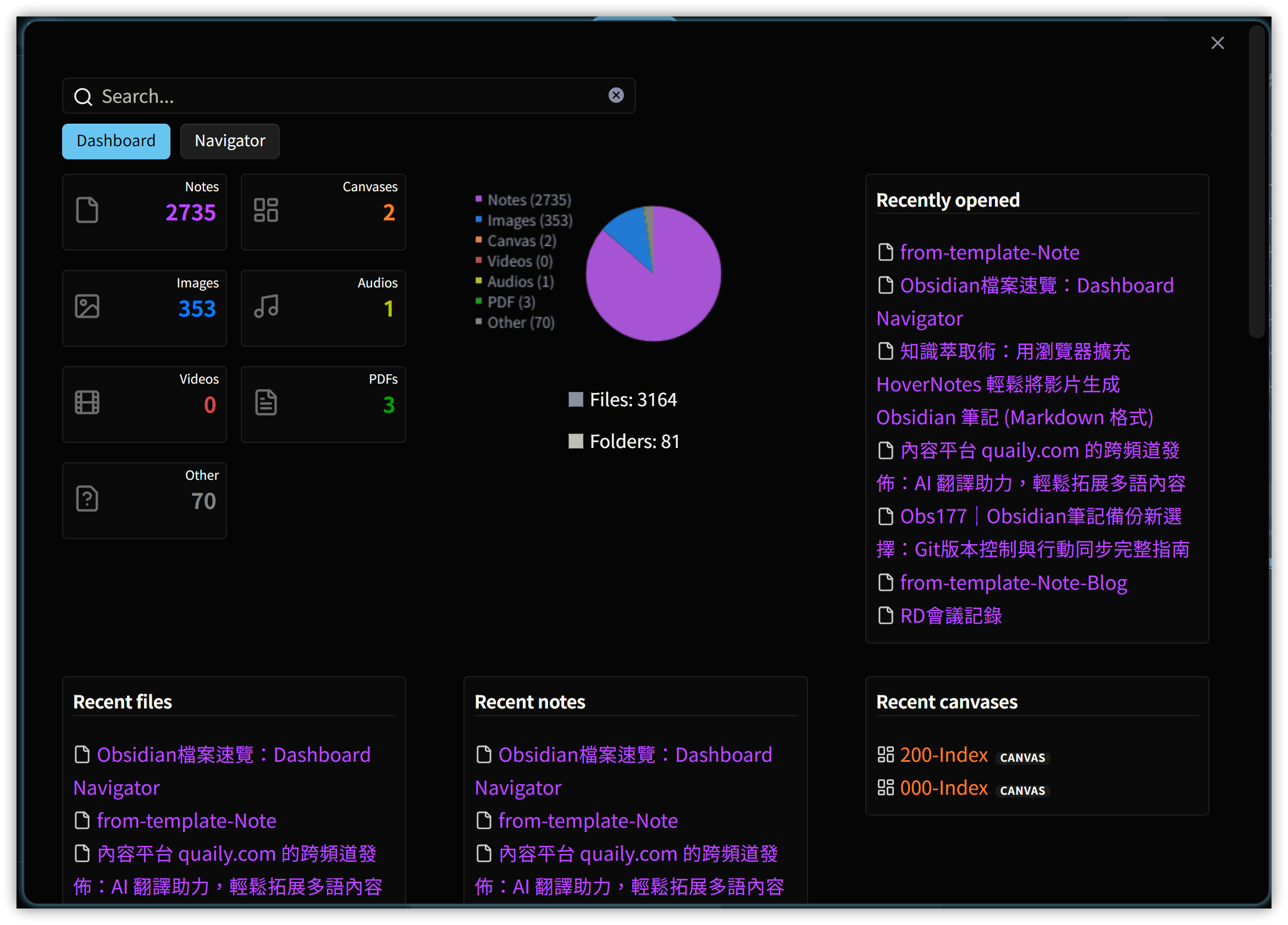
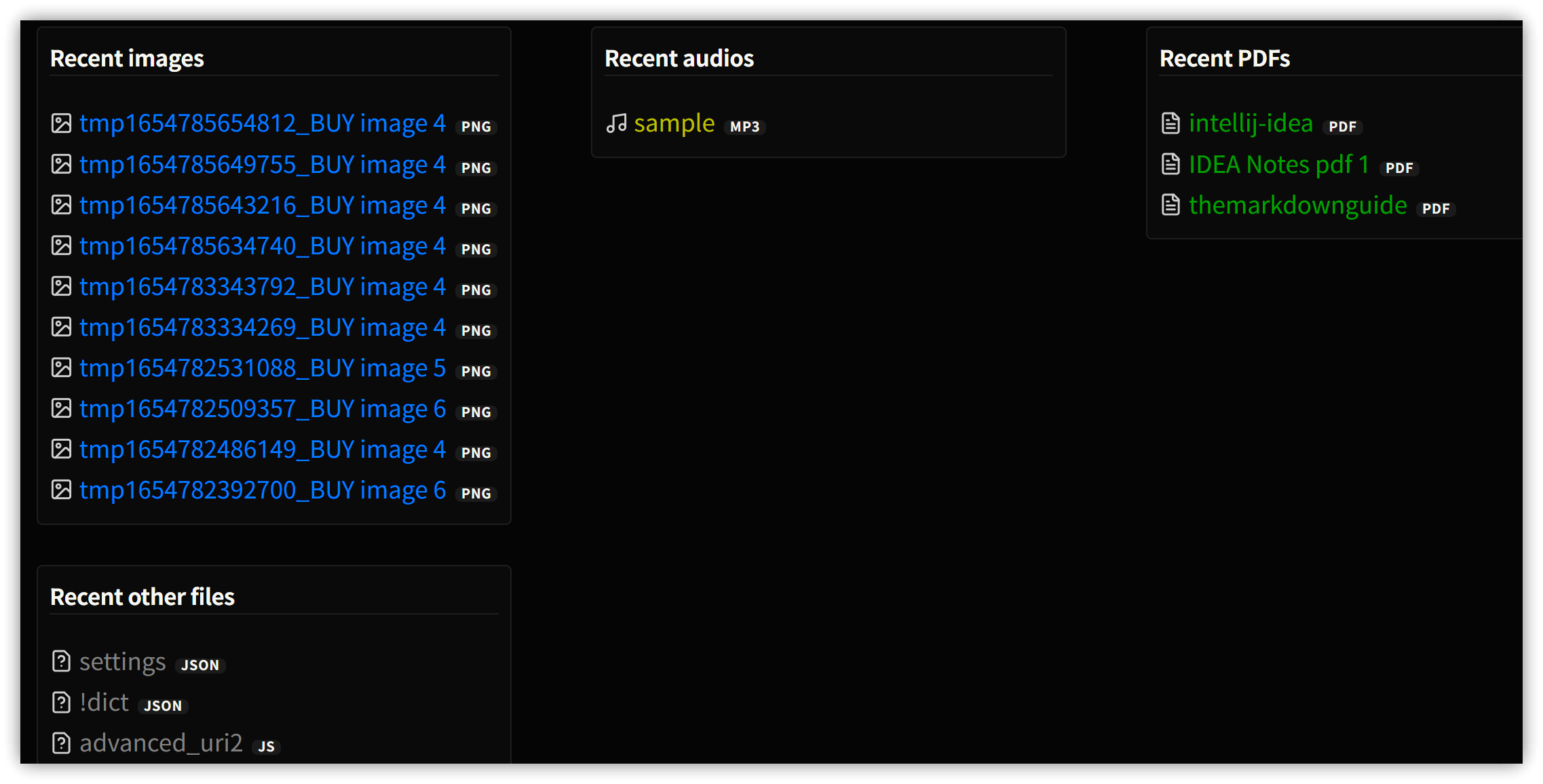
The dashboard displays vault file statistics and a list of recently used files, divided into categories such as recent notes, recent canvases, recent audio/video files, and recent PDF files. This allows us to quickly understand the file distribution within the vault.
1.1. Recent Files Context Menu and Ctrl Preview
Right-clicking on a recent file link allows you to choose options for opening the file. Three dialog options are particularly noteworthy:
- Show preview: Displays a preview dialog with three opening modes: 【Open】, 【Open in new tab】, and 【Open in new window】.
- Frontmatter: Displays the YAML frontmatter content in a text box.
- File properties: Shows file attributes, including file path, creation date, and YAML frontmatter content.
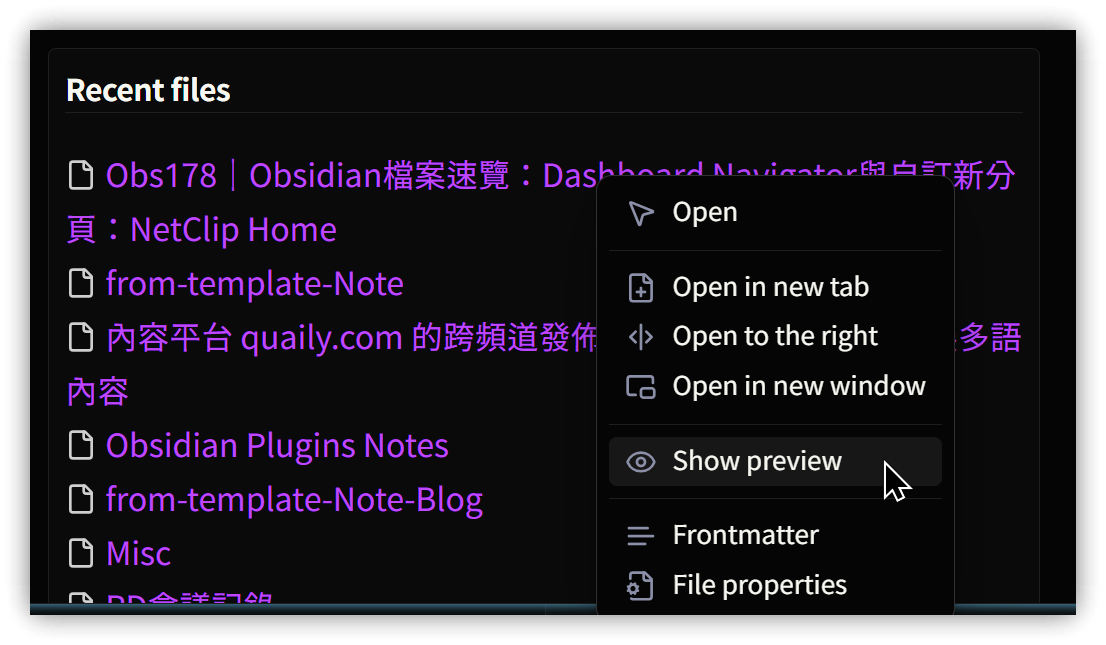
The preview window can also be triggered by holding down Ctrl and hovering the mouse cursor over the link you want to preview to instantly pop up the preview dialog.
2. Navigator Panel
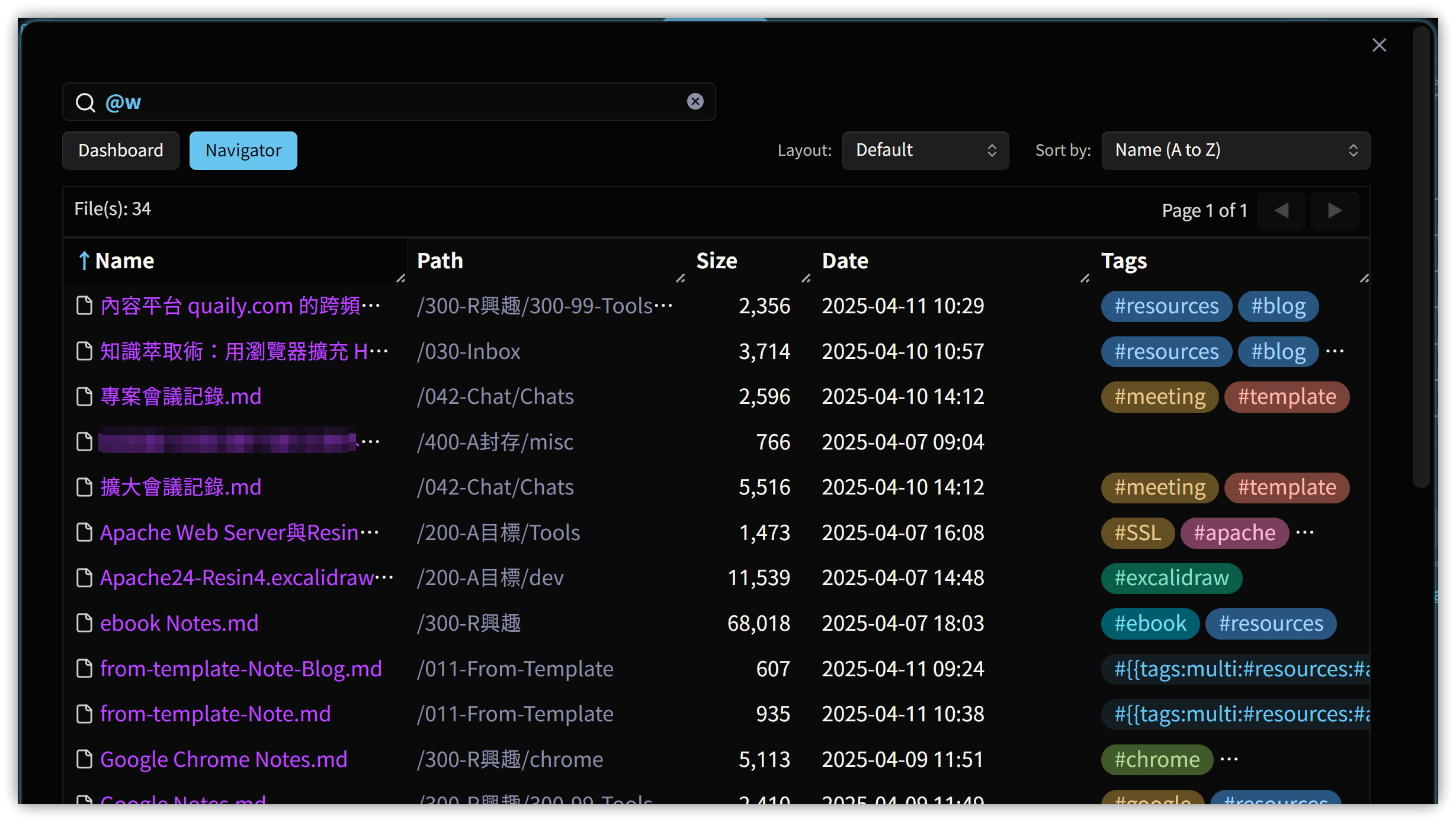
Displays lists of files in different categories. You can enter the following keywords in the search box to filter by file type:
| Type Keyword | Abbreviation | Filter Condition | Example |
|---|---|---|---|
| @notes | @n | Notes (.md files) | @n #autohotkey <br>@n specific text |
| @images | @i | Image files | |
| @canvas, @canvases | @c | Canvas files | |
| @audios | @a | Audio files | |
| @videos | @v | Video files | |
| @pdf, @pdfs | @p | PDF files | |
| @other | @o | Other files |
Alternatively, filter by file update date by entering the following keywords in the search box:
| Date Keyword | Abbreviation | Filter Condition | Example |
|---|---|---|---|
| @day, @today | @d | Today | |
| @day-1 | @d-1 | Yesterday | |
| @day-N | @d-N | N days ago | |
| @week | @w | This week | |
| @month | @m | This month | |
| @month-N | @m-N | N months ago | @month-2 to @month-12 <br>i.e., from 2 months ago to 12 months ago |
| @year | @y | This year |
3. Usage Highlights
3.1. Search Combinations
- File type keywords and date keywords can be used together, e.g.,
@week @images. - Prepending a tag with
!creates an exclusion condition, e.g.,@week !#yt-videos #blog. - Has YAML property:
'cover_image_url'finds files with this property,'!cover_image_url'finds files without this property. - Specific YAML property value:
'type: Index'lists files where thetypeproperty isIndex.
3.2. Sorting
Select a sorting method using 'Sort by' in the top-right corner, or double-click a column header in the table.
3.3. File Count
Specify the number in the settings.
4. Customizing New Tabs: Using NetClip
-
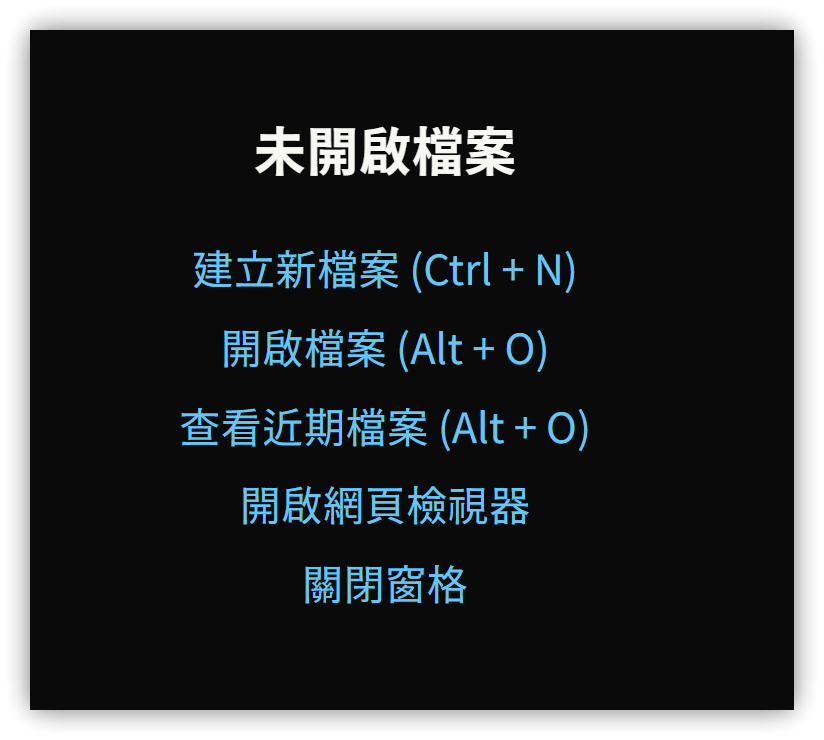
Default New Tab
-
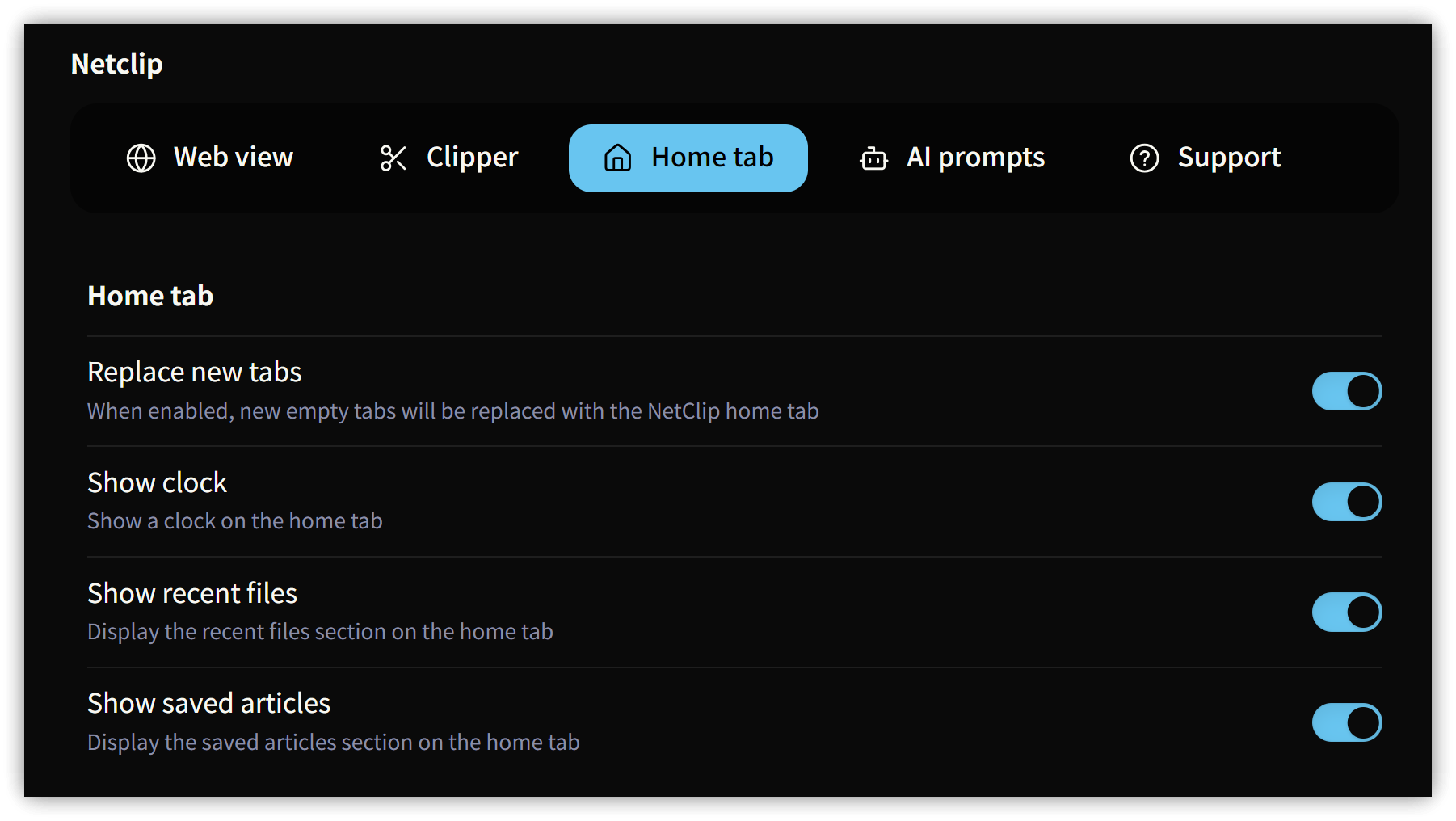
Enable the Home tab feature in the NetClip settings under the 'Home tab' option.
-
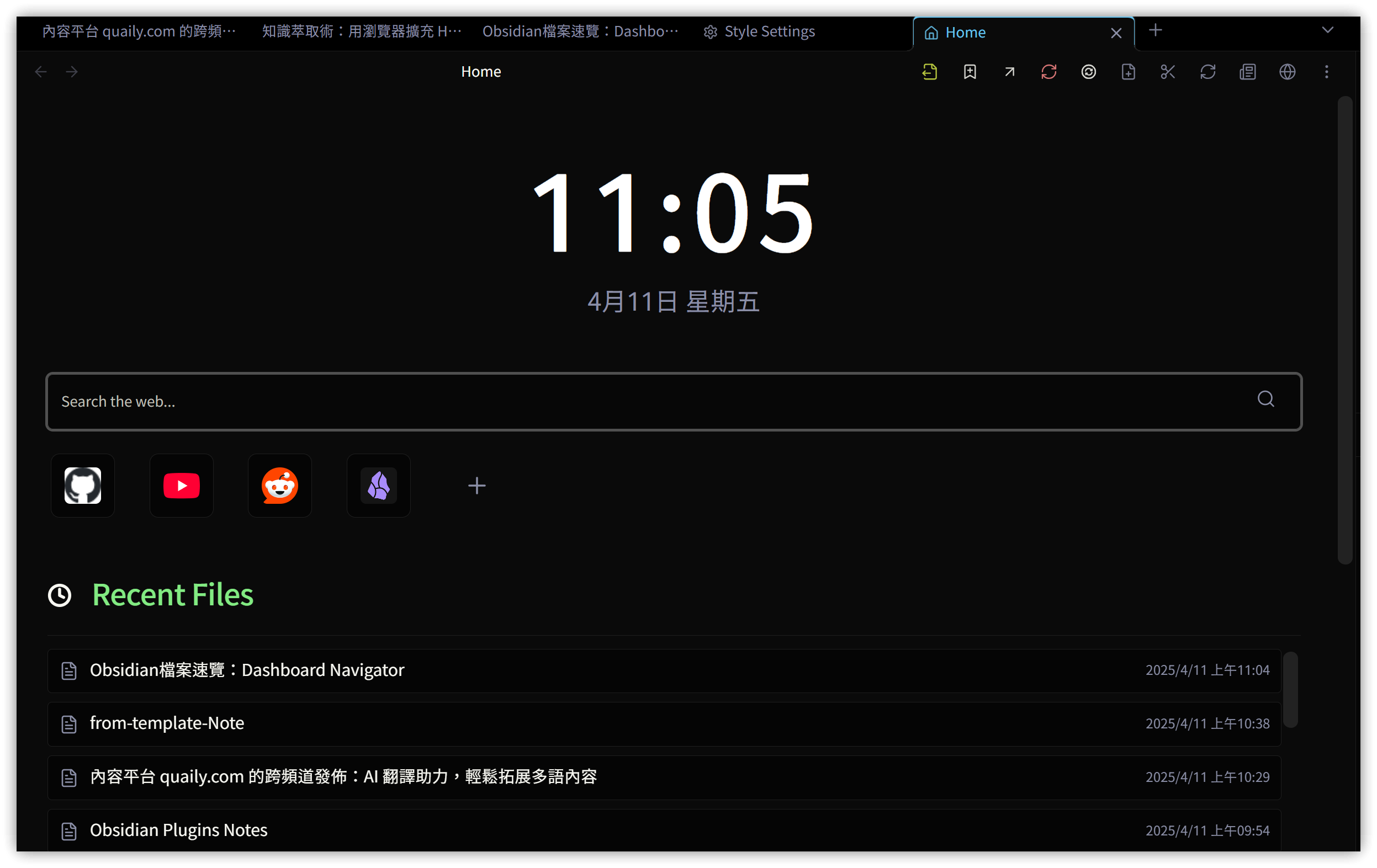
New Tab with a New Look
5. 💡 Related Links
💡 Explanation article (Traditional Chinese): https://jdev.tw/blog/8754/
💡 Explanation article(English): https://quaily.com/jdevtw-en/p/obs178-obsidian-file-overview-dashboard-navigator-custom-new-tab-netclip-home
💡 解説記事(日本語): https://quaily.com/jdevtw-jp/p/obs178-obsidian-file-overview-dashboard-navigator-custom-new-tab-netclip-home
✅ Dashboard Navigator GitHub: https://github.com/drbap/dashboard-navigator-for-obsidian
✅ Obsidian-NetClip GitHub: https://github.com/Elhary/Obsidian-NetClip